
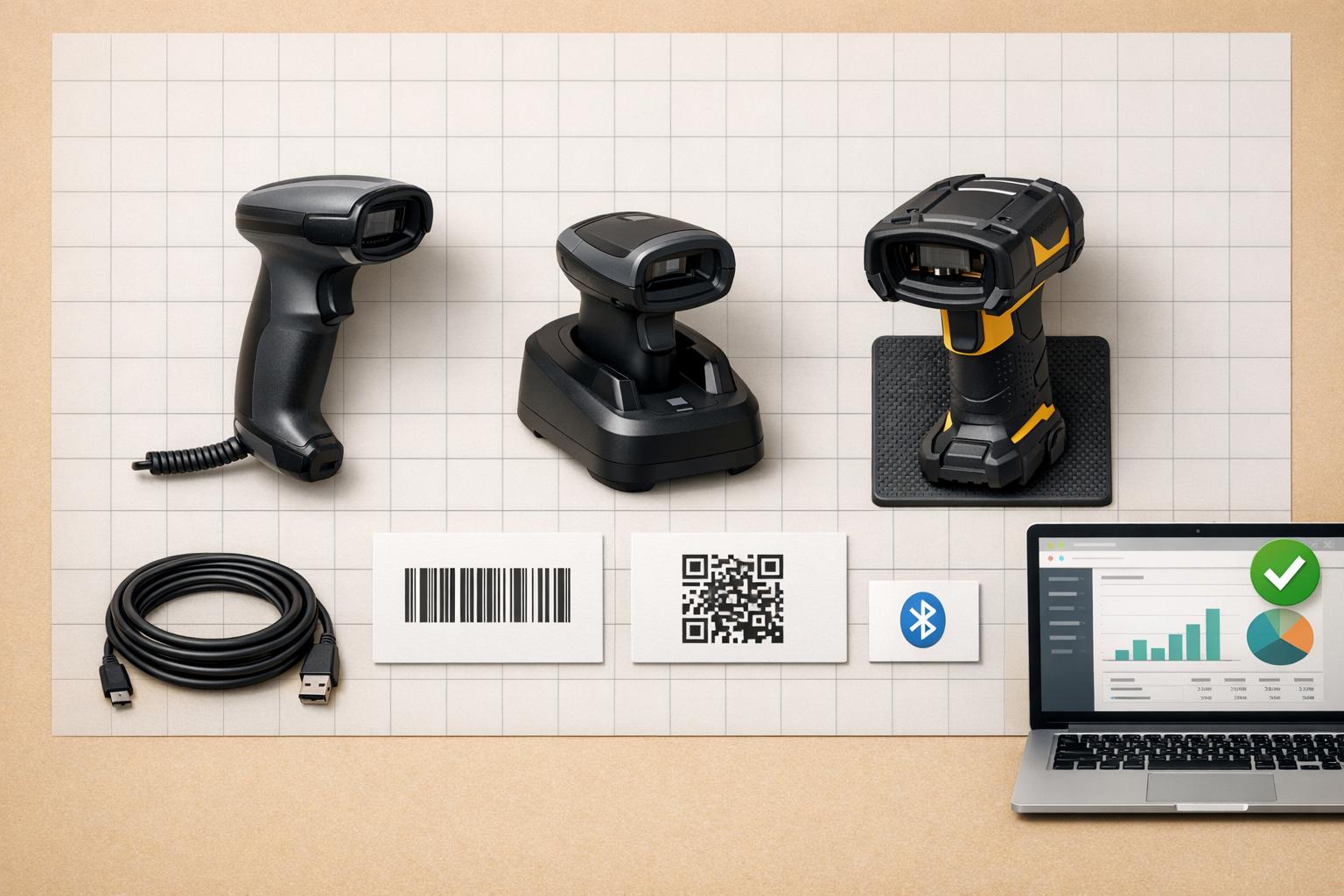
To choose the best barcode scanner for your business, focus on these key factors:
- Compatibility: Ensure the scanner integrates with QuickBooks Desktop and inventory software like Rapid Inventory. Test using Notepad to confirm keyboard emulation mode.
- Scanning Technology: Decide between 1D (laser/linear imaging) and 2D (area imaging) scanners. 2D scanners are omnidirectional and handle damaged barcodes better, supporting future-ready standards like GS1 2D barcodes.
- Speed and Accuracy: Look for scanners that decode in 0.04 seconds and perform well with damaged labels or in poor lighting.
- Durability: Match the scanner's IP rating to your workplace. For warehouses, opt for IP54+ models with drop resistance. Specialized models are available for extreme conditions like cold storage or healthcare.
- Connectivity: Choose USB for fixed setups, Bluetooth for mobility, or Wi-Fi-enabled mobile computers for larger operations.
- Design and Battery: Consider handheld, wearable, or fixed-mount designs. For long shifts, prioritize scanners with hot-swappable batteries.
- Warranty and Support: Look for advanced replacement programs, firmware updates, and 24/7 technical support to minimize downtime.
Quick Tip: If you're handling high volumes or preparing for future barcode standards, invest in a 2D scanner with robust durability and advanced features.
1D vs 2D Barcode Scanner - How to choose a barcode scanner in 2021
sbb-itb-19ed50f
Check Compatibility with QuickBooks Desktop and Inventory Software

Before buying a barcode scanner, make sure it integrates smoothly with QuickBooks Desktop and your inventory management software. This is essential to keep your workflow efficient. A scanner that doesn’t sync properly can lead to manual data entry, which defeats the purpose of automation.
Verify Software Integration Capabilities
QuickBooks Desktop Enterprise (with Advanced Inventory enabled) works with most plug-and-play USB barcode scanners that operate in "wedge" mode (keyboard emulation). Essentially, the scanner inputs data as if you were typing it on a keyboard. To ensure compatibility, the scanner should read EAN-13 and Code-128 barcodes and add a single carriage return after scanning. However, serial port scanners are not supported by QuickBooks Enterprise's barcode functionality.
When paired with inventory software like Rapid Inventory, you can achieve real-time, two-way data updates. This means every scan updates both your warehouse inventory and accounting records automatically. For instance, in 2025, Easy Mile Fitness scaled its operations from 8 to 53 locations using integrated barcode workflows, ensuring accurate stock control and seamless updates in QuickBooks.
You can test your scanner by connecting it to your computer, opening Notepad, and scanning a barcode. If the barcode appears correctly and the cursor moves to a new line, the scanner is in keyboard emulation mode. Also, before connecting any hardware, go to QuickBooks and enable the necessary features by navigating to Edit > Preferences > Items & Inventory > Company Preferences, and turning on both Advanced Inventory and Barcode Scanning.
Once you’ve confirmed software compatibility, consider which connectivity option fits your operational needs.
Check Connectivity Options
Select a scanner with connectivity options that align with your workflow:
- USB scanners: Ideal for fixed workstations, offering straightforward plug-and-play functionality.
- Bluetooth scanners: Great for mobility, allowing team members to move freely during picking and packing tasks. These work well with tablets or smartphones.
- Wi-Fi-enabled mobile computers: Perfect for larger warehouses, devices like the Zebra TC series combine a scanner with an Android-based system. This lets users handle orders and transfers directly on the device.
Choosing the right scanner and integration setup ensures smooth operations and saves time across your inventory and accounting processes.
Evaluate Scanning Technology and Performance

1D vs 2D Barcode Scanner Comparison Guide
Choosing the right scanning technology is crucial for maintaining data accuracy and keeping your inventory processes efficient. It’s not just about meeting your current barcode needs - your hardware should also be ready for future requirements.
1D vs. 2D Barcode Scanners
1D scanners rely on lasers or linear imaging to read a single horizontal line of a barcode. They’re designed for traditional linear barcodes, such as UPC or Code 128, which typically store basic product information. However, these scanners have limitations: they require precise horizontal alignment and can’t read barcodes displayed on screens like smartphones or monitors. On the plus side, they’re budget-friendly, with prices ranging from $50 to $200.
2D scanners, on the other hand, function more like digital cameras. They capture the entire barcode image in one go, making them compatible with both 1D and 2D formats like QR codes, Data Matrix, and PDF417. Unlike 1D scanners, 2D models are omnidirectional, meaning they can scan barcodes from any angle - whether tilted, upside down, or sideways. This flexibility speeds up workflows and makes them more effective at reading damaged, wrinkled, or shrink-wrapped labels. In fact, switching to 2D scanners can improve scan success rates from nearly 0% to over 90% in challenging conditions like poor lighting or damaged labels. These scanners are priced higher, typically between $120 and $500.
Adopting a 2D scanner now also prepares you for upcoming changes like the GS1 "Sunrise 2027" initiative, which aims to standardize 2D barcodes for retail and healthcare settings by the end of 2027. Even if your current operations rely on 1D barcodes, 2D scanners ensure you’re ready for digital barcodes on mobile devices and evolving industry standards. Once you’ve chosen the right technology, it’s essential to evaluate your scanner’s speed and accuracy to ensure it meets your operational needs.
Test Scanning Speed and Accuracy
Performance testing in real-world conditions is key to finding the right scanner. In high-volume settings, speed and accuracy directly affect productivity. Top-tier barcode systems can decode a barcode in as little as 0.04 seconds per scan. But speed alone isn’t enough - it must be paired with reliability under actual working conditions.
For instance, test scanners on damaged or imperfect labels, such as those that are torn, smudged, scratched, or shrink-wrapped. 2D imagers generally excel here because they capture the entire barcode image, allowing them to handle imperfections better than laser-based scanners. Also, ensure the scanner can read barcodes from awkward angles and at the maximum distance your workflow requires. Some advanced scanners can read standard EAN/UPC codes from up to 8 feet away.
Accuracy is just as critical as speed, especially in environments where thousands of barcodes are scanned daily. A scanner with near-zero error rates is essential to avoid disruptions. Track false positives during testing to measure accuracy, and test the scanner in various lighting conditions - whether it’s dim light, bright sunlight, or digital displays - to ensure consistent performance in your specific environment.
Consider Durability and Environmental Suitability
Your scanner needs to handle the conditions of your workplace. A device designed for a quiet office may not survive the demands of a bustling warehouse. Matching the scanner's durability to its environment helps you avoid frequent replacements and downtime. Start by evaluating its IP rating to assess its resilience.
Choose IP-Rated Scanners for Rugged Environments
The Ingress Protection (IP) rating reveals how well a scanner is sealed against dust and water. The first digit (0–6) measures protection from solid particles, while the second digit (0–9) measures resistance to liquids. For example:
- IP54: Protected against dust and splashes from any direction.
- IP67: Completely dust-tight and can handle temporary immersion in water up to 3.3 feet.
"A higher IP rating does not always mean a device is tougher... It only means the device has stronger protection against dust and water getting inside the housing." – Tera Digital
Choose an IP rating that matches your environment. Here’s a quick guide:
- Retail and clean office spaces: IP42–IP54.
- Warehouses and factories: IP54–IP65.
- Outdoor docks, cold storage, or food processing: IP65–IP67.
However, IP ratings don’t cover everything. Drop resistance, temperature tolerance, and chemical resistance are separate factors. Most industrial scanners are tested for drops from 4.9 to 6.6 feet onto concrete.
For extreme environments, consider specialized models. Standard scanners may fail below 32°F due to condensation and battery drain, so cold-storage models are a must. In hot areas or near heavy equipment, look for extended operating temperature ranges. In healthcare or food processing, ensure the scanner’s housing is disinfectant-ready to withstand frequent cleaning with alcohol or bleach.
Select the Right Form Factor
Durability is vital, but the scanner’s design also needs to fit your team’s workflow. Here are some common options:
- Handheld scanners: Ideal for flexibility. Corded models suit fixed workstations, while cordless Bluetooth scanners allow warehouse staff to move freely.
- Presentation scanners: Sit on counters and scan items as they pass, perfect for high-volume retail checkouts.
- Fixed-mount scanners: Permanently installed on conveyor belts or production lines for automated scanning.
For larger operations, consider mobile computers that combine scanners with Android systems for real-time inventory updates. Wearable scanners, like those worn on wrists or fingers, keep workers’ hands free for picking and sorting tasks in busy logistics environments.
Battery life is another key factor, especially for long shifts. If your team works 10–12 hours or double shifts, look for scanners with hot-swap batteries that can be replaced without shutting down. On average, retail scanners last 3 to 5 years, while rugged industrial models can last up to 7 years. Investing in the right durability and design pays off in the long run.
Review Additional Features and Support Options
Evaluating key software capabilities and warranty options is essential to ensure your scanner delivers reliable performance over the long term.
Look for Multi-Symbology and Software Features
Make sure your scanner can handle both 1D barcodes (like UPC, EAN, and Code 128) and 2D barcodes (such as QR codes, Data Matrix, and PDF417). This flexibility ensures compatibility with changing business needs and industry standards. You can also configure the scanner to focus only on specific barcode types, which helps improve speed and accuracy.
For seamless operations, consider scanners that offer integration via SDKs or APIs. This allows scanned data to sync instantly with systems like QuickBooks Desktop and inventory management platforms. Features unlocked by these integrations include symbology IDs, battery status tracking, and advanced error handling - capabilities that basic keyboard emulation simply can't match. For example, pairing Rapid Inventory with QuickBooks Desktop through SDK integration enables real-time updates to inventory records, lot numbers, and warehouse locations, eliminating the need for manual entries.
Advanced features, such as AI-powered decoding, are particularly useful in challenging conditions. These scanners can read barcodes on damaged labels, in poor lighting, or at awkward angles, ensuring smooth inventory management. For businesses handling high volumes, look for scanners with batch scanning and offline data queuing features to maintain efficiency.
Assess Warranty and Support Programs
Warranty terms and support options are just as important as the scanner's technical features. Standard retail scanners typically last three to five years, while rugged industrial models - when properly maintained - can last up to seven years. Pay attention to the "Dead on Arrival" (DOA) period, which usually spans 30 to 90 days, allowing you to return defective units for immediate replacement or credit. Some vendors also offer "Advanced Replacement" programs, where a replacement unit is shipped to you before you return the defective one, minimizing downtime.
Check if the support program includes regular firmware updates to keep decoding capabilities current and add support for new barcode types. Also, evaluate the technical support options available - such as phone lines, email, or online ticketing systems - and ensure they align with your business hours. Some vendors even provide 24/7 support for added convenience. For high-volume environments, prioritize scanners with hot-swappable batteries and confirm whether the support program offers a spare battery pool to avoid interruptions. If you operate in healthcare settings, make sure the warranty covers damage caused by medical-grade cleaners, as these environments often require disinfectant-ready housings.
Key Takeaways for Selecting Barcode Scanner Hardware
Here’s a quick rundown to help you choose the right barcode scanner for your needs.
Start with compatibility. Make sure the scanner supports EAN-13 and Code-128 barcodes, works with QuickBooks Desktop using USB keyboard emulation, and passes a simple Notepad test. For QuickBooks users, scanners like the Zebra DS2208, Honeywell Voyager 1202G, and Datalogic QuickScan 2130 are excellent options. When paired with inventory management tools like Rapid Inventory, these scanners sync inventory data in real time, ensuring smooth operations.
Performance is another critical factor. Scanners equipped with 2D area imaging technology can handle a variety of barcode types, scan codes directly from mobile screens, and even decode damaged or poorly lit labels - features that traditional laser scanners often lack. Upgrading to 2D scanners can significantly boost scanning speed, which is essential for maintaining a steady workflow without compromising compatibility.
Durability is just as important, especially in demanding environments. Physical resilience directly influences how long your scanner will last. Retail-grade scanners typically last 3–5 years, while rugged models can exceed 7 years. For harsher settings, look for scanners with IP65 or IP67 ratings and industrial-grade durability. In healthcare environments, choose models with disinfectant-ready housings that can endure frequent cleaning with harsh chemicals.
Lastly, consider warranty and support for long-term reliability. Look for a DOA period of 30–90 days and an Advanced Replacement program to minimize downtime. Regular firmware updates are essential to keep your scanner compatible with new barcode types, and 24/7 technical support ensures help is always available. For cordless models, prioritize hot-swappable batteries and maintain a backup battery pool to ensure uninterrupted operation throughout the workday.
FAQs
How do I confirm a scanner works with QuickBooks Desktop before buying?
To use a scanner with QuickBooks Desktop, make sure it supports EAN-13 and Code-128 barcode formats. It should also generate a single carriage return after each scan. The scanner must connect via USB in "wedge" mode (keyboard emulation) and work with the Advanced Inventory module. Before buying, check the vendor's compatibility list or product details to confirm these features are supported.
Should I choose a 2D scanner even if I only use 1D barcodes today?
If your current operations rely solely on 1D barcodes, a 1D scanner is often enough and tends to be more budget-friendly. However, if there's a chance you'll incorporate 2D barcodes like QR codes down the line, investing in a 2D scanner now can save you from needing to upgrade later. Prioritize performance, durability, and compatibility to make sure the scanner aligns with both your immediate requirements and any future changes.
What IP rating and drop spec do I need for my work environment?
When choosing a device, the IP rating and drop specification you need will largely depend on the conditions you work in - like exposure to dust, water, and the risk of drops. For lighter indoor tasks, an IP42–IP54 rating typically gets the job done. But if you’re dealing with tougher environments, such as warehouses, you’ll want something more durable, like an IP65–IP67 rating.
As for drop specs, a device rated to withstand a drop from 1.5 meters (about 5 feet) is considered standard for rugged use. This level of durability helps ensure the device can handle demanding conditions while keeping downtime to a minimum.



