
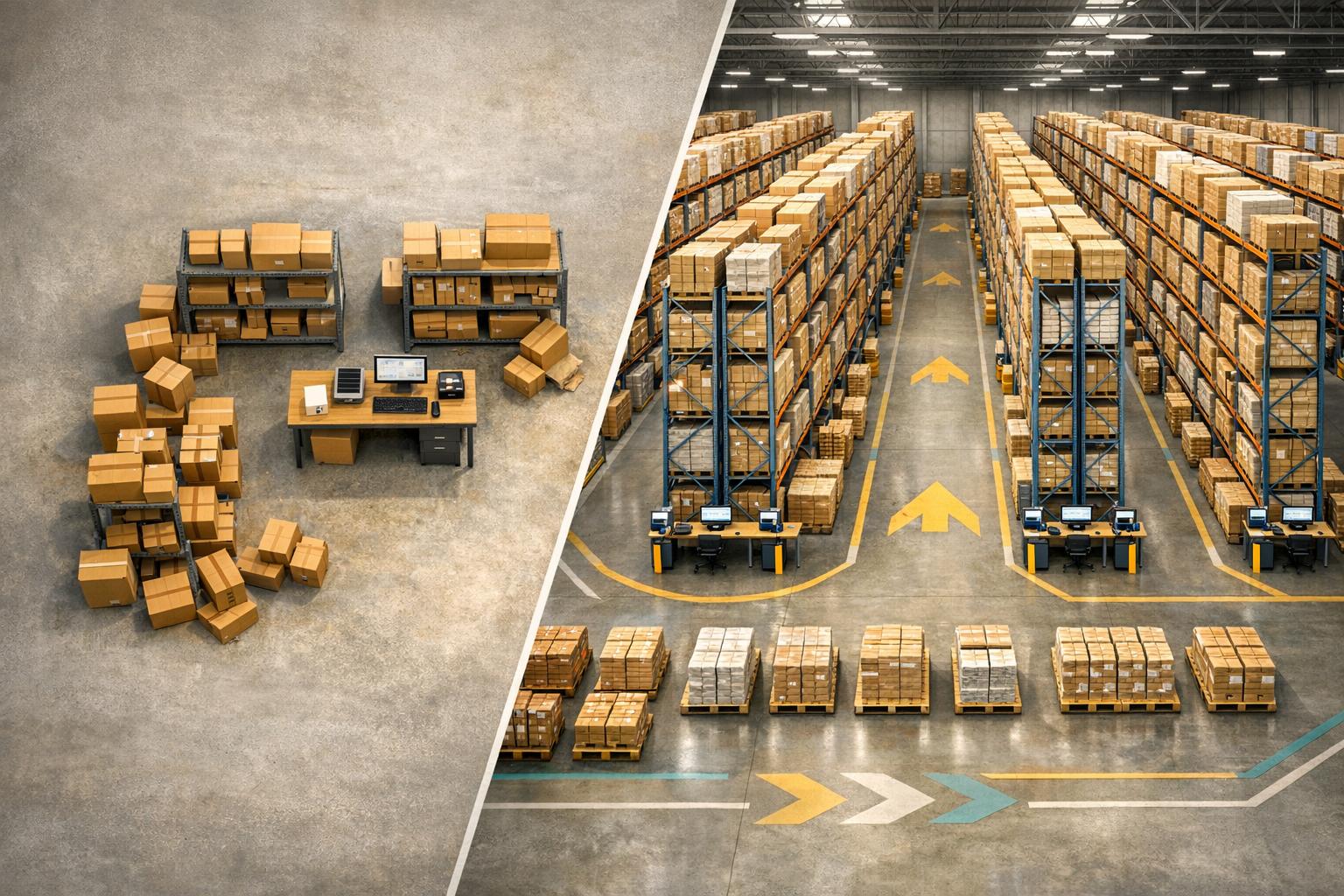
QuickBooks Desktop is great for small businesses with inventory management software for QuickBooks Desktop, but it has limits on users (up to 5) and inventory items (14,500). As your business grows, these restrictions can become a problem. QuickBooks Enterprise, on the other hand, is designed for larger operations, offering support for up to 40 users, 1,000,000 inventory items, and advanced tools like multi-location tracking, barcode scanning, and FIFO costing. Starting October 1, 2024, new subscriptions for Desktop Pro and Premier ended, making Enterprise the primary desktop option for growing businesses.
Key Differences:
- Desktop: Best for small teams with simple needs. Limited users, basic tracking.
- Enterprise: Handles complex inventory, multiple warehouses, and larger teams.
Quick Comparison:
| Feature | QuickBooks Desktop (Pro/Premier) | QuickBooks Enterprise |
|---|---|---|
| Inventory Limit | Up to 14,500 items | Up to 1,000,000 items |
| User Capacity | Up to 5 users | Up to 40 users |
| Multi-Location Tracking | Not supported | Fully supported |
| Costing Method | Average cost only | Average cost or FIFO |
| Barcode Scanning | Not available | Fully supported (Platinum+) |
If your inventory needs are growing, Enterprise offers the tools to manage complexity and scale efficiently.

QuickBooks Desktop vs. Enterprise: Key Inventory Features Compared
QuickBooks Desktop: What It Offers for Inventory Management

Core Features of QuickBooks Desktop
QuickBooks Desktop Pro and Premier come equipped with tools for inventory tracking. Once activated, these features automatically monitor stock levels and calculate the cost of goods sold (COGS). Users can track quantities on hand, set reorder points, and link items to specific income and asset accounts.
Inventory is valued using the average cost method, which helps smooth out margin fluctuations. For businesses that assemble products, Premier includes support for inventory assemblies, making it easier to bundle items. On the reporting side, users can customize column layouts, apply filters, and save recurring reports for ongoing operational needs. Additionally, a built-in Landed Cost Calculator ensures accurate cost calculations by factoring in shipping and handling fees.
That said, as inventory needs grow more complex, Desktop's capabilities can become limiting.
Where QuickBooks Desktop Falls Short for Growing Inventory
While QuickBooks Desktop offers helpful features, it struggles to keep pace with expanding businesses. Pro allows only three simultaneous users, while Premier maxes out at five. Any additional users beyond that require an upgrade to Enterprise.
"The most common reason businesses upgrade to Enterprise is user capacity. When a company hits the five-user ceiling in Premier and adds a sixth person to accounting, the only path forward within QuickBooks Desktop is Enterprise." - Rachel Torres, Senior Technical Writer
Another challenge is data capacity. Both Pro and Premier have a limit of 14,500 total list items, which includes customers, vendors, and inventory items combined. For businesses with growing catalogs, this limit can be reached quickly. To check your current list size, press F2 within QuickBooks to view the data.
Beyond user and item restrictions, QuickBooks Desktop lacks advanced tools that are essential for managing complex inventory. Features like serial number tracking, lot tracking, bin locations, barcode scanning, and multi-location warehouse management are not available in Pro or Premier. Additionally, as transaction history grows, larger company files can cause noticeable slowdowns in data entry and reporting, creating inefficiencies in daily operations.
sbb-itb-19ed50f
When to make the move to Enterprise | QuickBooks Enterprise

QuickBooks Enterprise: Built for Businesses with Complex Inventory Needs
When Desktop Pro and Premier can’t keep up, Enterprise steps in to handle the demands of businesses requiring more users, items, and locations.
Key Features for Larger Operations
Enterprise significantly boosts capacity, accommodating up to 1,000,000 list items - an impressive 67 times more than Pro or Premier can handle. It also supports up to 40 simultaneous users, each with role-based permissions across 115 activities, making it ideal for larger teams working together.
The Advanced Inventory module (available in Platinum and Diamond tiers) provides tools tailored for growing operations. These include multi-location tracking down to the row, shelf, and bin level; mobile barcode scanning; serial and lot number tracking with expiration date support; and a complete pick, pack, and ship workflow. For manufacturers, it goes a step further by supporting full Bills of Materials (BOM) with nested assembly items, surpassing the basic build assembly feature in Premier.
"Advanced Inventory keeps us organized. We can print [order lists] according to where they are, so our employees in the warehouse don't have to zigzag to fill orders... That's been a big time saver and [helpful] for accuracy as well." - Zack P., Kink BMX
Kink BMX is a great example of how this works in practice. With three warehouses, 2,000 shops, and 30 distributors, they rely on Enterprise's Advanced Inventory to streamline operations. By organizing their warehouses by physical location and using bin-level tracking, they’ve eliminated inefficient routes for warehouse staff, resulting in significant time savings.
Beyond managing inventory, Enterprise strengthens decision-making through detailed reporting and precise costing.
How Enterprise Supports Business Growth
Enterprise includes 200+ customizable built-in reports, with 70 tailored for specific industries, giving teams the insights they need to make quicker, informed decisions. It also improves costing accuracy. Unlike Desktop’s average cost method, Enterprise uses FIFO costing, which provides a clearer view of COGS as inventory costs fluctuate.
The benefits are clear in the numbers. 83% of users report saving at least 15 user-hours per month after upgrading from Pro or Premier, and 87% say they manage inventory and fulfill orders more efficiently. For businesses on a growth trajectory, these operational improvements can have a compounding effect.
"QuickBooks [Desktop Enterprise] has given us everything we need to make the decisions we need to make, and it's supported our growth so far." - Mike H., Owner & President, FoamOrder
Enterprise also caters to specific industries with editions for Manufacturing, Wholesale & Distribution, Retail, and Construction. These versions come with pre-configured charts of accounts and tailored reports, so businesses can hit the ground running without extensive setup.
QuickBooks Desktop vs. Enterprise: Side-by-Side Feature Comparison
QuickBooks Desktop and Enterprise differ in more than just cost - Enterprise brings expanded capabilities, especially for businesses managing growing inventories.
Comparison Table: Desktop vs. Enterprise
Here’s a breakdown of key inventory-related features that set these two versions apart:
| Feature | QuickBooks Desktop (Pro/Premier) | QuickBooks Enterprise |
|---|---|---|
| Inventory Item Limit | Up to 14,999 items | Up to 1,000,000 items |
| User Capacity | Up to 5 users | Up to 40 users with permissions for 115 activities |
| Multi-Location Tracking | Not supported natively | Track across multiple warehouses down to specific bin locations |
| Serial & Lot Number Tracking | Not available | Included with expiration date support (Platinum/Diamond) |
| Warehouse Workflows | Manual entry; basic assembly only | Mobile barcode scanning with full pick, pack, and ship workflows |
| Inventory Costing Method | Average cost only | Average cost or FIFO (Platinum/Diamond) |
| Reporting | Limited standard reports | 200+ customizable, industry-specific reports |
| Landed Cost | Not available | Built-in calculator for freight, duties, and insurance |
| Custom Fields | 20 total (up to 7 per category) | 45 total (up to 12 per category) |
This comparison highlights Enterprise’s ability to support larger operations with advanced tools. For instance, Enterprise accommodates up to 1,000,000 inventory items, a game-changer for businesses with extensive SKUs. It also offers a built-in landed cost calculator, factoring in freight, duties, and insurance, which is particularly useful for importers and wholesalers.
Another important update: starting October 1, 2024, QuickBooks Desktop Pro and Premier will no longer be available for new subscribers. Enterprise will be the only desktop option for businesses looking to get started. With its advanced features and scalability, Enterprise is the clear choice for businesses expecting to grow their inventory and operational needs.
Which QuickBooks Version Fits Your Growth Stage?
Choosing between QuickBooks Desktop and Enterprise isn't just about comparing features - it’s about making sure your accounting software aligns with where your business is now and where it’s headed in the next 12 to 24 months.
When QuickBooks Desktop Is the Right Fit
QuickBooks Desktop Pro or Premier works well for small businesses with straightforward needs. It’s a solid choice if your business:
- Has fewer than 14,500 SKUs
- Operates with five or fewer users
- Doesn’t require multi-warehouse management or detailed tracking
Keep in mind: New subscriptions for Pro and Premier ended on October 1, 2024. If you’re already using these versions, you can renew your subscription for the short term, but it’s wise to start planning for a solution that supports future growth. Once your business outgrows these limits, it’s time to consider a more capable system.
When to Choose QuickBooks Enterprise Instead
If your business is growing beyond the limits of QuickBooks Desktop, QuickBooks Enterprise is the natural next step. Enterprise is the better choice if you need:
- Multi-warehouse management
- Detailed lot or serial tracking
- FIFO costing for perishable or high-value inventory
For businesses managing inventory across multiple locations or dealing with complex fulfillment workflows, the Advanced Inventory module in QuickBooks Enterprise offers the automation and precision that QuickBooks Desktop Pro or Premier lacks. Additionally, if your operations involve regulated products or require advanced costing methods like FIFO or landed cost calculations to protect your margins, Enterprise provides the tools to handle those needs effectively.
Other Factors to Consider When Scaling Inventory with QuickBooks
Scaling inventory management involves more than just selecting the right version of QuickBooks. Streamlining your operational processes is essential to handle growth efficiently. For instance, businesses handling 600 invoices a month may spend up to 80 hours on manual data entry. This kind of manual work not only slows down operations but also disrupts inventory accuracy as updates are delayed.
Another common hurdle is integration. QuickBooks Desktop Enterprise, for example, has limited built-in connections to modern tools like warehouse management systems, CRMs, and shipping platforms. This can create bottlenecks and reduce team efficiency. Conducting a workflow audit before implementing new tools can help identify areas where your team spends unnecessary time or where mistakes frequently occur. Addressing these weak spots first ensures smoother scaling.
"Automating a broken process doesn't fix it. It breaks it faster, at scale." - Rishi Patel, ThickDot
This quote highlights the importance of resolving workflow inefficiencies before layering on automation or additional tools.
How Rapid Inventory Extends QuickBooks Desktop
For businesses sticking with QuickBooks Desktop but needing more robust inventory management, supplementary software like Rapid Inventory can fill the gaps. Designed specifically for QuickBooks Desktop users, Rapid Inventory enhances the system by addressing key limitations such as the lack of multi-location tracking, barcode scanning, and advanced item tracking.
Some of the standout features include:
- Two-way QuickBooks sync to ensure financial data aligns with warehouse operations.
- Multi-location and warehouse tracking, giving visibility into inventory across various sites.
- Mobile barcode scanning, which streamlines stock updates and reduces manual errors.
These tools eliminate the need for manual stock reconciliations and guesswork about inventory locations, offering a more seamless connection between financial records and actual inventory movement.
Additional capabilities like FIFO/FEFO picking strategies, lot and serial number tracking, cycle counting, and backorder tracking further enhance inventory control. With real-time inventory reports, managers can see exactly what’s in stock, what’s on order, and where items are located at any time. Since Rapid Inventory is web-based, it’s accessible from anywhere and includes free training, onboarding, and support - making it easier for teams to adapt quickly.
For small and mid-sized businesses feeling constrained by QuickBooks Desktop’s limitations but not ready to leap to Enterprise, Rapid Inventory provides a practical, cost-effective solution. It allows companies to scale their operations while continuing to use the accounting system they already rely on.
Conclusion: Picking the Right QuickBooks Solution for Inventory Growth
QuickBooks Desktop works well for small teams with straightforward needs, offering support for up to 5 users and 14,500 items. On the other hand, QuickBooks Enterprise starts at approximately $2,140 per year for the Platinum plan with Advanced Inventory. It’s built for larger operations, handling multi-warehouse setups and accommodating up to 40 users.
According to survey data, 90% of Enterprise customers believe the software will meet their needs over the next five years, and 88% say it simplifies and speeds up order fulfillment. This level of trust makes Enterprise a strong option for businesses planning for growth. For those not ready to fully switch platforms, its scalability also opens the door to complementary tools that can bridge the gap.
If Enterprise doesn’t seem like the right fit, there are other choices. For example, Rapid Inventory integrates seamlessly with existing accounting systems, offering features like multi-location tracking, mobile barcode scanning, FIFO/FEFO picking, and real-time inventory reporting. It’s a way to enhance warehouse management while maintaining your current accounting workflow, striking a balance between today’s requirements and future expansion.
FAQs
How do I know when I’ve outgrown QuickBooks Desktop for inventory?
If managing inventory across various warehouses, retail stores, or mobile units has turned into a manual, time-consuming process, it might be time to move beyond QuickBooks Desktop. Common red flags include frequent stock shortages, heavy reliance on external spreadsheets, or challenges with advanced workflows like bin tracking, handling serial or lot numbers, or using FIFO/FEFO picking methods.
For these situations, Rapid Inventory offers a solution. It integrates directly with QuickBooks Desktop, providing features like two-way synchronization, barcode scanning, and real-time updates to simplify and enhance your inventory management.
Do I need QuickBooks Enterprise Platinum to get Advanced Inventory features?
To unlock the complete set of Advanced Inventory tools, you'll typically need QuickBooks Desktop Enterprise Platinum or Diamond. These versions provide robust features such as:
- Multi-location tracking: Manage inventory across different locations with ease.
- FIFO costing: Accurately track inventory costs using the "First In, First Out" method.
- Barcode scanning: Simplify data entry and improve accuracy with barcode technology.
- Serial or lot number tracking: Keep a close eye on product batches or individual items.
For businesses with expanding inventory requirements, Rapid Inventory offers additional solutions. These include tools like two-way QuickBooks sync, mobile barcode scanning, and multi-warehouse management, all designed to make managing inventory more efficient.
Can I add multi-location and barcode scanning while staying on QuickBooks Desktop?
Yes, you can, but this is only possible with QuickBooks Desktop Enterprise. These features rely on the Advanced Inventory add-on, which comes with the Platinum and Diamond editions. Once you activate it in the Advanced Inventory Settings, you’ll be able to manage inventory across multiple locations and even use barcode scanning for tasks such as creating invoices, processing sales orders, and handling inventory transfers.



