

QuickBooks Desktop is a reliable accounting solution, but it struggles with advanced inventory management, like multi-warehouse tracking, barcode scanning, or real-time stock updates. To solve these issues, businesses can use integration tools that sync QuickBooks with inventory systems. These tools eliminate manual data entry, reduce errors, and improve efficiency.
Here are 7 tools that integrate with QuickBooks Desktop to streamline inventory and operations:
- Rapid Inventory: Real-time sync, mobile barcode scanning, FIFO/FEFO picking, and multi-warehouse tracking. Starts at $90/user/month.
- Fishbowl Inventory: Tracks inventory across unlimited locations, supports manufacturing, and automates workflows. Pricing customized.
- SOS Inventory: Offers detailed stock tracking, traceability, and manufacturing tools. Plans start at $69.95/month.
- Method CRM: Simplifies customer management and integrates invoices, orders, and payments. Starts at $25/user/month.
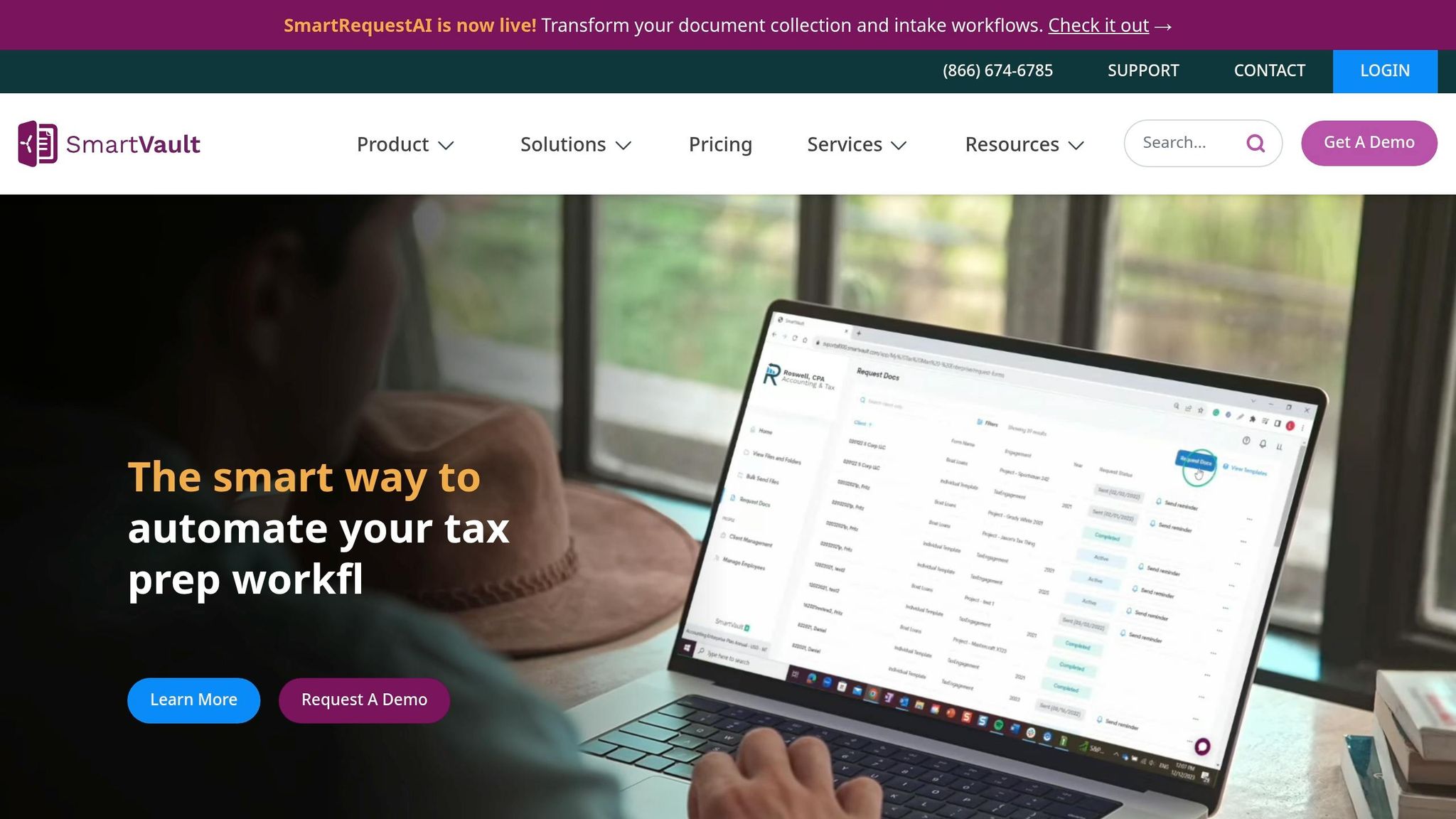
- SmartVault: Combines QuickBooks sync with document management and secure file storage.
- BigTime: Tailored for service firms, integrates time tracking and invoicing with QuickBooks.
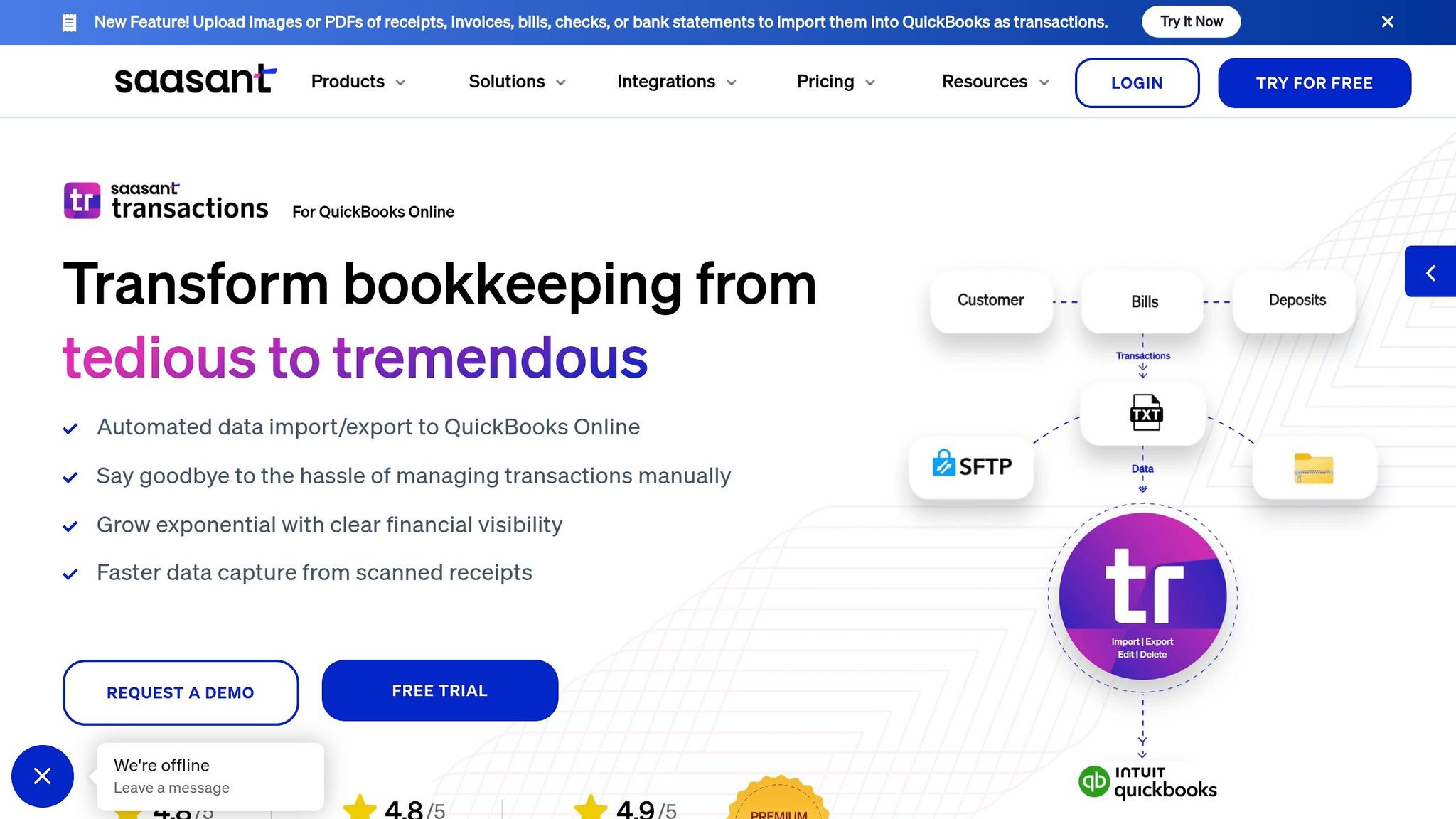
- SaasAnt Transactions: Handles bulk imports/exports and automates repetitive data tasks.
Quick Comparison:
| Tool | Key Features | Best For | Starting Price |
|---|---|---|---|
| Rapid Inventory | Barcode scanning, multi-warehouse sync | Warehouses, distributors | $90/user/month |
| Fishbowl Inventory | Manufacturing, unlimited locations | Manufacturers, large teams | Custom pricing |
| SOS Inventory | Lot tracking, WIP tracking | Manufacturers, small businesses | $69.95/month |
| Method CRM | Customer data sync, payment portals | Service-based businesses | $25/user/month |
| SmartVault | Document management, QuickBooks sync | Accounting and tax firms | Custom pricing |
| BigTime | Time tracking, invoicing | Professional service firms | Custom pricing |
| SaasAnt Transactions | Bulk imports/exports, automation | High-volume data management | Custom pricing |
These tools offer unique features tailored to different business needs. Choose based on your inventory challenges, such as stockouts or manual errors, and ensure compatibility with your QuickBooks Desktop version. Most tools provide trials or demos to help you decide.
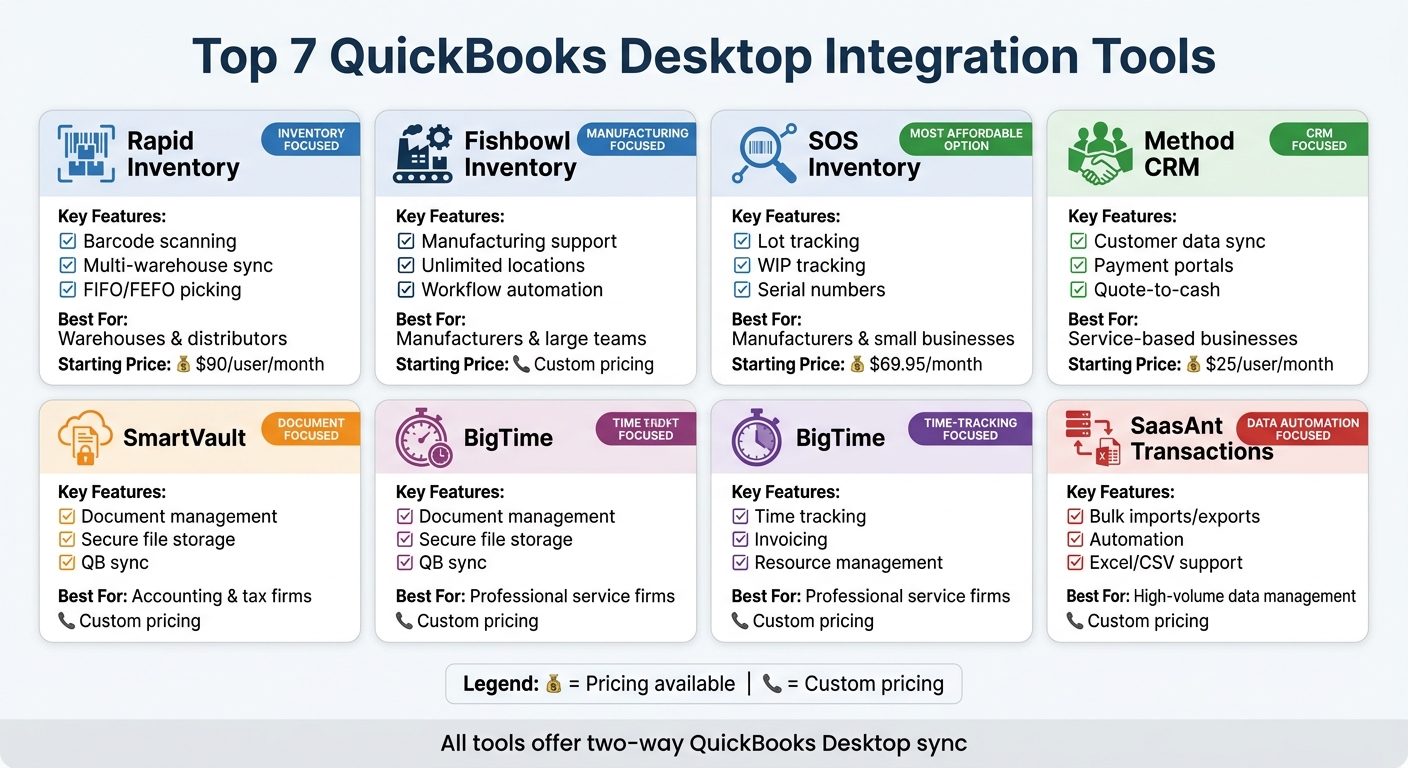
QuickBooks Desktop Integration Tools Comparison: Features and Pricing
1. Rapid Inventory
Two-way QuickBooks Desktop Sync

Rapid Inventory seamlessly connects with QuickBooks Desktop Enterprise, Pro, and Premier through a web connector. This integration ensures that items and orders are synced in both directions in real time. It also supports hosted QuickBooks solutions like Rightworks, Whizz, Swizznet, and Visory, making manual data entry a thing of the past.
"Automatic 2 way sync with Quickbooks means that your items and orders are synced to Rapid Inventory and Rapid Inventory actions are synced back to Quickbooks. Say goodbye to spreadsheets and manual entry" – Rapid Inventory
This integration forms the backbone of Rapid Inventory, enabling smooth inventory tracking and automation.
Inventory Management Features
Rapid Inventory offers robust tools to manage stock across multiple warehouses and locations. Using mobile barcode scanning, it ensures precise inventory tracking. Other features include:
- Lot, serial, and batch number tracking
- FIFO/FEFO picking methods
- Inventory assembly for manufacturing
- Cycle counting
- Backorder flagging
Additionally, real-time reporting provides insights into inventory value, reorder points, and order status, giving businesses the data they need to stay efficient.
Workflow Automation Capabilities
The platform simplifies warehouse operations with automated workflows. Optimized pick lists help reduce travel time, while features like partial shipping and receiving, label printing, and role-based permissions streamline tasks. These tools are designed to address the challenges faced by QuickBooks Desktop users managing inventory.
Fernanda C, Director of Operations, shared, "Rapid Inventory helps us run our warehouse operations. Easy to use and reliable. Using it since 2015, we especially love the barcode scanning and mobile picking and we've implemented it for all our warehouse operations."
Nicholas G, a business owner who has used the system for six years, added, "Simple and straightforward, very easy to learn and easy to work with. Onboarding was very smooth."
Pricing
Rapid Inventory offers two pricing options:
- Pro Plan: $90 per user per month for teams with 1–9 users. This includes unlimited warehouses and lot/serial tracking.
- Unlimited Plan: $900 per month for teams of 10+ users. This plan adds custom inventory reports and a dedicated account manager.
Both plans come with white-glove onboarding, ensuring teams are up and running within seven days.
sbb-itb-19ed50f
2. Fishbowl Inventory
Two-way QuickBooks Desktop Sync
Fishbowl integrates seamlessly with QuickBooks Desktop Pro, Premier, and Enterprise by using a scheduled data exchange system. In this setup, Fishbowl becomes the central hub for inventory and production, while QuickBooks takes care of accounting. To avoid any conflicts, you’ll need to disable QuickBooks’ built-in inventory and purchase order features during the setup process.
An Accounting Configuration Wizard helps map accounts to ensure compliance with GAAP standards. Fishbowl can automatically send invoices, customer payments, purchase order details, and inventory asset values to QuickBooks on a schedule you choose - this could be several times a day. For maximum stability, it’s recommended to install the Fishbowl Server on the same computer as your QuickBooks company file.
"Fishbowl has completely changed how we handle inventory and job costing. We used to chase down numbers across systems, but now everything is synced." - Ryan Doty, Accountant, Fierce Firearms
Inventory Management Features
Fishbowl offers robust tools to manage inventory across unlimited warehouse locations, providing real-time visibility into committed, available, and on-order stock levels. With the Fishbowl GO mobile app, users can scan barcodes to handle receiving, picking, packing, and shipping tasks. These updates are instantly reflected across all inventory records.
The platform also enhances traceability with features like lot numbers, serial numbers, and expiration dates. For audits, the one-click recall reports make compliance easier. Additionally, Fishbowl tracks landed costs - such as tariffs and shipping fees - ensuring that accurate Cost of Goods Sold (COGS) is posted to QuickBooks. Businesses utilizing these tools have reported an 18% drop in overall inventory costs and a 35% reduction in stockouts.
Fishbowl doesn’t stop at tracking - it also simplifies operations with automated workflows that save time and reduce errors.
Workflow Automation Capabilities
Fishbowl uses automation to streamline processes like generating Purchase Orders, Manufacturing Orders, and Work Orders. By analyzing real-time data, the system identifies potential stockouts or margin concerns and automatically sets reorder points based on predefined thresholds.
For example, in 2024, Velocity Restorations reduced scheduling time by 50% by automating BOM updates, replacing a tedious process involving 16 reports spread across five spreadsheets. Similarly, Grill Works Inc. reached a 99% on-time delivery rate and cut their order cycle time to just 3.9 days by leveraging Fishbowl’s pick/pack/ship workflows.
"We used to dump 16 reports into five different spreadsheets just to get the data that Fishbowl now does in one click." - Jonathon Rhynd, Supply Chain Systems Manager, Velocity Restorations
Additional Tools for Manufacturing Needs
Fishbowl also caters to complex manufacturing requirements with tools like BOM tracking (including mid-build edits), SolidWorks CAD BOM import, and constraint-aware rescheduling. Plus, it integrates with popular platforms like Salesforce, HubSpot, Shopify, Amazon, ShipStation, and FedEx.
3. SOS Inventory
Two-way QuickBooks Desktop Sync
SOS Inventory stands out with its seamless integration with QuickBooks Desktop, making inventory tracking and accounting processes more efficient. Using the QuickBooks Web Connector, it enables real-time, two-way synchronization that automatically updates stock levels, order statuses, and financial records. This sync covers items like customers, vendors, sales orders, purchase orders, invoices, and receipts, ensuring your inventory and accounting systems stay in sync.
Mitchell Nishi shares his experience: "SOS Inventory has been a significant time saver and has allowed us to implement a robust process for inventory close each month, as well as timely information for our management."
This integration also improves the accuracy of Cost of Goods Sold (COGS) and helps reduce data inconsistencies.
Inventory Management Features
SOS Inventory provides detailed stock tracking across unlimited warehouse locations, down to specific bins and aisles, offering a clear view of storage. It supports barcode generation and scanning for tasks like receiving, picking, and shipping, helping to speed up operations and reduce manual errors.
For businesses needing traceability, the platform tracks serial numbers and lot/batch details, offering both forward and backward traceability. This is invaluable for managing expiration dates or identifying affected inventory during recalls. Additionally, it supports decimal quantities, which is crucial for businesses working with recipes or formulas in production.
Workflow Automation Capabilities
The platform simplifies daily operations with rule-based workflows and automated order processing. Teams receive in-app notifications for critical updates, while integrations with tools like ShipStation and UPS streamline label creation and order fulfillment.
Deborah Defer highlights the benefits: "An inventory solution that can really expand all the capabilities with QuickBooks Online to ensure an overall successful business solution!"
SOS Inventory also enhances order management with features like partial shipment tracking, backorder monitoring, and sales order management. These tools extend QuickBooks' capabilities, while advanced manufacturing tools provide even more functionality for production teams.
Additional Tools for Manufacturing Needs
SOS Inventory supports manufacturing processes with features like assemblies with unlimited levels, work-in-progress (WIP) tracking, and job costing. It also accommodates process manufacturing using recipes or formulas and tracks co-products or by-products, automatically adjusting inventory levels as needed.
Pricing options include the Pro plan at $194.95/month, the Plus plan at $139.95/month, and the Companion plan at $69.95/month. The platform also allows businesses to generate pick tickets, packing slips, and RMAs, creating a comprehensive order-to-fulfillment workflow.
4. Method CRM
Two-Way QuickBooks Desktop Sync
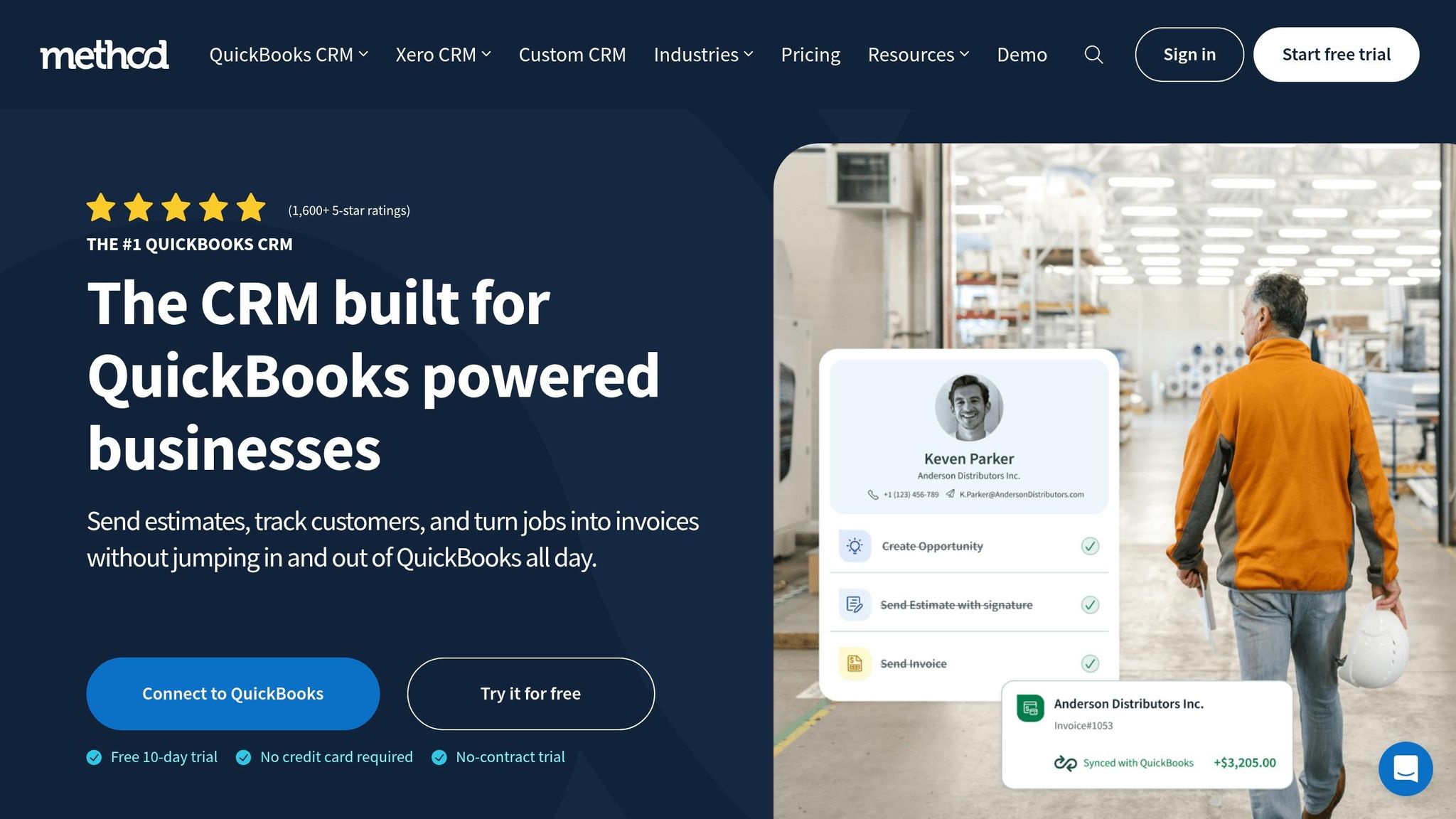
Method CRM connects seamlessly with QuickBooks Desktop (including Pro, Premier, and Enterprise versions) through a real-time, two-way sync. This means updates to customer records, invoices, estimates, and payments are reflected instantly in both systems, saving time and reducing errors.
But it doesn’t stop at syncing contacts - Method also handles item pricing and transaction creation, ensuring your financial records are always up to date. With over 18,000 users and more than 2 million estimates created, it’s a trusted choice for businesses relying on QuickBooks Desktop.
"We've doubled our revenue in the past three years. Without Method, it would have been nearly impossible." - Glenn Taylor, CEO of Container One
These syncing capabilities make Method CRM a powerful tool for simplifying the quote-to-cash process.
Workflow Automation Capabilities
Method CRM streamlines the quote-to-cash process by syncing estimates, sales orders, invoices, and payments directly with QuickBooks. Its customer payment portals allow clients to pay invoices via credit card or PayPal, with payments automatically recorded in QuickBooks - cutting down on administrative tasks. The platform also integrates with Gmail and Outlook, letting teams access QuickBooks transactions and automate follow-ups straight from their inboxes.
For field teams, Method’s mobile app offers tools for job management and crew dispatching, allowing real-time updates from the field. Additionally, its connection to over 3,000 apps via Zapier enables businesses to automate workflows, like updating contacts or logging activities, with ease.
"We've cut down each order by 20-30% of the time it used to take, so we're actually able to process so much more on any given day." - Cameron Fleming, President of Operations, HealthLinc Medical Equipment
These features reduce manual work, helping businesses manage operations more efficiently.
Additional Tools for CRM and Document Management
Method CRM offers more than just automation - it delivers robust CRM and document management tools. For example, lead management tools include web-to-lead forms that automatically capture prospect information and sync it into both the sales pipeline and QuickBooks. The platform also supports e-signatures for quicker approvals and provides customer portals where clients can review order details and approve estimates.
Customization is simple with a no-code drag-and-drop builder, allowing businesses to design workflows tailored to their needs. This includes automating tasks like lead routing and scoring opportunities. Industries such as field services can benefit from job scheduling and technician dispatching, while manufacturing and wholesale businesses gain tools for managing complex workflows and inventory management software for QuickBooks Desktop to track orders.
Pricing tiers are as follows:
- Contact Management: $25–$28 per user/month
- CRM Pro: $44–$49 per user/month
- CRM Enterprise: $74–$85 per user/month
A 10-day free trial (no credit card required) is available, along with a limited-time 25% discount for teams of three or more users for the first three months.
5. SmartVault
Two-Way QuickBooks Desktop Sync
SmartVault integrates with QuickBooks Desktop through a two-way sync, keeping customer data, invoices, and sales orders consistent across both systems. This feature eliminates the need for manual duplicate entries, cutting down on errors and saving valuable time.
With this sync, any updates made to a customer record or invoice in QuickBooks Desktop are automatically reflected in SmartVault. This ensures your financial records and document management tools stay aligned, creating a smoother workflow between the two platforms. Unlike many integrations that only handle inventory updates, SmartVault goes further by also streamlining document management.
Additional Tools for Document Management
Beyond syncing data, SmartVault simplifies document management for QuickBooks Desktop users. It acts as both a document management system and a client portal, helping businesses digitize and centralize their files. By reducing reliance on paper, it supports a more efficient and organized workspace.
SmartVault links its digital filing system directly to QuickBooks, making it easier to store and retrieve important documents like tax records, contracts, and client communications. This integration enhances both accessibility and organization, ensuring critical files are always at your fingertips.
6. BigTime
Two-Way QuickBooks Desktop Sync
BigTime integrates seamlessly with QuickBooks Desktop Enterprise, enabling real-time synchronization of timesheet and invoice data. This eliminates the need for manual data transfers and reduces the chance of errors.
"Big Time integrates with QuickBooks (Desktop) Enterprise to sync timesheet and invoice data in real time, eliminating manual errors" - Dr. Sangeeta Chhabra, Co-founder and Executive Director of Ace Cloud Hosting
In addition to syncing capabilities, BigTime provides tools specifically designed for professional service firms.
Tools Designed for Professional Services
BigTime caters to industries like accounting, engineering, and IT services by offering an all-in-one workspace that goes beyond traditional project management. The platform includes tools for resource management, time tracking, invoicing, financial forecasting, and expense management. Its AI-driven features help optimize resource allocation and ensure accurate tracking of billable hours, with all data syncing directly to QuickBooks Desktop.
For businesses that bill by the hour, BigTime bridges the gap between project operations and accounting. It also serves as a powerful replacement for the discontinued QuickBooks timer app, offering advanced tools to handle complex workflows efficiently.
7. SaasAnt Transactions
Two-Way QuickBooks Desktop Sync
SaasAnt Transactions is a powerful tool designed to move data back and forth between QuickBooks Desktop and other systems. It supports bulk importing and exporting of transactions using familiar file formats like Excel, IIF, and CSV. This makes it easy for businesses to bring in financial data from external sources or extract it for reporting and analysis purposes.
In addition to transferring data, SaasAnt Transactions offers bulk deletion capabilities. Users can apply filters, such as date ranges, to quickly remove errors or duplicates from their records.
These features make handling large volumes of financial data more efficient and set the stage for smoother automation processes.
Workflow Automation Capabilities
SaasAnt Transactions takes efficiency further with its automation features. Businesses can schedule recurring imports, ensuring that QuickBooks records stay up to date without constant manual intervention. The platform also lets users design custom workflows that fit their specific data management needs, seamlessly integrating import and export tasks into their existing processes.
The intuitive interface simplifies the handling of complex transaction sets, even for those managing high volumes. It supports a wide range of transaction types - such as Invoices, Bills, Journal Entries, Sales Receipts, and Bank Transactions - helping businesses reduce manual data entry and streamline operations.
QuickBooks integrated apps for Data Import and Automation
Conclusion
QuickBooks Desktop users often face challenges like manual entry errors, incorrect multi-warehouse counts, and limited real-time tracking. Tools like Rapid Inventory, Fishbowl Inventory, and SOS Inventory help automate data synchronization and improve tracking precision. Method CRM simplifies customer data management for smoother order fulfillment, while SmartVault ensures secure storage of documents tied to QuickBooks transactions. BigTime helps track project time alongside inventory usage, and SaasAnt Transactions makes bulk data imports and exports easier, cutting down manual entry by up to 70%.
Choosing the right solution depends on your top inventory management priorities. For example, if you run multiple warehouses and need mobile barcode scanning with FIFO picking, look for platforms offering those features. On the other hand, service-based businesses that use inventory for projects may benefit more from tools with time-tracking integrations.
Start by identifying your main inventory pain points, such as stockouts or picking errors, and then match them to the features each tool provides. Many providers, like Rapid Inventory, offer discovery sessions where you can test their platform with your actual data in U.S. formats (MM/DD/YYYY dates and $ currency). With proper onboarding, some tools can be up and running in just 6-7 days.
Before committing, take advantage of demos to ensure the tool integrates seamlessly with your QuickBooks Desktop version - whether Pro, Premier, or Enterprise - and meets your specific tracking needs. A smooth onboarding process is key to successful implementation. During the first 30 days, monitor key metrics like inventory accuracy and reconciliation times to evaluate the tool’s effectiveness.
FAQs
Will this work with my QuickBooks Desktop version?
Yes, Rapid Inventory is compatible with QuickBooks Desktop versions, including Enterprise, Pro, and Premier. It integrates smoothly with these editions to help streamline your inventory management processes.
Do I need to install anything to sync with QuickBooks Desktop?
Syncing with QuickBooks Desktop usually involves installing an integration tool that works seamlessly with the software. A great example is Rapid Inventory, which is built specifically for QuickBooks Desktop users. It offers features like two-way syncing, real-time inventory updates, and extra workflows to simplify operations. Using such tools is essential for enabling synchronization and improving inventory management processes.
How fast can I go live without disrupting daily operations?
Getting started with QuickBooks Desktop integration can often be done in just a few days, depending on how complex your setup is. To ensure a smooth transition, focus on a few key steps: carefully plan your workflows, set up and test the integration thoroughly, train your team so they’re comfortable with the system, and aim to launch during a time when business activity is slower. With the right preparation, many businesses successfully complete the process in about 3–5 days without disrupting their daily operations.



