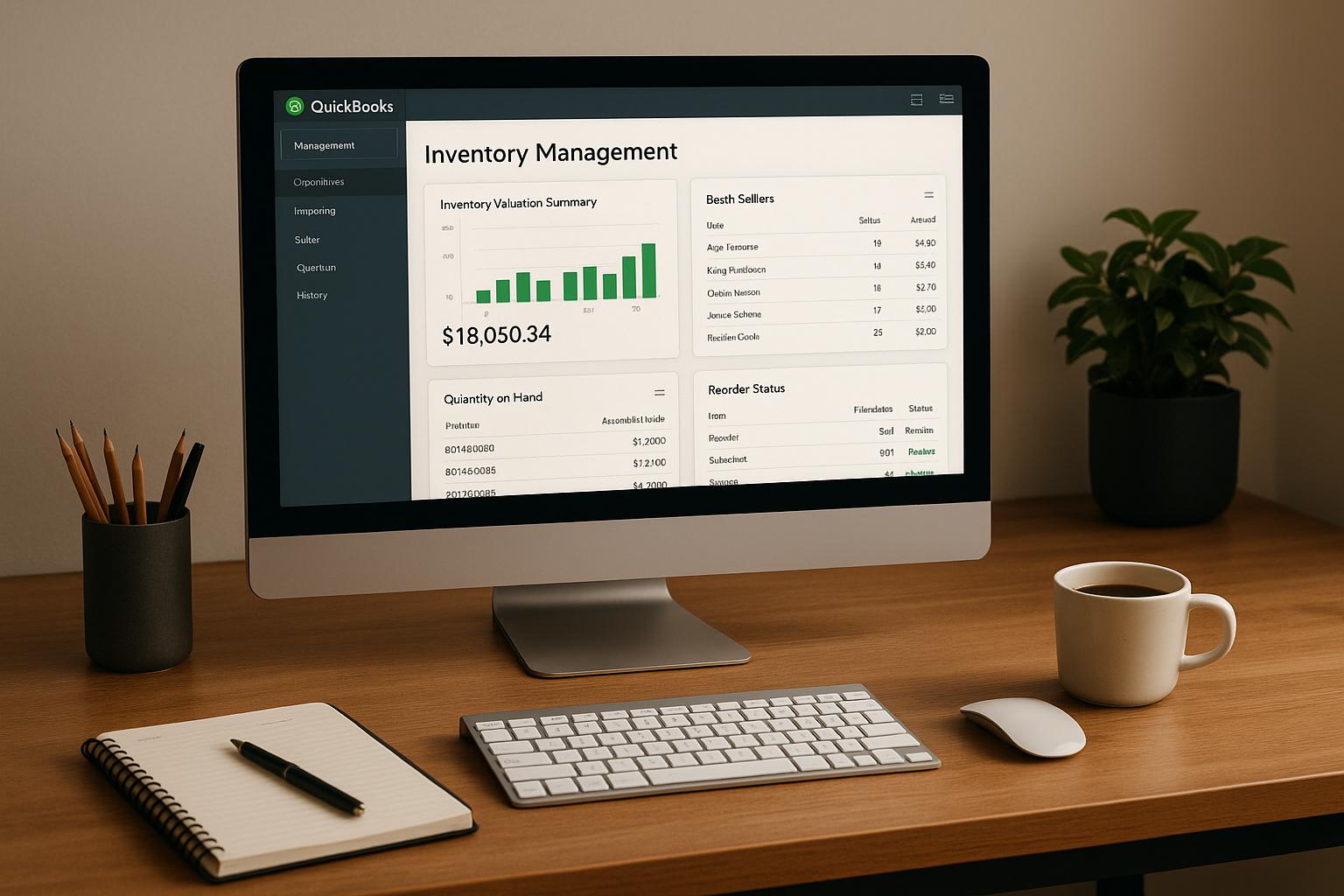
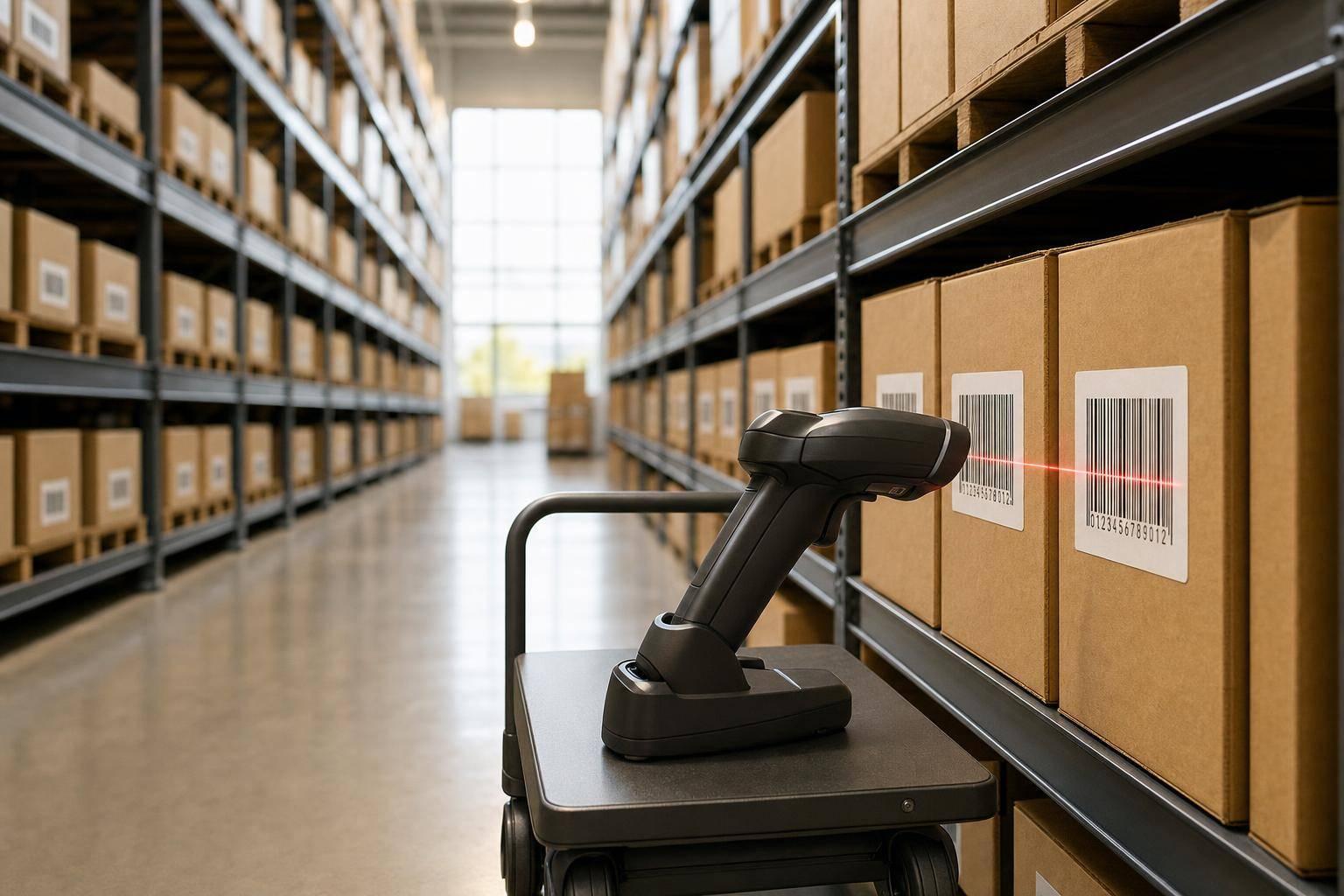
Barcode scanning changes ROI in one simple way: it cuts labor time and lowers inventory mistakes.
If you want inventory software to pay off, you need data that gets into the system fast and with fewer errors. In this article, I show how barcode scanning improves picking, receiving, put-away, and cycle counts, and how those changes can turn into measurable savings like 30%–40% less count labor, 30%–40% faster dock-to-stock time, and inventory accuracy above 99%.
Here’s the short version:
- I look at where manual work loses money:
- picking delays
- mis-picks
- receiving errors
- double entry during counts
- I explain how scan-to-confirm steps cut those problems:
- item checks at pick
- PO matching at receiving
- bin checks at put-away
- direct posting during counts
- I show how to estimate ROI with simple numbers:
- time saved per day
- hourly labor cost
- fewer returns and reships
- stock found during counts
- I cover what QuickBooks Desktop users need:
- automatic sync
- inventory updates without re-entry
- support for bins, lots, serials, and expiration dates
A few numbers stand out:
- Picking accuracy: from 95%–97% to more than 99%
- Receiving speed: about 5 minutes per receipt line down to about 3 minutes
- Cycle count labor: often down by 30%–40%
- Phantom stock found: about 1%–2%
- Example payback: $15,000 invested, $25,000 in annual savings, payback in about 7.2 months
| Area | Manual work | With barcode scanning |
|---|---|---|
| Picking | More checks, more errors, more rework | Scan confirmation before packing |
| Receiving | Hand-keyed lines and SKU mistakes | PO line matching at the dock |
| Put-away | Stock placed by memory | Bin scan confirms location |
| Counting | Paper counts and second entry | Count posts straight to the system |
Bottom line: if you want a clear ROI case for inventory software, barcode scanning is often the part that turns warehouse activity into savings you can track in dollars.
Now I’ll break down where the savings come from and how to measure them.
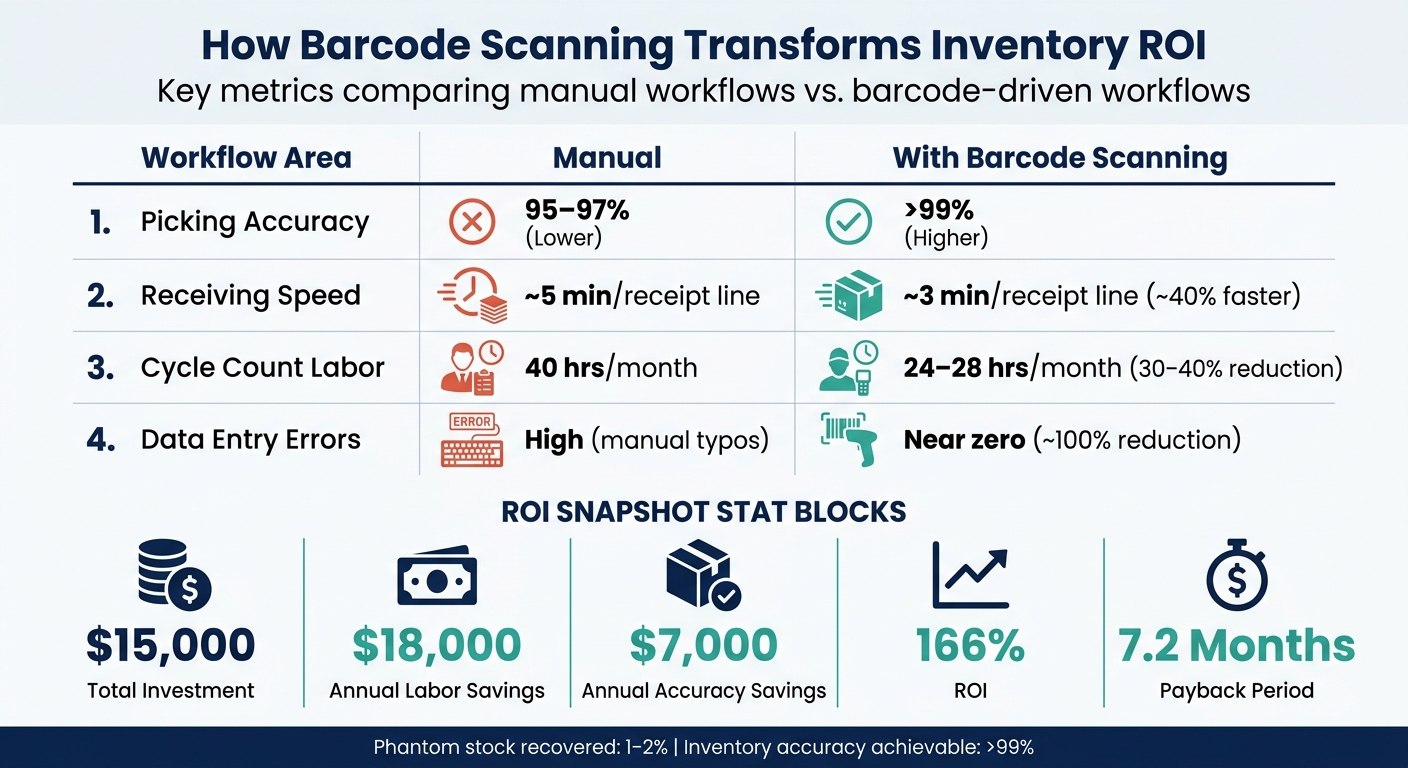
Barcode Scanning vs. Manual Inventory: ROI by the Numbers
Warehouse Scanner ROI: Accuracy, Speed & Payback Data
sbb-itb-19ed50f
Where manual workflows erode ROI
Manual inventory work tends to drain ROI in three places: picking, receiving, and cycle counts. That’s usually where the cracks show up first too.
Picking delays, mis-picks, and rework costs
Without scan-to-confirm, pickers have to lean on visual checks and memory to match items to orders. In plain English, that means more walking, more searching for the right bin, and more manual SKU checks while the clock is ticking. And every extra step opens the door to a wrong quantity or the wrong item.
One bad shipment doesn’t stop at a single mistake. It can lead to reshipments, returns, and added service time. Barcode-driven workflows can help warehouses achieve >99% inventory accuracy on live locations.
Receiving creates the same kind of trouble earlier in the flow.
Receiving errors that distort inventory records
Receiving is where inventory records begin. When teams use paper purchase orders and hand-keyed entries, small errors can get locked in right away. A transposed quantity or the wrong SKU at receiving doesn’t just hurt one line item. It throws off every later decision tied to that item’s stock status.
Missed put-away creates another mess. Inventory can vanish from the system until someone tracks it down. For QuickBooks Desktop users, that gap can turn into bad availability data and delayed replenishment decisions.
Counts then show how far those mistakes have spread.
Slow cycle counts and entry errors
Paper-based cycle counts come with a built-in weak spot: every number gets written down once, then entered again later. That second touch sounds small, but it’s where errors creep in - a flipped digit, a skipped row, or a tally mark someone reads the wrong way.
Those mistakes often snowball into recount loops. Teams that move from paper to guided mobile scanning often cut cycle count labor by 30%–40% and catch 1%–2% phantom stock early.
How mobile barcode scanning cuts labor and improves accuracy
Mobile scanning turns the manual mistakes above into labor savings you can track. Every scan replaces typing, second-checking, and fixing errors later. That matters at the point of work, where re-entry slows people down and lets bad data slip in.
Instead of keying in a long product code, a worker just points a handheld device at the label. The system pulls in the item ID and checks the lot or serial number and location data at the same time.
Faster picks through scan-to-confirm steps
Scan-to-confirm makes picking faster by checking the bin, item, and quantity before the order gets to packing. If something is off - the wrong SKU, the wrong unit of measure, or the wrong quantity - the device catches it on the spot.
That instant feedback helps teams fix issues before they turn into mis-picks, returns, or extra work. Put simply, the worker knows right there if the pick is correct.
Cleaner receiving and put-away from the dock
At the dock, scanning a purchase order line against the item that arrives flags mismatches right away. That cuts receiving errors and reduces reconciliation work later.
Barcode-based receiving and put-away can cut dock-to-stock time by 30–40% in high-velocity lanes. Directed put-away adds another layer of control: the system recommends a bin based on item velocity or product family, and the worker confirms the move by scanning the destination bin.
That one scan helps stop uncontrolled put-away - the kind that makes stock seem to vanish from the system.
More reliable counts without double entry
Mobile cycle counting gets rid of the second-touch problem. The worker scans the bin, scans the item, and the count posts straight to the system.
Built-in exception thresholds trigger a recount only when the number is off, not just because “that’s how we’ve always done it.” That focused method is why teams using scan-to-confirm counting often cut recount loops by 30–40%. The payoff is simple: faster counts and cleaner on-hand data.
| Workflow | Manual Cost | Scanning Benefit |
|---|---|---|
| Receiving | Slow typing, high SKU errors | Instant PO matching, dock-to-stock speed |
| Put-away | Misplaced stock, memory-dependent | Confirmed bin placement, directed logic |
| Picking | Mis-picks, wrong quantities | Scan-to-confirm validation, fewer errors |
| Counting | Paper lag, recount loops | Real-time posting, fewer recounts |
Next, those time and error cuts can be turned into dollar savings. These workflow gains are the inputs for the ROI model.
How to calculate barcode scanning ROI from scan data
The workflow gains above only turn into ROI when you tie them to labor time and error costs.
Build a labor savings model from before-and-after metrics
Start with three baseline numbers before rollout:
- average seconds per pick
- minutes per receipt line
- total monthly cycle count hours
After mobile scanning is in place, track those same numbers again. The gap between the two is where the labor savings show up.
To turn saved time into dollars, use a U.S. warehouse wage of $18.00 to $25.00 per hour. Then add 20% to 30% to reflect the fully loaded hourly cost.
Annual labor savings = (minutes saved per day ÷ 60) × 260 workdays × fully loaded hourly rate.
It’s a simple model, but it gives you a grounded estimate instead of a guess. Once that piece is set, bring in the cost of fewer mistakes.
Turn accuracy gains into dollar impact
Take the drop in mis-picks and multiply it by the cost of reshipments, returns, and labor. That gets you from “better accuracy” to an actual dollar figure.
There’s another piece many teams miss: mobile scanning can reveal 1% to 2% phantom stock - inventory the system says is on hand, but that isn’t on the shelf. Finding and fixing that stock can cut stockouts, excess inventory, and write-offs. In strong warehouse operations, scan-to-confirm methods can push live-location inventory accuracy to >99%.
Use those numbers to compare pre-scan and post-scan results side by side.
ROI and payback comparison tables
| Workflow | Pre-Barcode | Post-Barcode | Improvement |
|---|---|---|---|
| Picking Accuracy | 95–97% | >99% | +2–4% |
| Receiving Speed | ~5 min/receipt line | ~3 min/receipt line | ~40% faster |
| Cycle Count Hours | 40 hrs/month | 24–28 hrs/month | 30–40% reduction |
| Data Entry Errors | High (manual typos) | Near zero | ~100% reduction |
| ROI Component | Example Value |
|---|---|
| Total Investment (software, hardware, training, onboarding, and migration fees) | $15,000 |
| Annual Labor Savings | $18,000 |
| Annual Accuracy Savings (fewer reships, recovered stock) | $7,000 |
| Total Annual Savings | $25,000 |
| ROI Percentage | 166% |
| Payback Period | 7.2 months |
When you build your own model, include every one-time cost: hardware, software licensing, training, onboarding, and migration fees. Miss just one of those, and the payback period can look shorter than it is.
With the ROI model defined, the next step is fitting barcode workflows into QuickBooks Desktop.
Applying barcode scanning in a QuickBooks Desktop environment
Barcode scanning only improves ROI when scan data posts to QuickBooks Desktop automatically.
What QuickBooks Desktop users need from barcode workflows
A barcode system should sync items and transactions with QuickBooks Desktop, post inventory updates automatically, and support multi-location, lot, serial, and expiration tracking.
If that sync doesn't happen on its own, the whole thing starts to fall apart. Scan data turns into manual re-entry, and the labor savings you expected start slipping away. That's why these workflows matter so much: they protect the savings calculated in the previous section.
It also helps to standardize bin labels and use scan-confirmed put-away. That way, workers put stock in the right place without having to rely on memory or guesswork.
That is the workflow setup Rapid Inventory is built to support.
How Rapid Inventory supports scan-driven ROI
Rapid Inventory puts those needs into practice with two-way QuickBooks sync and mobile barcode workflows. It supports automatic two-way sync with QuickBooks Desktop Enterprise, Pro, and Premier. Items and orders flow in from QuickBooks, while receipts, picks, transfers, and counts post back without re-entry.
On the warehouse floor, scan-to-confirm steps check items and quantities at the point of work. That cuts down on errors and keeps on-hand data accurate in real time, which directly supports the labor and accuracy savings the ROI model depends on.
Conclusion: Barcode scanning improves ROI by increasing speed and accuracy
Manual workflows eat into ROI with labor costs and avoidable mistakes. Barcode scanning cuts those losses by reducing labor, rework, and inventory variance.
And those gains aren't vague. You can measure them with metrics like items per minute, variance rate, and dock-to-stock time. That makes it much easier to turn day-to-day warehouse gains into dollar amounts you can use in a budget discussion - and into a payback period you can actually calculate.
For QuickBooks Desktop inventory management users, the ROI story gets even stronger when scan data moves straight into financial records with no re-entry. When receipts, picks, and counts sync directly into QuickBooks Desktop, the accuracy gains carry over into QuickBooks Desktop without re-entry, which helps tighten COGS and margin reporting.
That’s why barcode scanning changes inventory software ROI: it turns speed and accuracy into measurable payback.
FAQs
How soon can barcode scanning pay for itself?
Mobile barcode scanning often pays for itself within 12 months. The reason is pretty simple: it cuts manual entry mistakes and helps teams move faster during receiving and picking.
That speed shows up in day-to-day work fast. Many businesses see early gains in inventory accuracy and warehouse pace, and some even increase sales by 4% to 8%.
A smart place to start is barcode-driven cycle counts. They can cut recount loops by 30% to 40% and bring inventory gaps to light within weeks.
What warehouse tasks benefit most from mobile scanning?
Mobile scanning helps most with tasks where speed and accuracy matter day to day, such as:
- receiving at the dock
- picking and packing
- cycle counting
- shipping and stock moves
Workers can scan items, quantities, lots or serials, SKUs, and locations to confirm accuracy on the spot and flag mismatches in real time.
What do QuickBooks Desktop users need for barcode ROI?
QuickBooks Desktop users need a dedicated inventory management system with mobile barcode scanning and smooth two-way sync.
With Rapid Inventory, teams can scan items during picking, receiving, and cycle counting, which cuts manual entry mistakes. Scanned data flows into QuickBooks automatically, helping keep records accurate and making it easier for warehouse teams to grow without the usual data-entry headaches.