
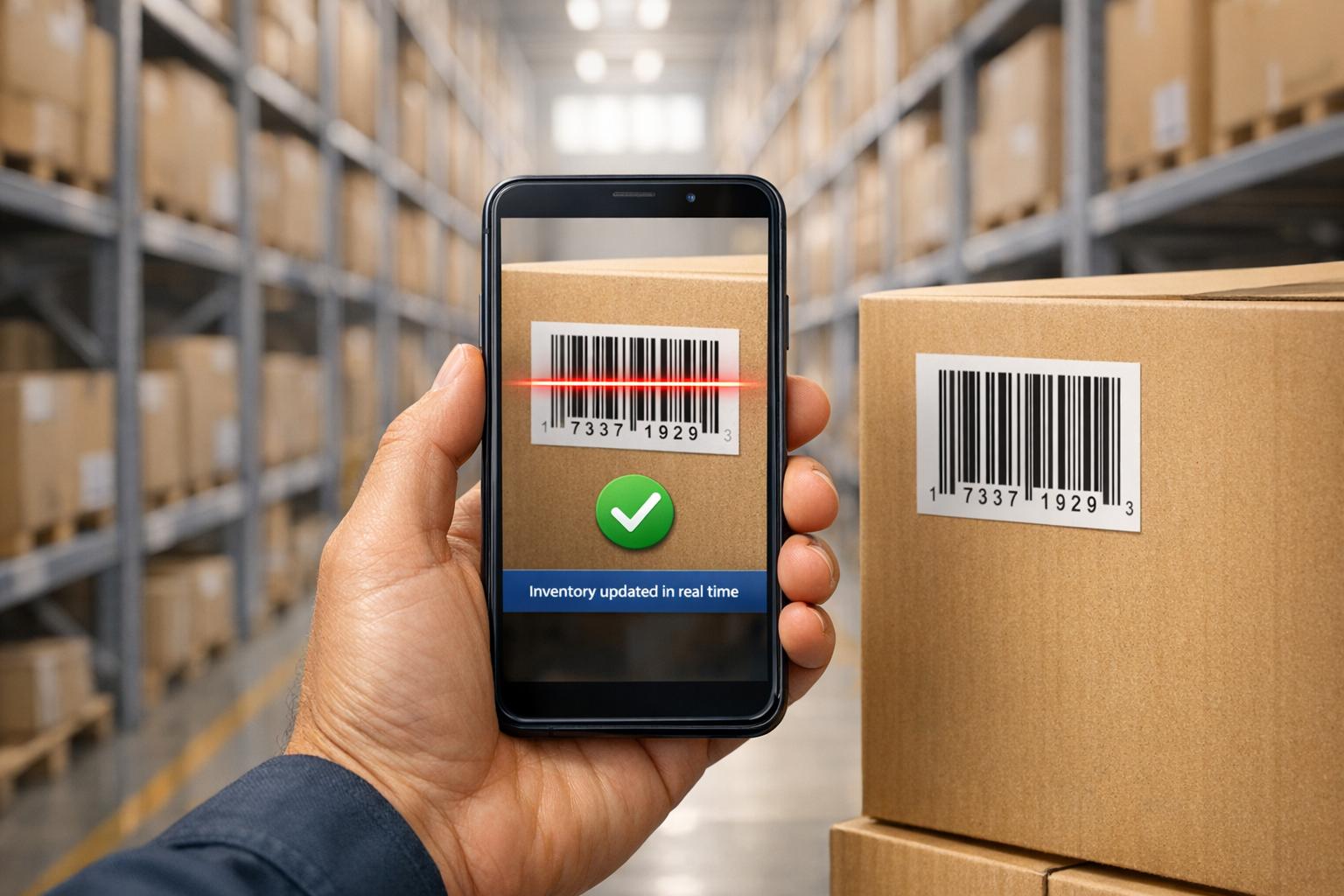
Mobile barcode scanning transforms warehouse operations by replacing error-prone manual processes with fast, accurate, and real-time inventory tracking. Instead of typing long SKU codes or relying on paper picklists, workers can scan barcodes to instantly update inventory systems. This boosts efficiency, reduces errors, and provides real-time visibility into stock levels.
Key benefits include:
- Speed: Scanning takes less than a second compared to 5–10 seconds for manual entry.
- Accuracy: Barcode scanning has an error rate of 1 in 36 trillion scans versus 1 error per 300 characters manually.
- Cost Savings: Reduces labor costs by 25–30% and prevents costly errors like mis-shipments.
- Scalability: Supports growing operations with features like lot tracking, serial numbers, and audit trails.
- Integration: Tools like Rapid Inventory sync seamlessly with QuickBooks Desktop for streamlined workflows.
While mobile solutions require upfront investment in hardware and software, most businesses recover costs within 3–6 months due to increased productivity and fewer errors. For warehouses handling high volumes, mobile barcode scanning is a game-changer for efficiency and accuracy.
Simplify inventory and fulfillment with mobile barcode scanning | QuickBooks Enterprise

sbb-itb-19ed50f
1. Traditional Warehouse Methods
Relying on manual processes like paper pick lists and spreadsheets can lead to mounting costs and inefficiencies.
Workflow Efficiency
Traditional workflows often fall short when compared to mobile scanning systems. Manual methods introduce delays and errors, as workers jot down information on paper and later re-enter it into systems. For instance, typing a 12-digit SKU takes 5–10 seconds, while scanning a barcode takes less than a second. Multiply this over hundreds of daily transactions, and the time lost becomes staggering. Additionally, these workflows heavily rely on employees' informal knowledge, such as memorizing product locations or SKU numbers. When experienced workers leave, it can take weeks for new hires to get up to speed. In contrast, scan-guided systems can reduce onboarding time to just a few days.
Data Accuracy
Human error is an inherent risk in manual data entry. On average, people make one keystroke error for every 300 characters, leading to about a 1% error rate. In a busy warehouse handling thousands of transactions daily, this can result in dozens of mistakes per shift. Errors like selecting the wrong items, duplicating SKUs, or inconsistent labeling can disrupt operations significantly.
"Manual logs tend to hide small faults until they become high-cost problems. A missed pallet move can cause a stockout, a rush buy, or a late order."
- Daniel Brooks, AI & Marketplace Growth Architect, Fiftify
Mis-shipments are particularly costly. As Leanafy explains:
"A mis-ship is expensive because it creates two orders: the wrong one you sent, and the right one you now have to rush."
Real-Time Inventory Visibility
Paper-based systems lack real-time updates, which can lead to inventory inaccuracies. For example, items sitting in the receiving area might appear out of stock, or shipments already sent could still be shown as pending. This creates "phantom stock" issues that disrupt operations.
"Paper does not generate a transaction history. Without transaction history, you cannot prove what happened. You cannot diagnose what failed. You cannot prevent the same failure next week."
- Connor Perkins, Director of Fulfillment, G10 Fulfillment
Scalability and Compliance
As order volumes grow, manual processes struggle to keep pace. Tasks like managing lot numbers, serial numbers, or expiration dates become increasingly prone to mistakes. Additionally, without a digital audit trail, businesses face challenges in verifying events during receiving or tracing a product's full movement history. This can create serious problems during compliance audits or product recalls.
"As inventory grows and workflows become more complex, manual data entry can't keep up."
These challenges underscore the importance of adopting modern, mobile solutions to address the limitations of traditional methods.
2. Mobile Barcode Scanning with Integrated Inventory Software
Pairing mobile barcode scanning with integrated inventory software eliminates the inefficiencies of manual processes. With just one scan, updates are instantly reflected in the central system, ensuring faster and more accurate workflows across the warehouse.
Workflow Efficiency
Integrated software replaces outdated paper-based methods by providing real-time updates and guiding workers through essential tasks like receiving, putaway, picking, packing, and bin transfers. It even calculates the most efficient routes to reduce travel time. Batch scanning, which uses camera-based technology, is 10–20 times faster than traditional scanning methods. For instance, a 500-item cycle count that would typically take two hours with conventional scanning can be completed in just 12 minutes using batch scanning. Automated Data Collection (ADC) further boosts productivity, increasing worker output by at least 15%.
Data Accuracy
Barcode scanning dramatically reduces errors compared to manual data entry. While manual entry averages one mistake per 300 keystrokes, barcode scanning achieves an error rate of just one per 36 trillion scans.
"Barcode scanning averages one error per 36 trillion scans." - Peasy QR
This level of accuracy can lead to a 4–8% increase in sales. Moreover, the system ensures that updates are instantly reflected across all records, minimizing discrepancies.
Real-Time Inventory Visibility
Every scan - whether during receiving, picking, or transferring - updates inventory records in real time. This eliminates the delays caused by end-of-day reconciliations or manual data entry.
"If you're using paper-based processes, your data won't be timely or accurate. You might think you're out of stock when items are actually sitting in receiving, or think something hasn't shipped when it has." - Insight Works
Real-time synchronization allows managers to make informed decisions based on actual stock levels. Tools like Rapid Inventory exemplify this, offering automatic two-way syncing with QuickBooks Desktop. This ensures inventory movements are immediately reflected in financial records, removing the need for manual double entry and setting the stage for scalable and efficient operations.
Scalability and Compliance
As businesses expand, integrated scanning systems scale effortlessly. Each scan creates an unchangeable audit trail, aiding compliance and supporting features like lot, serial, and expiration tracking (FIFO/FEFO). This also enhances accountability by assigning clear roles and responsibilities, meeting the traceability needs of industries like food, healthcare, and manufacturing.
"Barcode systems also help with inventory analysis tasks, like item-level tracking, audit trails, and traceability, which are increasingly important as teams grow and responsibilities are distributed." - Marshall Hargrave, Financial Writer, QuickBooks
Pros and Cons
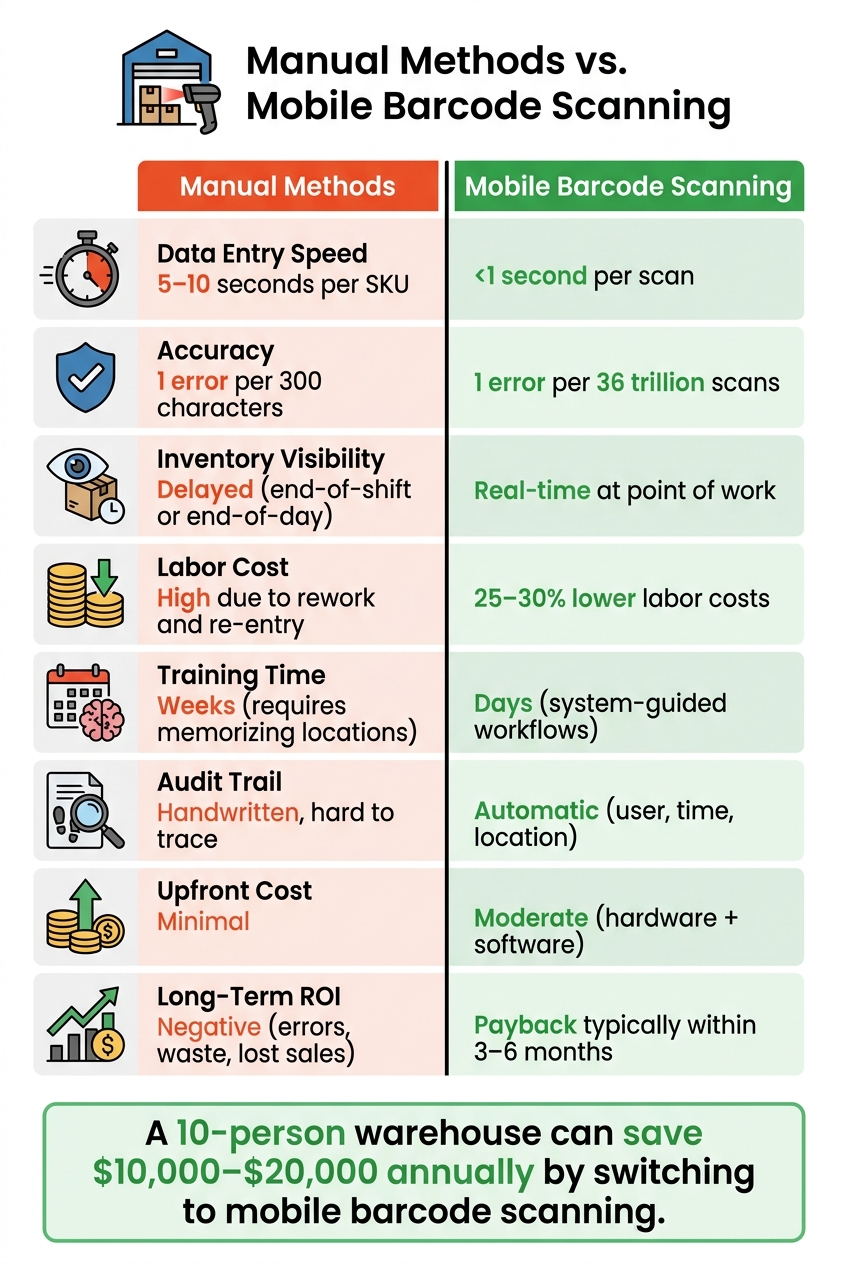
Manual Warehouse Methods vs. Mobile Barcode Scanning: Key Metrics Compared
Weighing the advantages and challenges of each method can help you decide what's best for your operation. Here's a side-by-side look at manual methods versus mobile barcode scanning:
| Feature | Manual Methods | Mobile Barcode Scanning |
|---|---|---|
| Data Entry Speed | Slow (5–10 seconds per SKU) | Instant (<1 second per scan) |
| Accuracy | 1 error per 300 characters | 1 error per 36 trillion scans |
| Inventory Visibility | Delayed (end-of-shift or end-of-day) | Real-time at point of work |
| Labor Cost | High due to rework and re-entry | 25–30% lower labor costs |
| Training Time | Weeks (requires memorizing locations) | Days (system-guided workflows) |
| Audit Trail | Handwritten, hard to trace | Automatic (user, time, location) |
| Upfront Cost | Minimal | Moderate (hardware + software) |
| Long-Term ROI | Negative (errors, waste, lost sales) | Payback typically within 3–6 months |
| Primary Challenges | Human error, lost paperwork, slow counts | Wi-Fi dead zones, hardware costs, data hygiene |
This comparison highlights how mobile barcode scanning outshines manual methods in speed, accuracy, and efficiency - key factors for modern warehouses.
Manual methods do have one clear benefit: low startup cost. Using paper or spreadsheets requires no technical setup, making it an option for small or early-stage operations. Plus, it works during power outages or connectivity issues without needing extra solutions.
However, the drawbacks of manual methods - like human error and inefficiency - add up quickly. For example, at a labor cost of $20/hour, a 10-person warehouse can save $10,000–$20,000 annually by reclaiming 2–4 hours of productive time daily through mobile scanning. Combine this with an error rate of just one per 36 trillion scans, and the financial and operational advantages of mobile scanning become evident.
Mobile barcode systems aren't without challenges. Reliable Wi-Fi is essential, though offline-first systems can queue scans locally and sync later. For smaller operations (under 200 scans/day), smartphones may suffice, but high-volume warehouses often require rugged devices from brands like Zebra or Honeywell, costing $200 to $1,500 each. Maintaining clean data - such as consistent units and complete barcodes - is also critical to avoiding inefficiencies.
"Accuracy and efficiency go hand in hand. Poor inventory accuracy leads to wasted time, rework, and increased costs. Barcoding helps eliminate these issues." - Insight Works
Mobile barcode scanning offers a clear path to better accuracy, lower costs, and real-time inventory updates. While the upfront investment might seem steep, the payoff - often within six months - makes it a smart move for long-term operational success.
Conclusion
Barcode scanning is 5–10 times faster than manual data entry, allowing most warehouses to recover their investment in just 3–6 months. As SKU counts and order volumes increase, these time and accuracy benefits only grow. Plus, system-guided workflows make it possible to train new hires in days, not weeks, while real-time data ensures better decision-making across multiple locations. This level of efficiency also creates a solid base for integrating software designed specifically for U.S.-based warehouses.
For businesses using QuickBooks Desktop, having an integrated solution is a game-changer. Rapid Inventory bridges the gap by syncing mobile barcode scanning directly with QuickBooks. It supports multi-location tracking, FIFO/FEFO picking, and lot and serial number traceability - all while eliminating the headache of manual data entry. Fernanda C., a Director of Operations at one of their client companies, shared her experience:
"Rapid Inventory helps us run our warehouse operations. Easy to use and reliable... we especially love the barcode scanning and mobile picking and we've implemented it for all our warehouse operations."
With over 400 five-star reviews, Rapid Inventory is trusted by warehouses nationwide. Starting at $90 per user/month (Pro plan for 1–9 users), the service includes free onboarding, training, and support. For warehouses ready to leave manual processes behind, it offers the speed, precision, and control needed to achieve long-term operational success.
FAQs
What hardware do I need to start mobile barcode scanning?
To begin using mobile barcode scanning with Rapid Inventory, make sure you have a stable internet connection. The platform is compatible with a variety of devices, including smartphones, tablets, and rugged Android models such as the Zebra TC20, TC25, or TC51, provided they run Android 6.0 or later. Your device should also have access to Wi-Fi or cellular networks.
For stationary setups, you’ll need USB or Bluetooth scanners. These scanners must support EAN-13 and Code-128 barcode formats and be configured to operate in keyboard wedge mode.
Will barcode scanning still work if my warehouse Wi-Fi goes down?
No, the system relies on an internet connection for real-time syncing with QuickBooks Desktop. Without Wi-Fi, scanning workflows won't operate since cloud connectivity is essential for updating inventory details like stock levels, costs, and transactions. A stable connection ensures that every activity - whether it's receiving, picking, or counting - is accurately recorded and immediately reflected in your inventory records.
How hard is it to connect scanning to QuickBooks Desktop?
Connecting scanning to QuickBooks Desktop is straightforward with Rapid Inventory, which uses a two-way web connector to automate the flow of data. Here's how to set it up:
- Switch to Single-User Mode: Before making any changes, put QuickBooks in single-user mode. This is essential for performing admin tasks.
- Enable Barcode Tracking: Go to the Advanced Inventory Settings and activate barcode tracking through the Barcode Wizard. This step allows QuickBooks to recognize and process barcode data.
- Sync with Rapid Inventory: Rapid Inventory integrates seamlessly, syncing item data and updating transactions in real time. This eliminates the need for manual data entry, ensuring your records stay accurate and up to date.
By following these steps, your inventory management becomes faster and more efficient, freeing up time for other priorities.



