
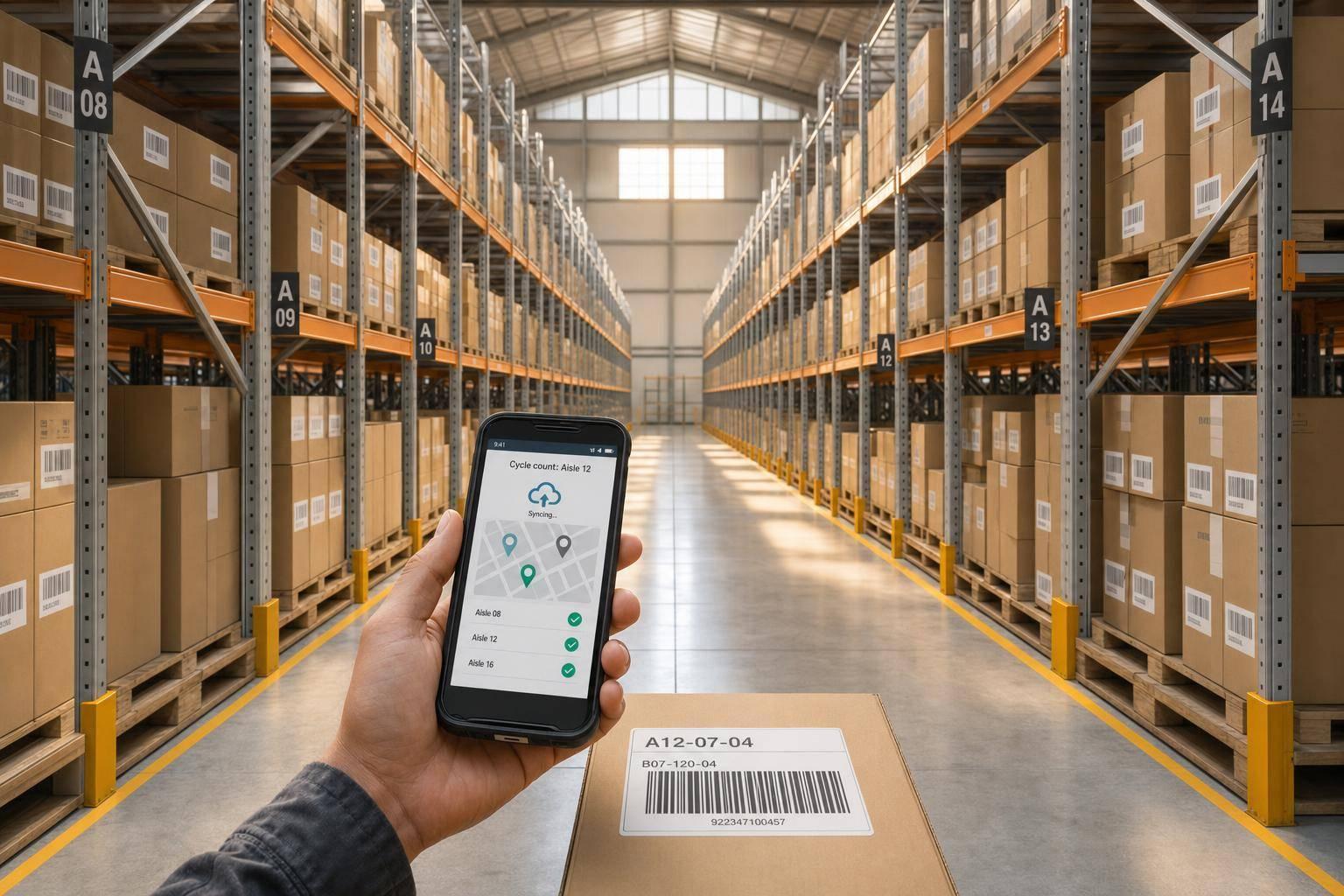
Remote warehouse tracking is all about monitoring inventory in real time across multiple locations using cloud-based systems. This approach eliminates manual errors, improves accuracy, and ensures smooth operations. Here’s what you need to know:
- Why It Matters: Without centralized tracking, errors like stock discrepancies and overselling can escalate, costing businesses time and money. Real-time tracking prevents these issues by providing up-to-the-minute inventory visibility.
- Key Features: Essential tools include a centralized cloud database, mobile barcode scanning, real-time reporting, and integration with systems like QuickBooks Desktop.
- Best Practices: Standardize data across locations, adopt cycle counting for accuracy, and manage inter-warehouse transfers with clear workflows.
- Technology: Cloud-native platforms and mobile scanning tools ensure real-time updates, reducing errors and improving efficiency.
- Metrics to Monitor: Focus on inventory accuracy, days of supply, order cycle time, and labor productivity to maintain control remotely.
For businesses using QuickBooks Desktop, tools like Rapid Inventory simplify remote warehouse management by syncing inventory with financial records and providing real-time updates. By combining the right technology with consistent processes, you can improve efficiency and avoid costly errors.
The Technology Behind Remote Warehouse Tracking
How Cloud-Based Inventory Platforms Work
A cloud-based inventory platform serves as a central hub where all warehouse locations access and update a shared database. When a worker scans a product during a pick, the system updates instantly, eliminating any lag. This immediate synchronization sets cloud-native systems apart from older cloud-hosted solutions, which often just relocate outdated software to remote servers without offering real-time capabilities.
"In a high-velocity warehouse, if your data isn't live, it's already obsolete." - Zenventory
One major advantage of cloud-native platforms is their ability to scale automatically during peak demand while maintaining consistent, real-time data across all locations. Yet, 67% of businesses still struggle to track inventory across multiple locations in real time. This gap is costly, as inventory distortion racks up $1.73 trillion annually in losses for the global retail industry. With real-time integration, mobile scanning becomes a key tool to ensure every product movement is recorded with precision.
Mobile Barcode Scanning for Accuracy
Mobile barcode scanning links physical product movements directly to digital records in real time. Every time an item is received, picked, or transferred, a quick scan updates the system immediately. This not only eliminates manual data entry errors but also ensures accurate stock levels across all locations.
By validating SKUs and locations on the spot, scanning prevents mistakes like mis-picks or double allocations. This is especially important during inter-warehouse transfers, where items in transit might otherwise be counted twice. Following the simple rule of "if it moves, it gets scanned" helps minimize such risks. When combined with bin-level tracking (e.g., aisle A, bay 01, level 03), mobile scanning significantly reduces search times and enhances the accuracy of cycle counts.
Integrating with QuickBooks Desktop

For businesses using QuickBooks Desktop, integrating inventory management software for QuickBooks Desktop with a two-way sync simplifies operations. This setup ensures that inventory transactions and purchase orders automatically update between systems, removing the need for manual data entry and reducing reporting errors.
With this integration, businesses can set location-specific reorder points. For example, a warehouse in Dallas and a distribution center in Chicago can each trigger restocking alerts based on their unique thresholds. This tight connection between physical stock and financial records ensures accurate oversight, even from a distance.
sbb-itb-19ed50f
How to Manage Your Warehouse Remotely | Warehouse OS Series Ep 07
Best Practices for Managing Multi-Location Warehouses
Cycle Counting vs. Physical Inventory: Which Is Better for Remote Warehouses?
Standardizing Item and Location Data
Inconsistent data can wreak havoc on operations in a multi-location setup. Imagine one warehouse listing a product as "Black Tee L" while another logs it as "Tee, Large, Black." This creates false stock - inventory that seems available but can't be reliably located or fulfilled.
To avoid this, assign universal SKUs for every product, label shelves consistently, and maintain standardized digital records. Implement a structured location coding system, such as A-01-03-B (aisle, bay, level, bin), so managers at any site can easily interpret stock positions without needing to be on-site.
Additionally, workflows for receiving, picking, and returns should be uniform across all locations, ensuring data is recorded consistently. A centralized system can replace scattered spreadsheets, serving as the single source of truth for every transaction.
Once data is standardized, you can focus on improved counting methods to further refine inventory accuracy.
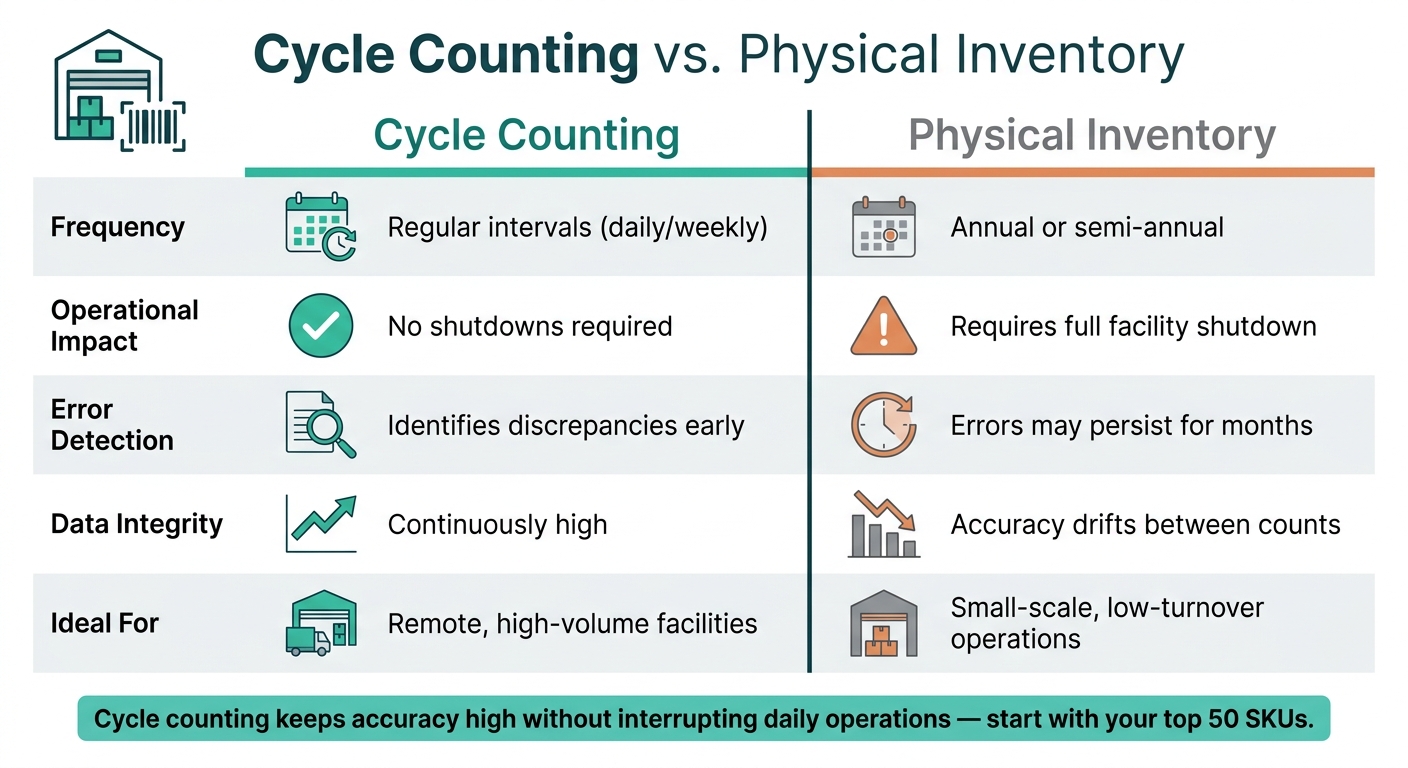
Cycle Counting vs. Physical Inventory
When it comes to inventory accuracy, annual physical counts are far from ideal - especially for remote operations. These events often require full facility shutdowns, extra staffing, and rushed adjustments, yet errors may still linger until the next count.
Cycle counting offers a better solution. Instead of shutting down to count everything at once, cycle counting involves regularly auditing small subsets of inventory. This keeps accuracy high without interrupting daily operations. Start with your top 50 SKUs or the fastest-moving items to catch discrepancies where they matter most.
Here’s a quick comparison of the two methods:
| Feature | Cycle Counting | Physical Inventory |
|---|---|---|
| Frequency | Regular intervals (daily/weekly) | Annual or semi-annual |
| Operational Impact | No shutdowns required | Requires full facility shutdown |
| Error Detection | Identifies discrepancies early | Errors may persist for months |
| Data Integrity | Continuously high | Accuracy drifts between counts |
| Ideal For | Remote, high-volume facilities | Small-scale, low-turnover operations |
By adopting cycle counting, you maintain accuracy while minimizing disruptions.
Managing Inter-Warehouse Transfers
Handling transfers accurately is another key challenge for multi-location warehouses. Transfers often lead to errors when stock leaves one facility but hasn’t yet been received by another. This can result in inventory being counted twice - or disappearing entirely.
To address this, treat each transfer as a formal transaction. As soon as inventory leaves a warehouse, its status should update to "in transit" - a separate category that keeps it visible but unavailable for sale until it’s received at the destination.
"Treat 'in transit' like a lockbox. Inventory remains visible but is not salable until received." - Leanafy
A proper transfer workflow includes five steps: create a Transfer Order with SKU, quantity, and source/destination; pick and pack against the order; update the status to "in transit" upon departure; receive and count items at the destination; and reconcile any discrepancies (like shortages or damages) immediately. Barcode scanning at each touchpoint ensures accuracy and eliminates manual errors, making cloud-based tracking an essential tool for managing transfers across multiple locations.
Data and Reporting for Remote Oversight
Key Metrics to Track
Tracking precise metrics is essential for effective remote oversight. By relying on standardized data and transfer protocols, you can maintain control across your network. Here are some critical inventory metrics to monitor:
| Metric | What It Measures | Why It Matters Remotely |
|---|---|---|
| Days of Supply | How long current stock will last based on current demand | Helps avoid stockouts or overstocking across multiple locations |
| Inventory Accuracy | Difference between system records and actual physical counts | Detects data discrepancies before they disrupt fulfillment |
| Order Cycle Time | Time taken from order release to shipment | Highlights slowdowns at specific locations |
| Units Per Hour (UPH) | Labor productivity by station or shift | Pinpoints bottlenecks without requiring on-site presence |
| Perfect Order Rate | Percentage of orders delivered correctly, on time, undamaged, and with proper documentation | Evaluates overall fulfillment quality across the network |
Keeping stock categories clear - such as on-hand, committed, available, and incoming - is equally critical. This clarity helps prevent overselling and ensures inventory accuracy.
Using real-time dashboards to visualize these metrics makes remote oversight even more efficient.
Real-Time Dashboards and Alerts
Centralized dashboards bring all your data together in one place, offering a real-time view of your entire network.
"A data warehouse dashboard with real-time capabilities turns multichannel fulfillment networks into cohesive, agile, and highly visible ecosystems." - Amit Kumar
For operational tasks, dashboards with a refresh rate of 30 to 60 seconds are ideal for detecting sudden changes, like spikes in demand or bottlenecks. Executive dashboards, on the other hand, usually require only a 24-hour refresh for tracking broader trends. Role-specific views allow operators, supervisors, and executives to focus on the data most relevant to their roles.
Automated alerts are another crucial tool. Instead of constantly monitoring every metric, you can set location-specific thresholds that trigger notifications when intervention is needed. For instance, you might configure alerts for when FBA stock drops below 14 days of cover or when a main warehouse inventory falls below 30 days of combined demand. This "management-by-exception" approach ensures attention is focused where it’s truly needed, rather than on metrics that are performing well.
Audit Trails and Variance Logs
Dashboards are great for identifying issues, but audit trails and variance logs are essential for resolving them. A detailed audit trail records every change, ensuring accountability. For example, requiring staff to scan items and select a reason code - such as damage, scrap, or return - before making adjustments helps managers identify recurring issues like shrinkage, all without needing to be physically present. Considering that human error accounts for 62% of fulfillment problems, a reliable audit trail becomes indispensable.
Variance logs play a key role during inter-warehouse transfers. If 50 units are shipped from one location but only 48 are received, the discrepancy should be logged immediately upon receipt - not corrected later. Delaying variance resolution can allow small issues to snowball into larger inventory problems. Combining clear audit trails with designated in-transit stock ensures accountability across all locations and closes the loop on inventory tracking.
Using Rapid Inventory for Remote Warehouse Tracking
Core Features for Remote Operations
Rapid Inventory is a browser-based inventory management tool designed for QuickBooks Desktop users who need to oversee stock across multiple warehouses from remote locations. Its web-based accessibility ensures real-time inventory updates, no matter where you are.
One standout feature is its multi-location tracking. This allows businesses to assign items to specific warehouses, bins, or zones, with every scan or transfer instantly updated across the system. This gives remote managers near-instant insights into stock movements.
For industries like perishables, pharmaceuticals, or other lot-controlled goods, Rapid Inventory streamlines FIFO (First In, First Out) and FEFO (First Expired, First Out) picking strategies. This ensures proper sequencing even when managers are off-site. Additionally, lot and serial number tracking provides complete traceability. If a specific lot needs to be quarantined, teams can quickly identify its location and any transactions it impacted.
Integrated barcode scanning reduces human error significantly, achieving error rates as low as 0.01%, compared to the typical 1% seen with manual entry. The platform also supports cycle counting, which helps maintain accurate inventory levels with minimal disruption compared to annual physical counts. Together, these tools give remote managers reliable, real-time data to make informed decisions.
QuickBooks Desktop Integration
Rapid Inventory’s seamless integration with QuickBooks Desktop ensures data consistency across both systems. Item records, order details, and inventory adjustments are automatically synchronized, eliminating the need for manual data entry and reducing the chances of mismatched records.
For small to mid-sized businesses relying on QuickBooks Desktop, this integration offers advanced tracking and scanning capabilities without disrupting existing workflows. QuickBooks is used by over 80% of U.S. businesses with accounting software, making this approach a practical solution for many. Sync timing can be customized - whether near real-time or end-of-day - ensuring that financial and inventory data remain aligned for accurate remote decision-making. This synchronization strengthens Rapid Inventory’s ability to connect warehouse management with financial oversight seamlessly.
Training and Support for Remote Teams
To help remote teams fully utilize its features, Rapid Inventory provides comprehensive training and support. Rolling out a new system across distributed teams can be complex, but Rapid Inventory simplifies the process by offering free training, onboarding, and ongoing support.
The onboarding process includes standardizing item names and location data, setting up user permissions, connecting QuickBooks Desktop, testing synchronization with a small batch of items, and training staff on scanning and transfer workflows. This structured approach ensures that warehouse staff, managers, and accountants are all on the same page.
User reviews often highlight the platform’s implementation support as a key advantage, especially for teams transitioning from spreadsheets or paper-based systems. Clear guidance on sync setup, mobile scanning, and consistent adjustment handling makes the transition smoother for remote teams.
Conclusion
Keeping track of remote warehouses effectively means having clear visibility and control over every location. At the heart of this is real-time data - when inventory updates instantly as items are received, picked, or transferred, you avoid issues like phantom stock that can throw off fulfillment. Building on this foundation requires consistent practices, such as standardizing data, performing regular cycle counts, and setting reorder points tailored to each location. Technology plays a supporting role here - it strengthens good systems but can’t fix broken ones. As Simon Kronenberg of Digit Software puts it, "The software you choose to implement is only going to be as good as your systems and processes."
This methodical approach also improves financial accuracy, especially for QuickBooks Desktop users. For those managing remote warehouses, Rapid Inventory offers a practical solution. It connects physical inventory activity to financial records seamlessly, without the hefty price or complexity of a full ERP system. With implementation times of just 1–2 days and costs far below the $25,000–$100,000+ range of enterprise systems, it’s a more accessible option.
The businesses that excel at managing remote warehouses aren’t necessarily the biggest - they’re the ones with well-defined processes and the right tools to consistently apply them across all locations.
FAQs
How do I prevent “phantom stock” across multiple warehouses?
Preventing phantom stock hinges on real-time inventory tracking and precise handling of stock transfers. To avoid issues like double-counting or selling items prematurely, it's critical to track in-transit stock as its own category. A unified system is key - this consolidates inventory counts across all locations and ensures records are updated instantly during transfers or movements. Standardized workflows and tools like barcode scanners can also help minimize errors and maintain accurate inventory data.
What’s the best way to handle inventory that’s “in transit” between locations?
Managing in-transit inventory effectively means keeping it as a separate category in your inventory system. As soon as items are shipped, label them as "in transit" to avoid double-counting or misrepresenting stock levels. Establish clear workflows that include steps like creating transfer orders, scanning shipments, and confirming receipts. Regularly compare in-transit records with carrier updates to catch any delays or errors. This approach helps maintain accurate inventory levels and keeps operations running smoothly across different locations.
How can I keep QuickBooks Desktop inventory and warehouse counts in sync remotely?
To keep your QuickBooks Desktop inventory and warehouse counts in sync remotely, you'll need tools that offer real-time, two-way integration. One such option is Rapid Inventory, which integrates directly with QuickBooks. It automatically syncs activities like receiving, transfers, and inventory counts.
Here’s how to get started:
- Set Up the QuickBooks Web Connector: This tool facilitates the connection between QuickBooks and external apps.
- Map Fields and Enable Multi-Location Tracking: Ensure all relevant data fields are aligned and activate tracking for multiple locations.
- Use Mobile Barcode Scanning: Simplify tasks like receiving and transferring inventory by scanning barcodes with mobile devices.
- Sync Data Back to QuickBooks: All updates from your warehouse operations will flow back into QuickBooks for accurate records.
A stable internet connection is crucial to ensure your inventory data stays current and consistent across all locations.



