
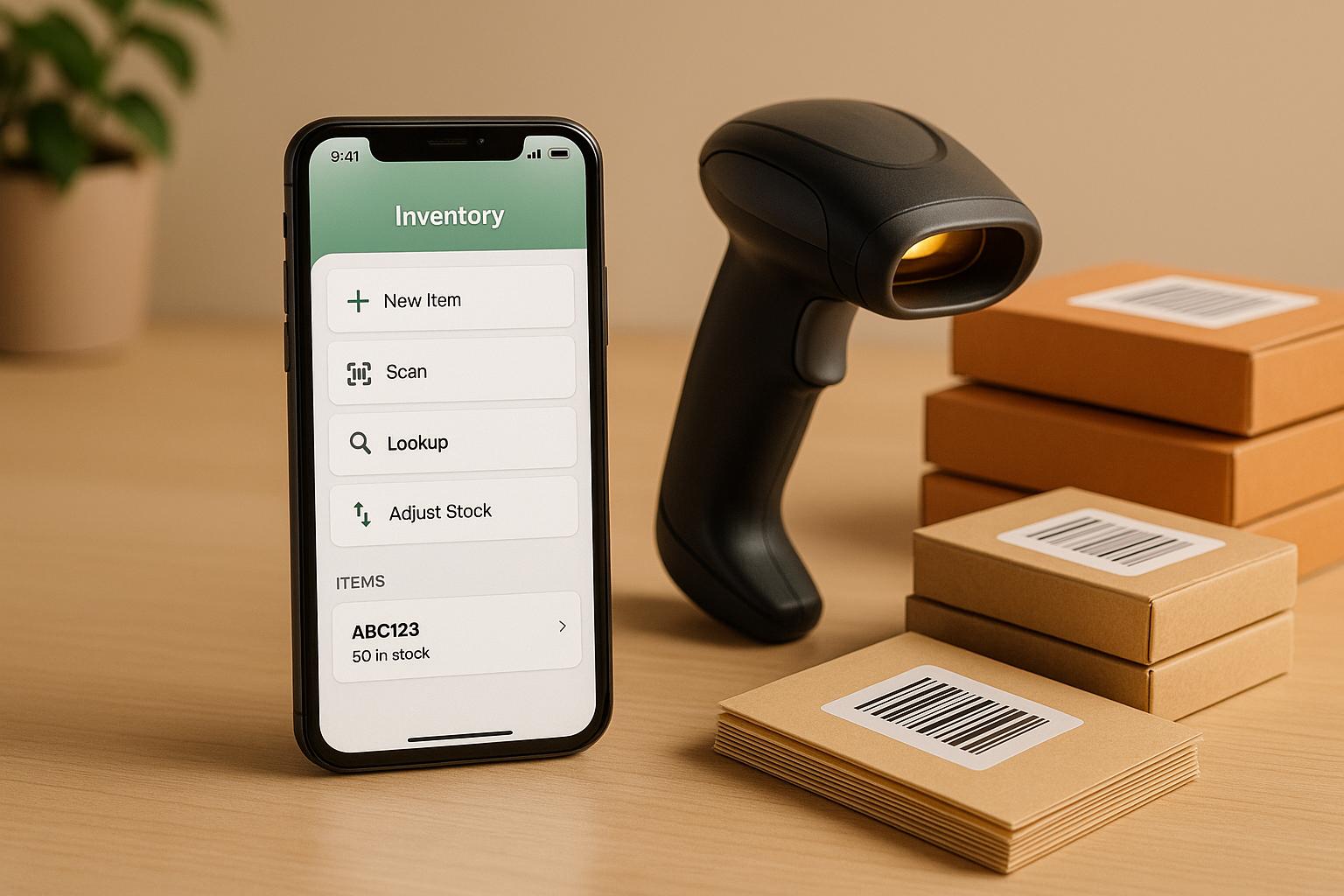
If you're managing inventory with QuickBooks Desktop, you’ve likely noticed its limitations in stock tracking. Mobile inventory apps solve this by adding features like barcode scanning, real-time updates, and multi-location tracking. These tools sync directly with QuickBooks, streamlining warehouse operations and reducing manual data entry. One standout option is Rapid Inventory, offering barcode-enabled workflows, FIFO/FEFO picking, and lot/serial tracking, all integrated with QuickBooks Desktop.
Key Benefits of Mobile Inventory Apps:
- Barcode Scanning: Speeds up receiving, picking, and counting.
- Real-Time Sync: Updates QuickBooks instantly, avoiding errors.
- Multi-Location Support: Tracks inventory across warehouses.
- Advanced Features: Lot/serial tracking, FIFO/FEFO picking, and cycle counts.
- Cost-Effective: Enhances QuickBooks without needing a full ERP system.
Why Rapid Inventory Stands Out:
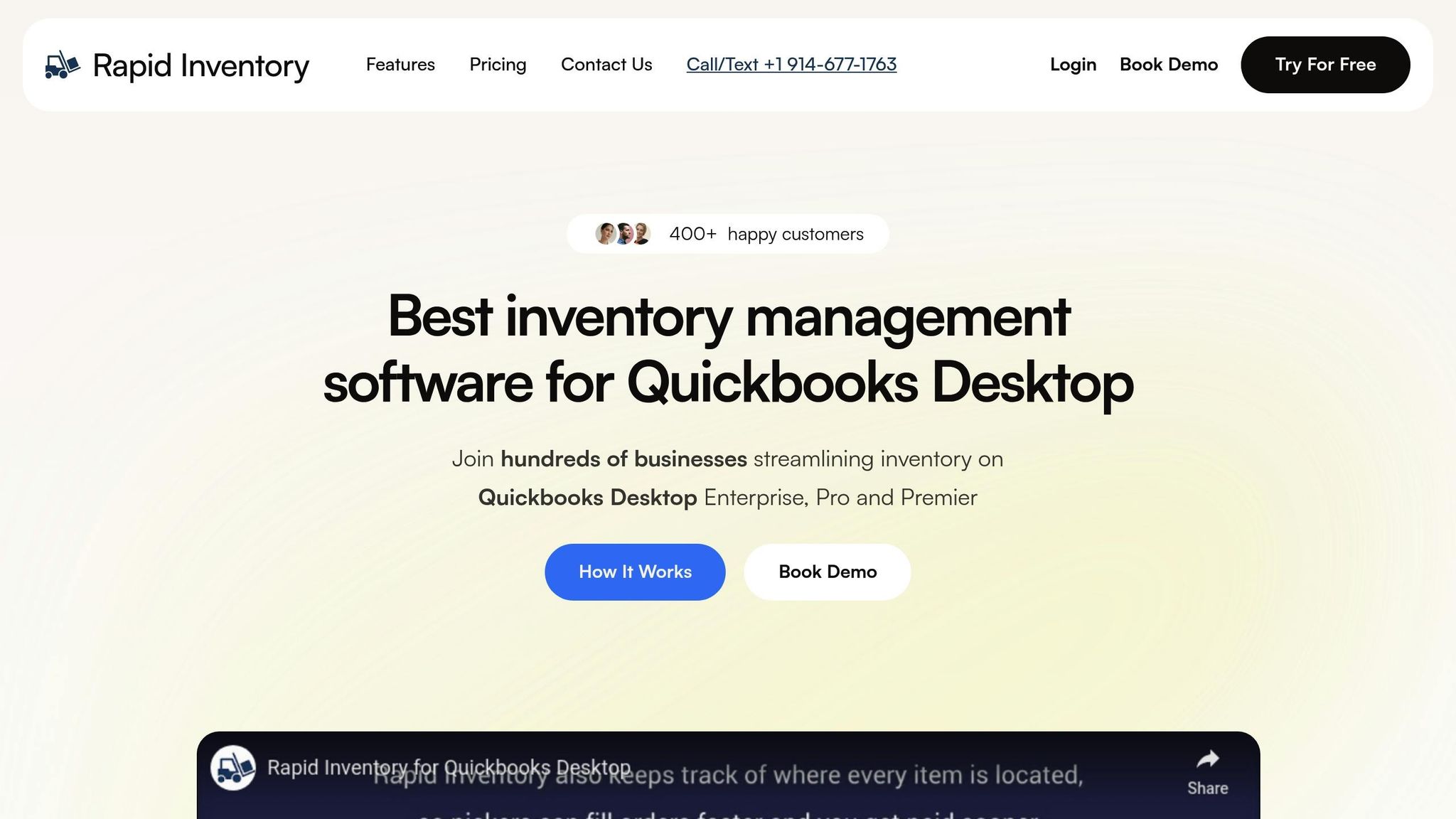
- Two-Way QuickBooks Sync: Real-time updates for inventory data.
- Mobile-Friendly: Works with smartphones, tablets, or rugged devices.
- Affordable Plans: Starting at $90/user/month with free onboarding.
- Advanced Tools: Supports lot tracking, expiration dates, and multi-location management.
For small and midsize businesses, adding a mobile inventory app like Rapid Inventory can simplify workflows, improve accuracy, and keep QuickBooks at the core of your operations.
Simplify inventory and fulfillment with mobile barcode scanning | QuickBooks Enterprise
Why QuickBooks Desktop Users Need Mobile Inventory Apps
QuickBooks Desktop doesn't come with a built-in mobile app for inventory management. That means warehouse tasks like cycle counts, receiving shipments, or picking orders can’t be done directly from a smartphone or scanner. Instead, businesses often rely on manual data entry, which slows things down and increases the chance of errors.
The inventory tools in QuickBooks Desktop aren’t designed to handle the needs of growing product-based businesses. They lack key features like barcode scanning, multi-location tracking, serial or lot tracking, and efficient workflows for managing warehouses. As a result, teams often spend too much time on manual processes and struggle to maintain accurate stock levels across multiple locations.
This is where mobile inventory apps that integrate with QuickBooks Desktop come into play. These apps provide real-time, two-way syncing of inventory data, enabling faster and more accurate tasks like barcode scanning, receiving, and order picking. With these tools, warehouse staff can update inventory on the spot, eliminating delays and reducing errors.
Real-time inventory tracking also helps businesses avoid overstocking or running out of products. For field service teams, sales reps, and mobile retailers, these apps allow stock levels, sales, and inventory counts to be updated directly from a handheld device. This eliminates the need for duplicate data entry and ensures everyone has up-to-date information.
For small and midsize businesses in the U.S., mobile inventory apps offer advanced warehouse management features without the complexity of a full ERP system. This means companies can continue using QuickBooks Desktop as their core accounting software while gaining the mobile access and barcode scanning capabilities needed for efficient warehouse operations.
Rapid Inventory: Top Pick for Mobile Barcode Scanning
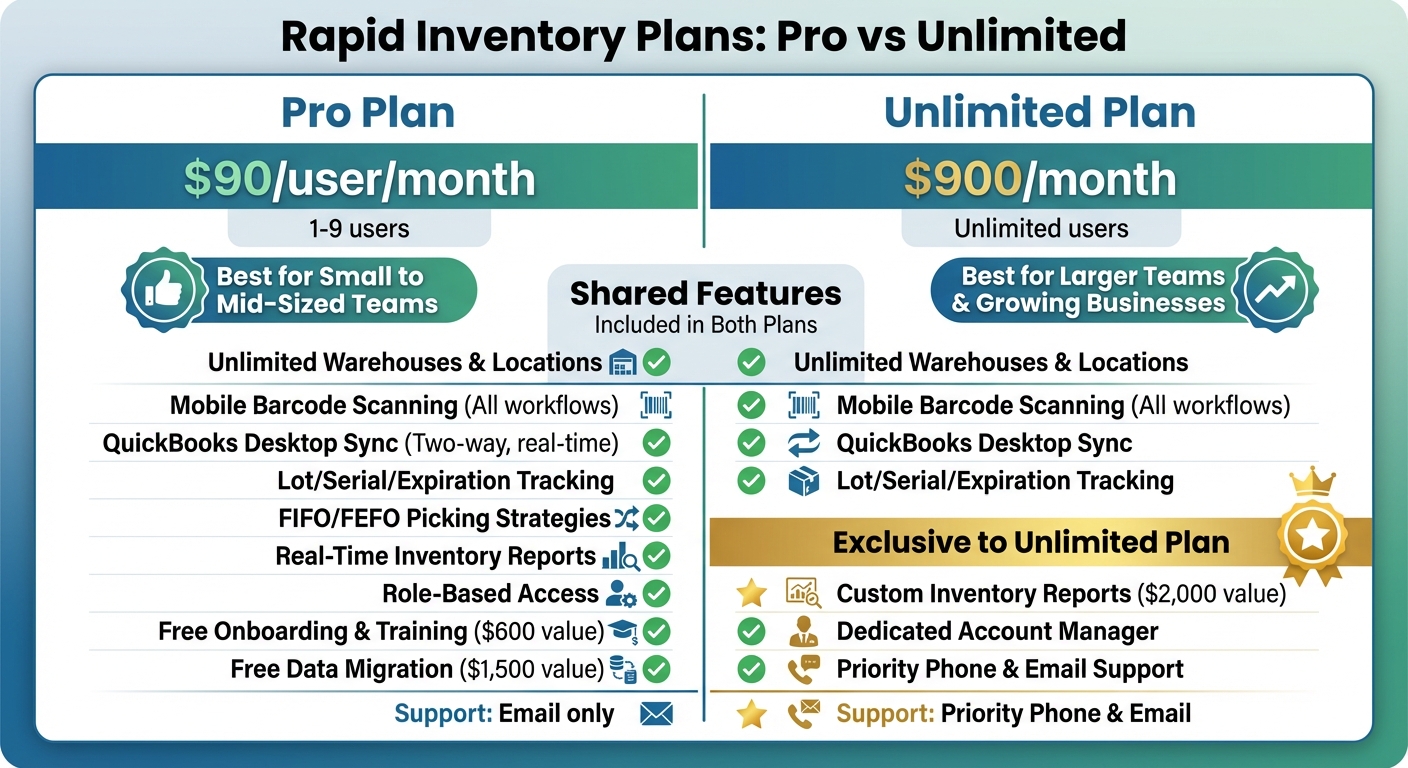
Rapid Inventory Pro vs Unlimited Plan Comparison for QuickBooks Desktop
Rapid Inventory takes QuickBooks Desktop to the next level by offering seamless mobile integration that simplifies warehouse operations. Its two-way sync ensures that item data, quantities, and transactions update in real time. That means when warehouse staff scan items to receive, pick, pack, transfer, or adjust stock, QuickBooks Desktop is updated instantly - no manual entry required.
The platform supports multiple locations and warehouses, letting users scan items directly into the correct site, bin, or zone. This feature gives teams an accurate, up-to-the-minute view of inventory, which is essential for businesses with multi-location operations across the U.S.
For industries like food and beverage, pharmaceuticals, cosmetics, and chemicals, Rapid Inventory includes lot and serial number tracking with FIFO (First-In, First-Out) and FEFO (First-Expired, First-Out) picking strategies. Mobile pickers are guided to specific bins and lots based on these rules, ensuring compliance and reducing risks like shipping errors or expired products. This traceability is critical for recall documentation and audits.
The system is web-based and mobile-friendly, allowing teams to use smartphones, tablets, or rugged Android devices to scan and update inventory from anywhere with an internet connection. Managers can access dashboards via web browsers, meaning data entered in a Texas warehouse is instantly visible to a New York office.
Rapid Inventory also simplifies inventory management with cycle counting workflows, enabling mobile counts by location, item class, or category without requiring full shutdowns. This approach keeps operations running smoothly while improving accuracy for businesses with long shifts or multiple warehouses.
Key Features of Rapid Inventory
Rapid Inventory is built around scan-first interactions, speeding up warehouse tasks and reducing errors.
- Receiving: Workers scan UPCs or barcodes to confirm items and quantities, record lot or serial numbers, and assign items to the correct warehouse or bin - all with minimal typing. This is especially useful for FDA-regulated products requiring expiration tracking.
- Picking: Staff scan locations and items to ensure they’re pulling the correct SKU. This process reduces picking errors and returns while enforcing FIFO or FEFO rules. Mobile pick lists optimize routes and show exact inventory locations, ensuring order fulfillment accuracy.
- Sync with QuickBooks Desktop: Item masters, customer and vendor lists, and key data are mirrored into Rapid Inventory. Inventory transactions performed on mobile devices flow back to QuickBooks as bills, invoices, item receipts, or adjustments. For example, a scanned purchase order receipt updates QuickBooks as an item receipt or bill, while sales orders become pickable and sync back as invoices or sales receipts.
With real-time inventory reports, managers can view on-hand quantities, sales and purchase order statuses, inventory value, and reorder alerts. This transparency keeps accounting and operations aligned, eliminating the need for manual reconciliations.
With over 17 years of experience and 400+ satisfied customers, Rapid Inventory has proven itself as a reliable solution for small and midsize U.S. businesses seeking advanced inventory control while sticking with QuickBooks Desktop.
Pricing and Plans
Rapid Inventory keeps pricing straightforward with two main plans and no hidden fees or contracts.
- Pro Plan: At $90 per user per month, this plan is ideal for teams of 1–9 users. It includes unlimited warehouses and locations, lot and serial tracking, barcode scanning, real-time reports, role-based access, and white-glove onboarding and migration (valued at $2,100). This plan is perfect for small to mid-sized businesses looking to scale gradually while keeping costs predictable.
- Unlimited Plan: Priced at $900 per month, this plan supports unlimited users and includes all Pro features, along with custom inventory reports (valued at $2,000), a dedicated account manager, and priority phone and email support. It’s a cost-effective choice for larger teams or businesses expecting growth, as it caps costs regardless of user count.
Both plans offer free onboarding, training, and ongoing support, making it easy for businesses to transition from spreadsheets or basic QuickBooks setups. The onboarding process is quick, often completed in just a few days, and includes help with web connector setup, user creation, warehouse configuration, and data migration.
"My team was up and running in a few days. Very straightforward and easy to use." – Jacob, CEO
When choosing between plans, consider your current team size and future growth. The Pro Plan works well for simpler operations, while the Unlimited Plan is better suited for complex, multi-location setups or businesses planning to expand. Indirect savings - like fewer inventory errors, faster counts, and reduced stockouts - can make the subscription fee well worth it for businesses handling large volumes.
Feature Comparison Table
| Feature | Pro Plan ($90/user/month) | Unlimited Plan ($900/month) |
|---|---|---|
| Users | 1–9 users | Unlimited users |
| Warehouses & Locations | Unlimited | Unlimited |
| Mobile Barcode Scanning | All workflows | All workflows |
| QuickBooks Desktop Sync | Two-way, real-time | Two-way, real-time |
| Lot/Serial/Expiration Tracking | ✓ | ✓ |
| FIFO/FEFO Picking Strategies | ✓ | ✓ |
| Real-Time Inventory Reports | ✓ | ✓ |
| Role-Based Access | ✓ | ✓ |
| Onboarding & Training | Free (valued at $600) | Free (valued at $600) |
| Data Migration | Free (valued at $1,500) | Free (valued at $1,500) |
| Custom Inventory Reports | – | ✓ (valued at $2,000) |
| Dedicated Account Manager | – | ✓ |
| Support | Priority phone & email | |
| Best For | Small to mid-sized teams | Larger teams or growing businesses |
Rapid Inventory’s flexible plans and robust features ensure it can adapt to your business needs, whether you’re a small operation or a growing enterprise.
sbb-itb-19ed50f
Must-Have Mobile Features for QuickBooks-Compatible Apps
When choosing mobile inventory apps for QuickBooks Desktop, certain features separate basic tools from more advanced warehouse solutions. One of the most important is barcode and QR code scanning. This feature allows staff to quickly receive, pick, and count inventory using mobile devices, reducing errors and speeding up tasks in warehouses, stockrooms, trucks, and retail locations. Mobile devices with camera-based scanning for iOS and Android should be standard, with optional support for Bluetooth scanning sleds or rugged devices for high-volume operations. These scanning tools are essential for efficient and accurate inventory management.
Another key feature is real-time inventory updates. Keeping on-hand quantities, costs, and open orders accurate is critical for both accounting and reporting. Real-time syncing with QuickBooks Desktop ensures that updates happen instantly, eliminating the need for manual reconciliation. As HandiFox notes, “Real-Time Sync with QuickBooks Desktop or Online” and “Mobile Inventory Access” are among the top features for inventory systems that integrate with QuickBooks.
Multi-device and multi-location access is equally important. This capability allows teams across various U.S. locations to view live data and work simultaneously. During tasks like receiving, transferring, or counting inventory, users can assign each scan to the correct location. For businesses operating in areas with unreliable Wi-Fi or for field teams working in remote locations, an offline mode with automatic resync ensures transactions can still be processed and synced later when connectivity is restored. These features together provide smooth, uninterrupted inventory management.
Finally, user roles and permissions at the mobile level add an extra layer of control. These permissions help manage stock adjustments, transaction approvals, and access to sensitive data, maintaining strong internal controls. For industries like food, medical, and cosmetics, advanced lot, serial, and expiration scanning is a must - especially for FEFO (first-expired, first-out) picking. A review of QuickBooks-compatible solutions shows that barcode and mobile scanning, combined with multi-location support, are now essential for effective inventory management.
How to Choose the Right Mobile Inventory App
When selecting a mobile inventory app for QuickBooks Desktop, the first step is to ensure compatibility. The app must provide bidirectional, real-time synchronization with your specific QuickBooks version - whether you're using Enterprise, Pro, or Premier. This type of integration eliminates the need for manual data entry, keeping inventory levels, costs, and orders accurate and up to date.
Ease of use is another critical factor. A mobile app with an intuitive interface and a straightforward onboarding process allows your team to start scanning and managing inventory quickly, without the hassle of lengthy training sessions. For example, Rapid Inventory is designed with simplicity in mind, enabling teams to get up and running in no time. Once you've identified an app with a user-friendly design, the next step is to evaluate its performance in real-world scenarios.
Testing the app before making a commitment is essential. Many apps offer free trials or demos - take advantage of these to assess features like sync speed and mobile scanning accuracy. During the trial, check that barcode scans on both iOS and Android devices update your QuickBooks Desktop instantly, without delays. Additionally, confirm that the app supports offline functionality with automatic resync, which is especially important for locations with unreliable Wi-Fi.
Scalability should also be on your radar. Consider whether the app can grow alongside your business. Look for features like multi-location support, flexible user plans, and advanced tools such as FIFO/FEFO picking or lot tracking. For example, Rapid Inventory offers tailored plans that work for both small teams and expanding operations. More details on these options can be found in the Pricing and Plans section.
Lastly, don’t overlook the importance of customer support. Reliable assistance can save your business from costly interruptions. Look for apps that provide comprehensive support, including free training, onboarding, and migration services. Rapid Inventory, for instance, includes free onboarding (valued at $600) and white-glove migration assistance (valued at $1,500). Higher-tier plans also come with priority phone and email support, ensuring you have help when you need it most.
Conclusion
Mobile inventory apps transform stock management by turning manual processes into seamless, real-time operations. With features like barcode scanning, two-way syncing, and real-time visibility across locations, these tools simplify workflows and improve accuracy - all while letting businesses stick with QuickBooks Desktop. For companies managing increasing order volumes, expanding SKUs, or multiple warehouses, these solutions offer the control needed to grow with confidence.
Among these tools, Rapid Inventory stands out as the go-to choice for mobile barcode workflows integrated with QuickBooks Desktop. Every scan - whether it’s receiving a pallet, picking an order, or adjusting stock - feeds directly into QuickBooks, ensuring accurate, real-time inventory updates. Features like multi-location tracking, FIFO/FEFO picking, and lot/serial tracking provide the level of control typically found in advanced warehouse systems. Plus, its web-based platform enables managers to oversee operations in real time. With free onboarding (a $600 value) and expert migration assistance (worth $1,500), the setup process is smooth and low-risk.
Here’s how this works in practice: Imagine a regional distributor with two warehouses using Rapid Inventory. When pallets arrive, staff scan them into bin locations linked to QuickBooks purchase orders. Pickers then follow mobile pick lists that automatically apply FIFO rules, scanning items to avoid shipping mistakes. Managers can review real-time inventory reports online before closing the books in QuickBooks Desktop. This process ensures speed, accuracy, and complete visibility.
To ease the transition, businesses can roll out Rapid Inventory in phases. Start by addressing common pain points like mis-picks or stock-outs, and test the solution with your data - beginning with tasks like receiving and transfers. This phased approach delivers quick wins and positions your business to handle more orders, more locations, and more SKUs over the coming years, all while keeping QuickBooks Desktop as the backbone of your accounting system.
FAQs
How can mobile inventory apps improve QuickBooks Desktop performance?
Mobile inventory apps bring a new level of functionality to QuickBooks Desktop by providing instant inventory updates, barcode scanning for accurate data input, and tracking across multiple locations. These features simplify key tasks like picking, receiving, and cycle counting, cutting down on manual work and reducing the chance of errors.
When paired with QuickBooks Desktop, these apps help businesses run more smoothly by improving inventory precision, streamlining operations, and keeping everything organized across warehouses and locations.
What features make Rapid Inventory a great choice for small and midsize businesses?
Rapid Inventory is designed with small and midsize businesses in mind, offering a two-way QuickBooks sync that keeps inventory data accurate and current. It simplifies operations with features like multi-location and warehouse tracking, FIFO/FEFO picking methods, and lot and serial number tracking.
With tools like mobile barcode scanning and real-time inventory reporting, managing stock becomes more efficient and accessible, no matter where you are. Plus, the platform includes free training, onboarding, and support, ensuring a smooth setup process without any unexpected expenses.
Why is real-time inventory syncing essential for managing warehouse operations?
Real-time inventory syncing plays a crucial role in warehouse management by delivering precise, up-to-the-minute stock data. This accuracy helps avoid overselling, stock shortages, and mismatches in inventory records. By instantly reflecting changes in stock levels across the system, it supports smarter decisions and boosts overall efficiency.
With these real-time updates, warehouses can simplify order fulfillment, cut down on manual mistakes, and gain tighter control over inventory operations. This enhanced visibility is essential for fine-tuning workflows and keeping up with customer expectations.



