
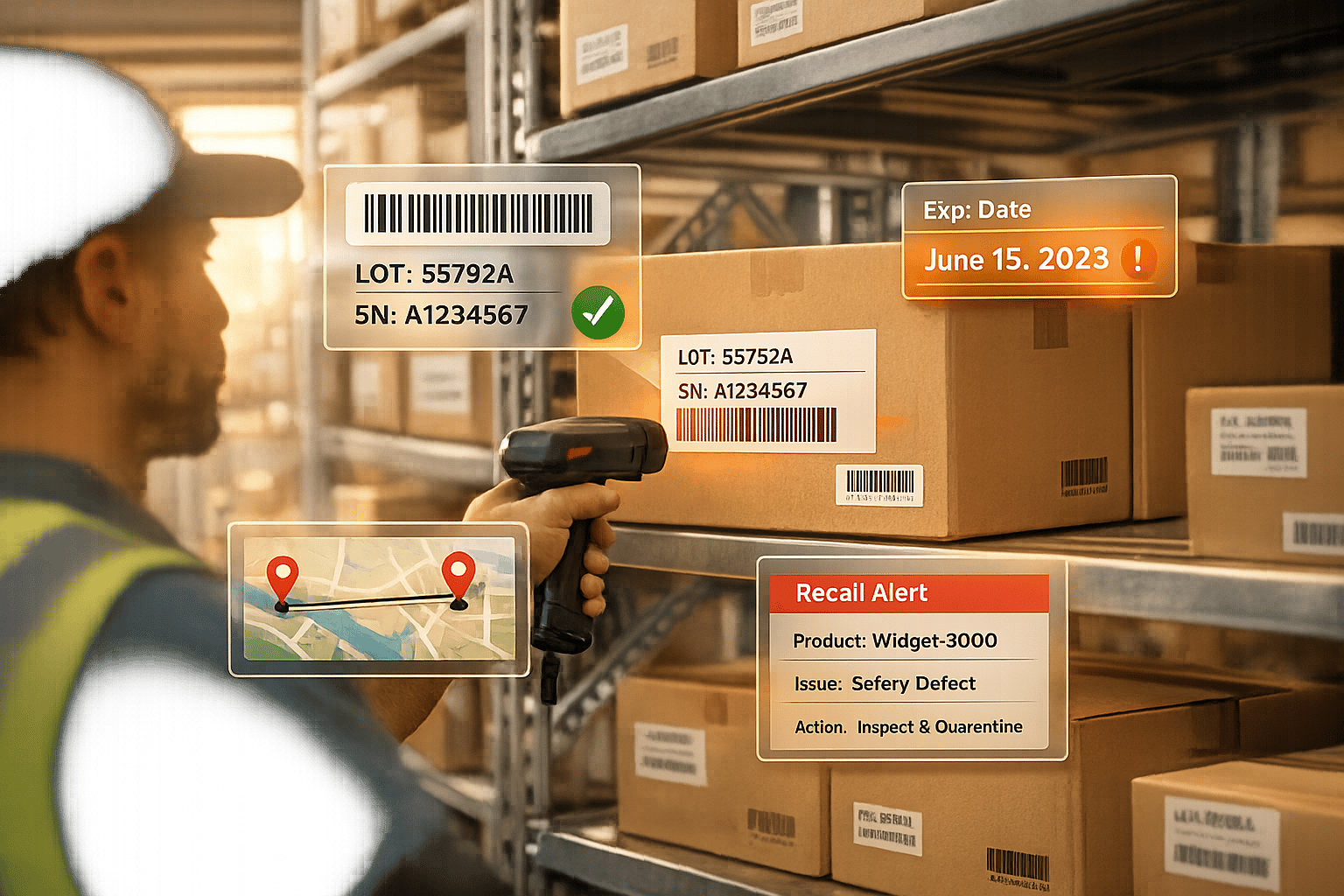
Managing inventory in QuickBooks can be challenging, especially when it comes to tracking lot and serial numbers. QuickBooks Online lacks built-in tracking, and even QuickBooks Desktop requires higher-tier versions like Platinum or Diamond Enterprise editions to enable these features. Thankfully, third-party tools can fill the gaps, offering advanced tracking, multi-warehouse support, barcode scanning, and more.
Here are six tools to consider for integrating lot and serial tracking into your QuickBooks workflow:
- Rapid Inventory: Works with QuickBooks Desktop. Features include lot/serial tracking, FEFO picking, mobile barcode scanning, and flexible pricing starting at $90/month per user.
- QuickBooks Enterprise Advanced Inventory: Built into Platinum/Diamond editions. Offers lot/serial tracking, expiration date monitoring, and multi-location support. Costs start at $2,173/year.
- SOS Inventory: Syncs with QuickBooks Online. Adds lot/serial tracking, expiration alerts, and barcode scanning. Plans start at $69.95/month.
- Fishbowl Inventory: Integrates with both QuickBooks Online and Desktop. Tracks lot/serial numbers, expiration dates, and supports unlimited warehouses. Pricing requires a custom quote.
- GOIS (Goods Order Inventory System): Syncs with QuickBooks for real-time tracking. Tracks serialized items, batches, and expiration dates. Pricing is customized.
- inFlow Inventory: Designed for QuickBooks Online. Tracks lot/serial numbers, supports barcode scanning, and starts with a 14-day free trial.
Quick Comparison:
| Tool | QuickBooks Compatibility | Lot/Serial Tracking | Barcode Scanning | Starting Price |
|---|---|---|---|---|
| Rapid Inventory | Desktop (Pro, Premier, Enterprise) | Yes | Yes | $90/user/month |
| Advanced Inventory | Desktop (Platinum/Diamond) | Yes | Yes | $2,173/year |
| SOS Inventory | Online | Yes | Yes | $69.95/month |
| Fishbowl Inventory | Online/Desktop | Yes | Yes | Custom Quote |
| GOIS | Online/Desktop | Yes | Yes | Custom Quote |
| inFlow Inventory | Online | Yes | Yes | Free Trial, then tiered plans |
Each tool offers unique strengths depending on your QuickBooks version and business needs. Whether you’re a small business or managing complex inventory across multiple locations, these solutions can simplify tracking, improve accuracy, and ensure compliance.

QuickBooks Lot and Serial Tracking Tools Comparison Chart
1. Rapid Inventory
QuickBooks Integration and Syncing Capabilities
Rapid Inventory connects directly with QuickBooks Desktop through an automatic two-way web connector sync. It works seamlessly with QuickBooks Desktop Enterprise, Pro, Premier, and hosted versions like Rightworks, Whizz, Swizznet, and Visory.
With over 17 years of experience and a customer base exceeding 400, the setup process is designed to be quick and hassle-free. As Jacob, the CEO, shared:
My team was up and running in a few days. Very straightforward and easy to use.
The typical "Go Live" process takes about 7 days, covering steps like discovery, staging, and data migration. This smooth integration sets the stage for the platform's advanced inventory tracking tools.
Lot and Serial Tracking Features
Rapid Inventory provides tools for managing lot numbers, serial numbers, batch numbers, and expiration dates. It ensures staff can input lot or serial numbers during transactions, which is especially valuable for products with expiration concerns. The system’s FEFO (First Expiration First Out) method prioritizes older stock, while FIFO picking handles standard inventory rotation. Real-time reporting offers insights into stock locations, on-hand quantities, and movement histories - essential for recalls or warranty claims.
Additional Inventory Management Tools
The platform goes beyond tracking to improve warehouse operations. Its mobile barcode scanning feature, compatible with iOS, Android, and scanners, helps staff confirm item locations, quantities, and details during tasks like receiving, picking, counting, and transfers. Optimized pick lists reduce warehouse travel time and improve order accuracy. Additional features include inventory assemblies, cycle counting, backorder management, partial shipping and receiving, and label printing. As a web-based system, it allows access from anywhere while maintaining dependable performance.
Pricing and Scalability for Different Business Sizes
Rapid Inventory offers flexible pricing to suit businesses of various sizes. The Pro Plan, at $90 per user per month, is ideal for teams with 1–9 users. For larger teams, the Unlimited Plan costs $900 per month and supports unlimited users. Both plans include unlimited warehouses, barcode scanning, comprehensive tracking tools, and real-time reporting. The Unlimited Plan adds extras like custom inventory reports, a dedicated account manager, and priority support.
There are no contracts, onboarding fees, or hidden costs. Both plans also include complimentary white-glove onboarding (valued at $600) and data migration services (valued at $1,500). Frank, a Manager, highlighted the support team’s quality:
Your technical support staff are very helpful. I was very pleased with their assistance.
2. QuickBooks Enterprise Advanced Inventory
QuickBooks Integration and Syncing Capabilities
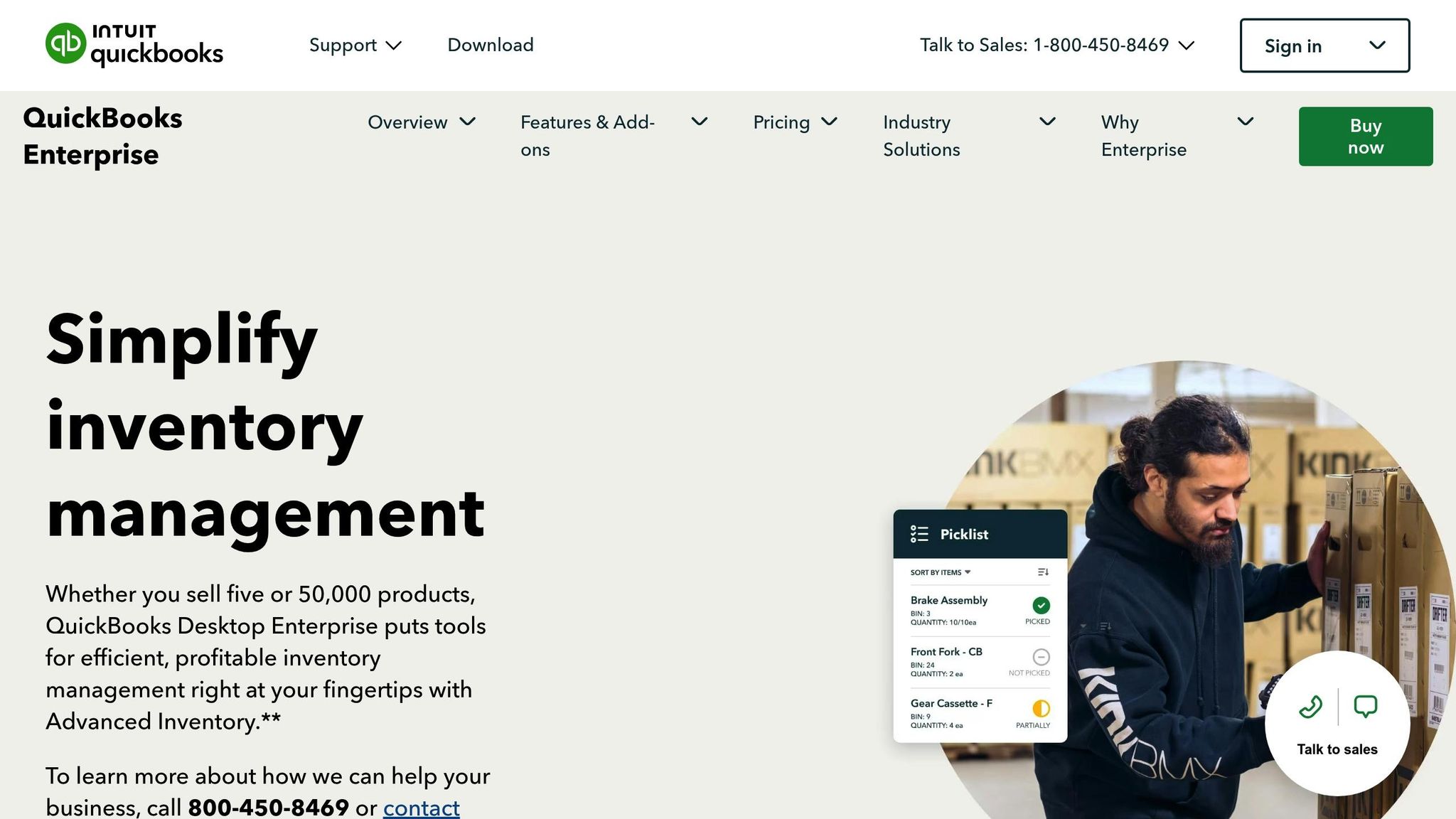
QuickBooks Enterprise Advanced Inventory is built into the QuickBooks Desktop Enterprise Platinum and Diamond editions. It uses the same user-friendly interface as the standard QuickBooks Desktop, ensuring a smooth workflow. Activating the feature is straightforward - users simply sync their license data online. Once enabled, fields for lot and serial numbers automatically appear on standard QuickBooks forms like item receipts, bills, invoices, and sales orders. The system offers real-time insights into inventory levels, order statuses, and item locations across multiple warehouses. This integration makes managing inventory and tracking items much more efficient.
Lot and Serial Tracking Features
Businesses can choose between two tracking options: serial tracking or lot tracking. Serial tracking is ideal for monitoring individual items, making it easier to trace which customer purchased a specific unit and to generate invoice history reports for warranty purposes. On the other hand, lot tracking works best for batch-produced or purchased items, enabling detailed recall reports that show all customers who received items from a particular batch.
The 2023 and 2024 versions include tools for managing expiration dates and settings that require mandatory data entry, reducing the risk of errors. For expiring inventory, the "Inventory Expiration Status" report helps businesses track items nearing their expiration dates, showing how many days remain.
Additional Inventory Management Tools
The platform includes features like multi-location and multi-level bin tracking, which enhance organization and efficiency. Mobile barcode scanning simplifies processes like receiving, picking, and transferring inventory, minimizing data entry mistakes. The order fulfillment dashboard streamlines the pick, pack, and ship workflow, while cycle counting allows for inventory checks without disrupting operations.
Zack P. of Kink BMX shared how these tools transformed his business operations. Managing three warehouses, 2,000 shops, and 30 distributors, he explained how location-based order lists saved time and improved accuracy:
Advanced Inventory keeps us organized. We can print [order lists] according to where they are, so our employees in the warehouse don't have to zigzag to fill orders... That's been a big time saver and [helpful] for accuracy as well.
Pricing and Scalability for Different Business Sizes
The Platinum Plan, priced at $2,173 annually (or $246.40 per month with cloud hosting), includes Advanced Inventory, Advanced Pricing, and Enhanced Payroll. For larger businesses, the Diamond Plan costs $4,291 per year (or $423.20 per month with cloud hosting) and adds Assisted Payroll along with support for up to 40 users. Both plans include the full suite of Advanced Inventory tools, which are not available in the Silver or Gold editions. These pricing options make QuickBooks Enterprise Advanced Inventory adaptable to businesses of various sizes and needs.
3. SOS Inventory
QuickBooks Integration and Syncing Capabilities
SOS Inventory works seamlessly with QuickBooks Online through a bidirectional, real-time sync. This integration ensures that sales, inventory, and accounting data stay aligned across both platforms. For example, when an inventory transaction - like a sale or receipt - occurs, it’s automatically updated in QuickBooks. This eliminates the need for duplicate data entry and even manages lot and serial assignments directly.
Werner Brandt, who relies on SOS Inventory for operations in Indonesia's remote areas, highlighted the value of this integration:
"The reliability and accessibility of SOS Inventory software and integration with our QuickBooks Online accounting system help us in our efforts to bridge the gap in energy and clean water access for communities in Indonesia's rural and remote areas."
This integration not only simplifies accounting but also supports the platform’s robust tracking features.
Lot and Serial Tracking Features
SOS Inventory automatically assigns unique lot or serial numbers when items are received or added to the system. This enables both forward and backward traceability, making it easy to pinpoint specific products or ingredients in the event of a recall. For industries like food, beverage, and pharmaceuticals, this feature is especially critical. The platform also provides expiration alerts, detailed audit trails, and cost histories, helping businesses conduct precise profit and loss analysis.
Additional Inventory Management Tools
The platform goes beyond basic tracking to streamline day-to-day operations. It supports barcode generation and scanning, speeding up tasks like inventory counts, receiving, and shipping. Customizable label templates add another layer of flexibility. SOS Inventory also manages inventory across unlimited locations, complete with bin and aisle tracking, and simplifies transfers between sites. Additionally, it supports multiple valuation methods - such as FIFO, LIFO, and Weighted Average - all of which sync with QuickBooks to ensure accurate financial records.
Pricing and Scalability for Different Business Sizes
SOS Inventory offers three pricing tiers designed to fit businesses of various sizes:
- Companion: $69.95/month ($699.50/year) for 2 users, covering basic inventory management.
- Plus: $139.95/month ($1,399.50/year) for 3 users, adding features like serial/lot tracking, barcoding, and support for unlimited locations.
- Pro: $194.95/month ($1,949.50/year) for 5 users, including advanced tools like job costing and manufacturing features.
Additional users can be added for $25/month each, and external connections are also available at $25/month per connection. A 14-day free trial with full feature access is included, giving businesses a chance to explore the platform’s capabilities.
These pricing options ensure that SOS Inventory can grow alongside your business, keeping operations efficient no matter the scale.
4. Fishbowl Inventory
QuickBooks Integration and Syncing Capabilities
Fishbowl works seamlessly with both QuickBooks Online (Plus and Advanced plans) and QuickBooks Desktop (Pro, Premier, and Enterprise versions from 2021 to 2024). As an Intuit Gold Developer and Elite QuickBooks Solutions Provider, it’s a trusted option for businesses looking to integrate inventory management with accounting systems.
The integration operates on a scheduled sync, allowing Fishbowl to handle inventory, manufacturing, and order fulfillment while QuickBooks remains the primary accounting tool. Key data like inventory assets, Cost of Goods Sold (COGS), income, accounts receivable, accounts payable, and manufacturing journal entries are automatically updated in QuickBooks.
To ensure compliance with GAAP standards, Fishbowl provides an Accounting Configuration Wizard that maps accounts between the two platforms. Getting everything up and running typically takes 6 to 8 weeks. For QuickBooks Desktop users, installing the Fishbowl Server alongside the QuickBooks file is essential. Before starting the integration, businesses should close or delete any open sales and purchase orders in QuickBooks, as these won’t transfer during the setup process. This integration lays the groundwork for advanced tracking features, including lot and serial number management.
Lot and Serial Tracking Features
Fishbowl stands out with its ability to track items using both lot and serial numbers simultaneously, along with additional criteria like revision numbers, expiration dates, and custom fields. This flexibility ensures businesses can manage inventory with precision. The system even auto-generates tracking numbers during transactions, minimizing the risk of errors.
Aaron Thompson highlights this capability:
"QuickBooks allows users to track their inventory by lot numbers or serial numbers. Unfortunately, they can only choose one option... Fishbowl, on the other hand, allows items to be tracked by lot numbers, serial numbers, revision numbers, expiration dates, and virtually any other criteria."
Fishbowl’s tracking system offers complete traceability, covering manufacturing, quality assurance, receiving, and fulfillment processes. For businesses managing recalls, a single report can identify affected manufacturing orders, purchase orders, vendors, and customers - a vital feature for maintaining accountability.
Additional Inventory Management Tools
The Fishbowl Go mobile app enhances efficiency by enabling barcode scanning for tasks like cycle counting, picking, packing, shipping, and receiving. This eliminates manual data entry and reduces errors. Fishbowl also supports unlimited locations and warehouses, all accessible through a unified dashboard.
The platform’s automated replenishment feature creates Purchase Orders, Manufacture Orders, and Work Orders when stock levels hit reorder points. This automation has helped businesses save an average of 50 hours per week and cut inventory costs by up to 28%. Additionally, Fishbowl accommodates multiple costing methods, including Average, FIFO, LIFO, and Standard, offering more flexibility than QuickBooks, which only supports Average and FIFO.
Ryan Doty from Fierce Firearms shared the impact of Fishbowl on their operations:
"Fishbowl has completely changed how we handle inventory and job costing. We used to chase down numbers across systems, but now everything is synced."
Pricing and Scalability for Different Business Sizes
Fishbowl uses a per-user pricing model, but exact rates aren’t publicly available - you’ll need to request a custom quote tailored to your business. While it’s pricier than basic inventory tools, it’s still a cost-effective alternative to full ERP systems.
For QuickBooks Online users, integration requires the Plus plan ($99/month) or Advanced plan ($235/month), as these plans support features like purchase orders and journal entries. Trusted by over 6,000 businesses, Fishbowl has earned accolades like G2 Leader for small businesses and Front Runner 2025 by Software Advice.
5. GOIS (Goods Order Inventory System)
QuickBooks Integration and Syncing Capabilities
GOIS has been simplifying inventory management since 2005 by offering seamless integration with QuickBooks. This system ensures real-time syncing of key modules such as Invoices, Purchase Orders, Inventory Adjustments, Vendors, and Customer contacts. For example, when you create an invoice or vendor bill in GOIS, it’s instantly transferred to QuickBooks, keeping your financial records up-to-date. During setup, GOIS maps your QuickBooks Chart of Accounts to ensure accurate financial reporting. Inventory adjustments made within GOIS automatically update QuickBooks' stock journal, reflecting changes in Stock on Hand and Cost of Goods Sold in real time. One standout feature is the "1-click customer credit transfer", which simplifies handling returns or credits without the need for manual accounting. These capabilities make GOIS a strong choice for businesses needing advanced lot and serial tracking.
Sara Bakula, Business Manager at Trilogy Industrial Supply, shared her experience transitioning from QuickBooks' native tools:
"We tried using Advanced Inventory in QuickBooks, but quickly became frustrated with the clumsiness of it and the lack of being able to get the information out of it that we wanted quickly."
Lot and Serial Tracking Features
GOIS takes integration a step further with its robust tracking features. The system allows businesses to track unlimited serialized and lot-numbered items throughout their lifecycle. It supports batch monitoring, including production and supplier batches, and tracks expiry dates using FIFO (First In, First Out) and FEFO (First Expired, First Out) methods. This is particularly useful for industries like pharmaceuticals, electronics, and perishable goods. Additionally, GOIS provides unit-level visibility, capturing product configurations and specifications that go beyond basic SKUs. Automated audit trails record every stage of a product's journey - receiving, sales, and returns - making compliance with industry regulations easier. For warranty claims, businesses can verify product authenticity by matching serial numbers to sales records, reducing fraud risks.
Additional Inventory Management Tools
GOIS also supports barcode and QR code scanning, compatible with both scanners and mobile devices on Windows and Android platforms. This feature streamlines tasks like receiving, picking, and counting inventory, cutting down on manual errors. The mobile app further empowers warehouse teams to manage inventory on the move, whether they’re receiving, picking, selling, or transferring stock. Moreover, businesses gain real-time visibility across multiple warehouses, distribution centers, and storage facilities worldwide.
Philip O. from AllWeather Contractors praised this adaptability:
"GOIS Pro is the necessary flexible inventory tool that keeps pace in our construction environment. This software could be used in other applications that require 'boots on the ground' materials management supported by multi-departmental back office teams."
Pricing and Scalability for Different Business Sizes
GOIS is designed to scale with businesses of all sizes, from small boutiques to large multi-location enterprises, and offers an affordable alternative to traditional ERP systems. While specific pricing details aren’t publicly available, the platform is positioned as a budget-friendly option for businesses seeking advanced inventory solutions.
Rachelle LeBlanc, COO at Sip@Sea Ltds, highlighted the system's customer support:
"Anytime there have been questions, they are right there to assist and walk you through anything!"
sbb-itb-19ed50f
6. inFlow Inventory
QuickBooks Integration and Syncing Capabilities
inFlow Inventory offers a specialized integration designed specifically for QuickBooks Online (QBO), catering to businesses in the US, Canada, UK, and Australia. However, it doesn't support QuickBooks Desktop. This integration streamlines financial data management by automatically pushing sales orders marked as "invoiced" in inFlow to QBO as invoices, while purchase orders are converted into bills. Payments recorded in either platform sync seamlessly, ensuring both systems remain updated. Additionally, inFlow handles account mapping by updating Inventory Assets and Cost of Goods Sold (COGS) accounts in QBO as transactions occur.
One limitation to note: while inFlow can push new products, customers, and vendors to QBO, data from QBO does not sync back into inFlow.
Thomas Wong from inFlow Inventory highlights how the two systems work together:
"Use inFlow for your inventory and order management and push all of the financial data to QuickBooks Online. Your inventory will stay under control, and your accountants will have a full picture of your business' financials."
Lot and Serial Tracking Features
For businesses needing detailed inventory tracking, inFlow offers robust features like serial and lot tracking. It records the entire movement history of each serial number, generates unique serial numbers automatically, and supports lot numbers with expiration dates - an essential feature for managing perishable or regulated products. Since QBO doesn't natively support serial tracking, inFlow handles all tracking internally while pushing only the financial data, such as sales and purchases, to QBO. This means serial numbers won't appear on QBO invoices or bills, but you’ll retain full tracking details within inFlow. These features are available with inFlow's Standard and Plus plans.
Additional Inventory Management Tools
inFlow goes beyond basic inventory management with tools like a built-in Label Designer for creating barcode labels. You can scan items using the mobile app (available on iOS and Android), third-party Bluetooth scanners, or inFlow’s own "Smart Scanner" - a durable Android device equipped with a built-in laser. The platform also tracks inventory across multiple warehouses and sublocations (bins), and stock transfers between locations can be managed directly from mobile devices. For manufacturers, inFlow supports work orders and multi-level Bills of Materials (BOM) to track the assembly of finished goods from raw materials. These features make inFlow a versatile tool for various inventory needs.
Pricing and Scalability for Different Business Sizes
inFlow offers tiered plans to accommodate businesses of all sizes, starting with a 14-day free trial. The three main plans include:
- Stockroom: Entry-level, offering basic scanning capabilities.
- Inventory: Mid-tier, including serial number tracking and QuickBooks integration.
- Manufacturing: Advanced, with features like BOM and assembly tracking.
New users are required to pay a one-time onboarding fee, which covers setup assistance and training sessions with a Customer Success Manager. To access serial number tracking, you’ll need to subscribe to the Standard or Plus plans.
QuickBooks Enterprise: How to Setup and Use Lot Numbers for Advanced Inventory Tracking Like a Pro!
Feature and Pricing Comparison
Let’s take a closer look at Rapid Inventory’s pricing and features to help you decide if it’s the right fit for your QuickBooks setup.
When selecting a tracking solution for QuickBooks, it’s important to weigh factors like compatibility, features, and cost. Rapid Inventory integrates seamlessly with QuickBooks Desktop (Pro, Premier, and Enterprise) through a two-way sync. Pricing starts at $90 per user, per month for teams with 1–9 users. For larger teams with 10 or more members, the Unlimited Plan is available for $900 per month, offering unlimited users. Both plans include perks like free onboarding (valued at $600) and data migration (valued at $1,500), with no hidden fees or long-term contracts.
Rapid Inventory Key Features and Benefits
| Feature Category | Details |
|---|---|
| QuickBooks Compatibility | Works with Desktop versions (Pro, Premier, Enterprise) via two-way web connector sync |
| Tracking Capabilities | Supports lot and serial numbers, batch numbers, expiration dates, and FIFO/FEFO picking |
| Mobile Access | Enables barcode scanning on iOS, Android, and dedicated scanners |
| Multi-Location Support | Provides real-time visibility across unlimited warehouses |
| Additional Tools | Includes cycle counting, backorder management, partial shipping/receiving, label printing, and optimized pick lists |
| Pricing - Pro Plan | $90 per user, per month (1–9 users) |
| Pricing - Unlimited Plan | $900 per month (unlimited users, custom reports, dedicated account manager, priority support) |
| Onboarding | Offers a 7-day white-glove onboarding process with free training and support |
The onboarding process is designed to get your team up and running in just 7 days, ensuring a smooth transition to optimized inventory tracking.
Conclusion
Choosing the best lot and serial tracking solution for QuickBooks boils down to understanding what your business truly needs. If you're in industries like food and beverage, pharmaceuticals, or medical devices - where compliance is non-negotiable - focus on tools that deliver full traceability, expiration alerts, and recall reporting. For businesses prioritizing warehouse efficiency, features like mobile barcode scanning, streamlined picking workflows, and multi-location tracking are essential.
It's also critical to ensure compatibility with your QuickBooks version. For QuickBooks Desktop users, Rapid Inventory stands out with its reliable two-way sync, FIFO/FEFO picking options, and smooth onboarding process. On the other hand, QuickBooks Online users should lean toward solutions that offer real-time integration for seamless operations.
Before committing, take a close look at your current challenges. Do you need to track individual units for warranties or manage batch tracking for recalls and expiration dates? Keep in mind that some QuickBooks Enterprise versions limit you to either serial or lot tracking for a single item, which may not suit complex workflows. Your chosen system should enforce the mandatory entry of serial or lot numbers during transactions to maintain accurate records and prepare for audits.
Additionally, consider whether the solution provides detailed reports, such as "Inventory Expiration Status" or recall reports, and whether it simplifies onboarding and data migration. A good system will eliminate the need for manual spreadsheets, cut down on picking errors, and offer real-time visibility across all locations. This not only saves time and money but also ensures your operations stay compliant and efficient.
FAQs
How does Rapid Inventory work with QuickBooks Desktop?
Rapid Inventory connects effortlessly with QuickBooks Desktop, syncing inventory data between the two platforms automatically. This means you can handle key inventory tasks - like lot and serial tracking - directly within Rapid Inventory, while QuickBooks stays aligned with accurate, up-to-date accounting records.
One of the standout features is real-time data sharing. Any changes you make in one system instantly update in the other, eliminating the need for manual entries. This not only saves time but also cuts down on errors, making your inventory and accounting processes smoother and more efficient.
What features does Rapid Inventory provide for tracking lot and serial numbers?
Rapid Inventory makes tracking lot and serial numbers simple with features that are built to optimize inventory management. You can monitor items using lot numbers and expiration dates, ensuring precise records while meeting compliance requirements. Plus, the platform supports mobile barcode scanning and printing, letting you handle inventory tasks wherever you are.
It integrates smoothly with QuickBooks Desktop, keeping your inventory data synchronized and updated in real time. This combination of tools helps businesses run more efficiently while maintaining complete oversight of their inventory processes.
What are the pricing options for Rapid Inventory based on business size?
Rapid Inventory provides pricing options designed to fit the size of your team.
- For 1-5 users, the cost is $60 per user.
- For 6-14 users, the price decreases to $30 per user.
- If your business has 15 or more users, you can reach out to the Rapid Inventory team for custom pricing tailored to your needs.



