
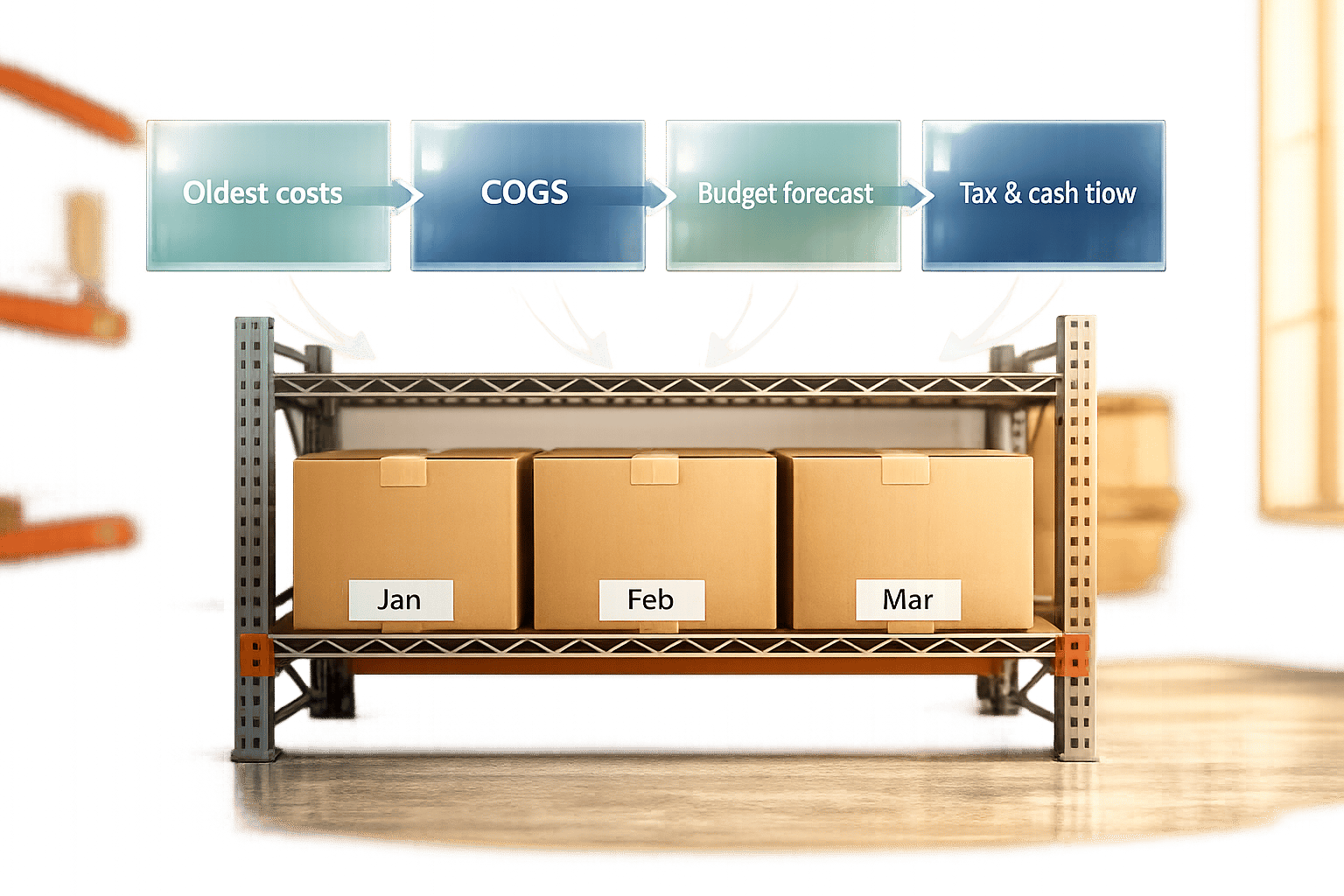
FIFO (First In, First Out) is an inventory costing method where the oldest stock is sold first. This approach simplifies budgeting by providing predictable cost data, especially during inflation. Here's why FIFO matters for businesses:
- Cost Allocation: FIFO assigns older purchase costs to goods sold, reflecting current purchase prices in inventory valuation.
- Budgeting Accuracy: It helps businesses forecast procurement costs and manage cash flow by aligning inventory with real-time costs.
- Tax Impact: While FIFO can increase reported profits during inflation, it may also lead to higher tax liabilities.
- Practical Setup: Implementing FIFO requires accurate record-keeping, warehouse alignment, and inventory management tools like QuickBooks.
How FIFO Affects Inventory Costs and Budgeting
How FIFO Assigns Costs to Inventory
FIFO (First-In, First-Out) operates on a straightforward principle: the costs of your oldest inventory are assigned to goods sold first, while the most recent purchase costs remain tied to your remaining inventory. This approach directly impacts how your income statement and balance sheet reflect inventory value.
Let’s break it down with an example: imagine a furniture manufacturer purchases two batches of lumber - 500 board feet at $3.00 each and another 500 at $3.50 each. If they use 700 board feet for production, FIFO assigns the first 500 board feet at $3.00 and the next 200 at $3.50 to the Cost of Goods Sold (COGS), totaling $2,200. The remaining 300 board feet are valued at $3.50 per foot, showing up on the books at $1,050. This method ensures costs are allocated accurately, helping businesses project realistic budgets for future purchases.
"FIFO provides a more accurate picture of current inventory value, especially during periods of rising prices." - Kari Brummond, Content Writer, Accountant, IRS Enrolled Agent, Xero US
Budgeting Benefits of FIFO
One of the standout advantages of FIFO is how it reflects inflation. By pulling older, often lower costs into COGS first, FIFO can make your gross profit appear stronger when prices are rising. This happens because your inventory valuation aligns with the actual sequence of purchasing and selling goods.
Another key benefit? FIFO offers a clear perspective on replacement costs. Since the ending inventory is valued using the latest purchase prices, you get a solid estimate of what restocking would cost. This transparency makes procurement planning more accurate and grounded. As QuickBooks explains:
"FIFO typically results in higher reported profits and a higher inventory valuation on your balance sheet, which can affect your tax liability."
However, it’s worth noting that higher profits under FIFO during inflationary times can also mean a bigger tax bill. While the method gives you a clearer picture for budgeting, it’s wise to discuss potential tax implications with your accountant. Proper cost allocation under FIFO not only helps with inventory management but also supports precise financial planning.
FIFO vs Average Cost in QuickBooks Enterprise

How to Prepare for FIFO-Based Budgeting

How to Set Up FIFO-Based Budgeting: Step-by-Step Guide
Getting ready for FIFO-based budgeting means ensuring your system and records are set up to handle this inventory method effectively.
Setting Up FIFO in Your Accounting System
To use FIFO for budgeting, start by configuring your accounting system. If you're using QuickBooks Desktop, follow these steps:
- Navigate to Edit > Preferences and choose Items & Inventory.
- Open the Company Preferences tab, then click Advanced Inventory Settings.
- Go to the FIFO tab, select Use FIFO starting on, and set your start date.
- Click OK twice to confirm your changes.
Choosing the right start date is critical. QuickBooks recalculates all inventory-related transactions from that date onward, which directly influences your Inventory Valuation, Balance Sheet, and Profit and Loss reports. After setting up FIFO, review these reports carefully to ensure everything is accurate before using the data for budgeting. It's also important to double-check that your purchase records are up-to-date.
Organizing Inventory Records for FIFO
FIFO relies heavily on accurate and detailed inventory records. For every purchase, make sure to log essential details like:
- Purchase dates
- Unit costs
- Quantities received
- Vendor terms
Each batch of inventory should be recorded with its purchase date and per-unit cost to maintain a clear chronological order. Keeping accurate records not only ensures compliance but also provides reliable data for creating budget forecasts.
The IRS allows the use of FIFO without requiring a special election, unlike LIFO. However, you should keep dated inventory records for at least three years - or six years if there's underreporting of more than 25%.
Using Inventory Management Tools to Support FIFO
If you’re managing a large number of products or multiple warehouses, manual tracking can become overwhelming. Specialized inventory management tools can make this process much easier. For example, Rapid Inventory is a tool designed specifically for QuickBooks Desktop users and supports FIFO picking strategies.
This software offers features like:
- Two-way QuickBooks synchronization to keep your inventory and accounting data aligned in real time.
- Lot and serial number tracking for detailed oversight.
- Real-time inventory reports for clear visibility into your inventory layers.
When your warehouse team consistently picks the oldest stock first, and your accounting system reflects this order, your budget projections will align more accurately with your inventory's actual value. These tools can save time and reduce errors, ensuring your FIFO-based budgeting runs smoothly.
sbb-itb-19ed50f
How to Build and Control Inventory Budgets with FIFO
Mapping On-Hand Inventory and Cost Layers
To kick off your procurement budget, start by mapping your current inventory and its associated costs. Using FIFO (First-In, First-Out), your stock is organized into FIFO cost layers. Each layer represents a specific purchase lot, complete with its purchase date, quantity, and per-unit cost.
Here’s an example of how FIFO cost layers work:
| Purchase Date | Units On-Hand | Unit Cost | Total Cost | Budget Role |
|---|---|---|---|---|
| March 15 | 4,000 | $4.40 | $17,600 | Next units to be sold (COGS) |
| March 30 | 2,000 | $4.75 | $9,500 | Remaining stock after March 15 layer |
| Total On-Hand | 6,000 | Mixed | $27,100 | Budget baseline for next period |
This $27,100 becomes your starting point for the upcoming budget cycle. Be sure to factor in additional costs like freight, insurance, and handling to establish an accurate baseline. Another critical step is performing an LCNRV (Lower of Cost or Net Realizable Value) check for each layer. If the market price of an item falls below its purchase cost, you'll need to write down that inventory, directly impacting your asset valuation and budget.
Once your cost layers are clear, you can move on to forecasting demand and costs.
Forecasting Demand and Costs with FIFO
With your cost layers mapped, you can begin projecting future purchase needs. FIFO simplifies this process because the oldest inventory sells first, meaning near-term COGS (Cost of Goods Sold) is already based on known costs. Forecast when each layer will run out and what the replacement costs will be.
"FIFO's ending inventory also provides the most useful balance sheet figure because it reflects the most recent purchase prices." - Ryan O'Connell, CFA, FRM
Use your historical sales data to estimate how quickly each layer will deplete. Then compare the cost of your oldest layer (currently being sold) to your newest layer (recently purchased). This comparison can reveal cost trends, especially in times of inflation. FIFO often results in "phantom profit" - a taxable gain that doesn’t translate into extra cash because higher costs are required to restock.
"The profit you reported, and paid taxes on, partly reflects a price increase you'll need to spend just to restock. Accountants sometimes call this effect 'phantom profit' because the taxable gain doesn't translate into extra cash you can actually keep." - LegalClarity Team
By accounting for phantom profit in your forecast, you can adjust your procurement budget to prepare for rising costs and avoid cash flow surprises when it’s time to reorder.
Building and Adjusting Procurement Budgets
Once you’ve forecasted demand, use this information to create a flexible procurement budget. Start by determining how much stock you’ll need based on projected sales, then estimate costs using the most recent purchase prices as a guide.
Tools like Rapid Inventory (https://rapidinventory.com) help streamline this process with real-time reporting, QuickBooks Desktop integration, and multi-location tracking to keep your FIFO layers up to date.
Regularly monitor variances between actual and budgeted costs. If purchase prices exceed your estimates, update your cost layer projections immediately rather than waiting for the next budget cycle. A perpetual inventory system can alert you when low-cost layers are nearly depleted, allowing for timely budget adjustments.
For businesses juggling many SKUs, ABC analysis is a practical way to prioritize budget reviews. Focus on high-value “A” items with tighter controls and frequent updates, while less critical items can be reviewed less often without significantly affecting the overall budget.
One last thing: inventory errors can quickly spiral under FIFO. Overstating ending inventory in one period leads to understated COGS and overstated net income, with the error reversing in the next period. This creates distortions across two consecutive budget cycles. Conducting regular physical counts and reconciling them with your records is the simplest way to catch and fix these issues before they disrupt your forecasts.
Common FIFO Budgeting Challenges and How to Address Them
While FIFO simplifies costing, real-world challenges can sometimes disrupt its budgeting advantages.
Aligning Warehouse Operations with FIFO Costing
The biggest threat to FIFO budgeting isn't your software - it's warehouse operations. When workers grab the nearest pallet instead of the oldest one, the FIFO system's cost assignment won't match what physically leaves the shelves. This mismatch skews your COGS, inflates inventory values, and throws off your budget planning.
Things get worse when purchase lots are mixed in one bin. Without clear separation, pickers often grab whatever's easiest to reach, which is usually the newest stock. A practical fix? Flow-through racking. It ensures the oldest items are always at the front, making FIFO compliance automatic instead of relying on memory.
"If you've ever found a dusty pallet behind a newer pallet, you know how easy it is to fall out of FIFO without tight processes." - Ashley Taylor, Product Manager, Cleverence
Using mobile barcode scanners can also help. These tools verify that the oldest lot is picked first by capturing key data - like lot numbers, receipt dates, and supplier batches - right at the receiving dock. This ensures FIFO order is established from the start.
"The fundamental bedrock that makes FIFO work is data: the what, when, where and how much of every single item you procure." - Glenn Woodhams, Operations Director, ILG
Handling Price Changes and Lead Time Variability
Operational missteps can worsen the impact of price fluctuations. Rising costs, for instance, create a budgeting dilemma. Since FIFO assigns the oldest (and usually cheapest) costs to COGS first, profits may appear higher during inflationary periods. But that doesn’t mean you actually have more cash - restocking at current prices will require more spending. According to QuickBooks Small Business Insights, inflation has been the top challenge for small business owners in every survey since April 2023.
To manage this, revisit your purchase cost assumptions monthly instead of quarterly. Compare the unit cost of your oldest inventory layer to your most recent purchase invoice. A growing gap signals the need for forecast adjustments in your next procurement cycle.
Lead time variability also complicates things. Delayed shipments can force you to deplete low-cost stock faster, pushing you to use higher-cost inventory sooner than planned. To counter this, maintain safety stock and diversify your suppliers. This reduces reliance on any single vendor's timetable. On the flip side, if market prices drop below your recorded purchase costs, apply the LCNRV (Lower of Cost or Net Realizable Value) rule to adjust those layers before they artificially inflate your asset values.
Accuracy in data remains critical to navigating these challenges effectively.
Keeping Inventory Data Accurate and Up to Date
Inaccurate inventory records are a silent disruptor of FIFO budgeting. Even small errors can snowball across cost layers, creating "phantom stock" - items that exist in your system but not in reality. Automated barcode scanning and lot tracking systems can achieve 98% to 99.5% accuracy, far exceeding the 85% to 95% range typical of manual processes.
Rather than relying on an annual physical count, switch to 30-day cycle counts. This approach continually reconciles inventory and catches FIFO errors early, preventing them from distorting multiple budget cycles. Companies using monthly audits based on FIFO principles have reported reducing excess stock by 20% to 30%.
Additionally, classify inventory by age: fresh (0–60 days), aging (60–180 days), and dead stock (180+ days). Aging and dead stock tie up funds without contributing to revenue. Regularly identifying and clearing these items keeps your cost layers accurate and your budget grounded in inventory that will actually sell. Tools like Rapid Inventory simplify this process with cycle counting workflows, lot tracking, and real-time syncing with QuickBooks Desktop, ensuring your financial records align with your physical inventory.
Key Takeaways on FIFO and Inventory Budgeting
FIFO does more than just determine the order in which inventory is sold - it plays a crucial role in tracking costs, reporting profits, and planning budgets. By anchoring your balance sheet to current replacement costs, it provides a solid foundation for margin analysis and helps minimize financial risks tied to spoilage or outdated inventory.
However, when warehouse practices and accounting methods don’t align, the accuracy of your cost layers can take a hit. Simple but effective solutions like cycle counts, lot tracking, and regular audits can help bridge this gap. These practices require consistent effort and the right tools to maintain, but they are essential for making the most of advanced inventory management systems.
"Inventory management software can automatically apply FIFO costing to every sale, keep your records up to date, and reduce the risk of errors." - Xero
For small and mid-sized businesses using QuickBooks Desktop, Rapid Inventory offers an accessible way to implement these practices. Its features include built-in FIFO/FEFO strategies, lot tracking, mobile barcode scanning, and seamless two-way syncing with QuickBooks. With real-time inventory reports and streamlined cycle counting workflows, businesses can spot discrepancies early - helping to prevent budget distortions and directly supporting the procurement budgeting strategies highlighted in this article.
FAQs
When does FIFO make the most sense for my business?
FIFO works well for businesses that need their accounting to match the natural movement of goods, particularly when dealing with perishable items like food or pharmaceuticals. It’s also effective for managing products that depreciate quickly, such as seasonal clothing or electronics. This method simplifies inventory tracking and ensures compliance with standards like GAAP and IFRS, offering a clearer view of inventory valuation. For QuickBooks Desktop users, Rapid Inventory integrates seamlessly to support FIFO workflows, making the process more efficient.
How can I avoid “phantom profit” cash-flow issues with FIFO?
During periods of inflation, using FIFO (First-In, First-Out) can result in higher reported income. This happens because older inventory, purchased at lower costs, is matched with current sales, which are often at higher prices. While this might look good on paper, it also increases your tax liability, potentially putting pressure on your cash flow.
To navigate this situation effectively, it's crucial to maintain precise inventory records and plan ahead for the possibility of higher taxes. Leveraging tools like Rapid Inventory can make a big difference. These tools offer real-time tracking and detailed reporting, helping you base your financial decisions on accurate, up-to-date information.
What’s the easiest way to keep FIFO accurate between the warehouse and QuickBooks Desktop?
The simplest way to ensure FIFO (First In, First Out) accuracy between your warehouse and QuickBooks Desktop is by using an integrated tool like Rapid Inventory. This solution automates a two-way sync, instantly updating QuickBooks with warehouse activities like receiving, picking, and packing. This real-time connection minimizes manual errors and keeps your records consistent.
Using mobile barcode scanning takes it a step further. It guides your staff to the right bins and lots, ensuring FIFO is followed automatically during the fulfillment process. This not only saves time but also boosts accuracy across the board.



