If you handle dated inventory, carton flow rack can help keep the first-expiring cases at the pick face - but only if your lot and expiration data are right from the start.
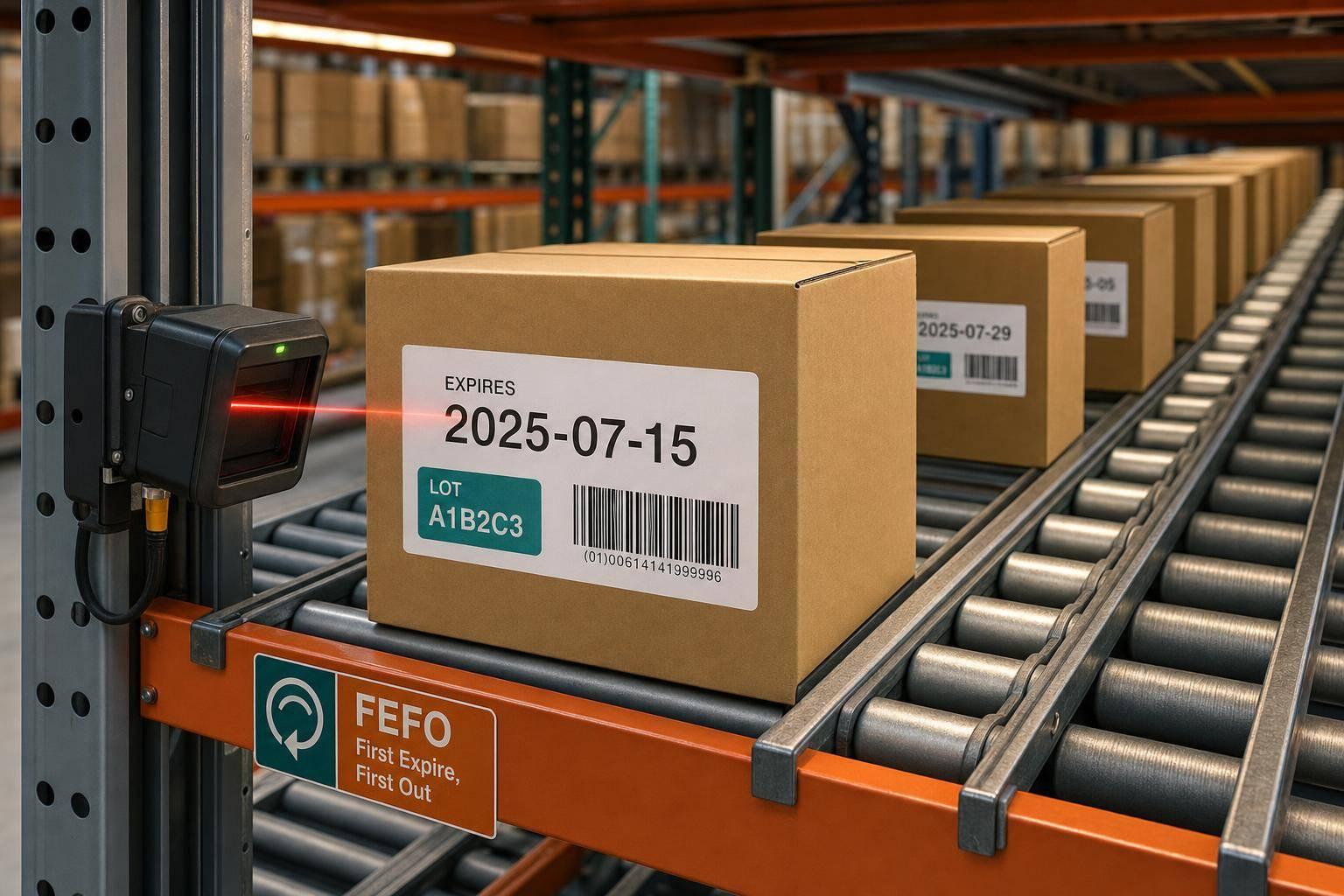
I’d sum it up like this: carton flow rack supports FEFO by using a front-pick, rear-load setup, with lanes sloped about 2% to 4% so gravity moves cases forward. That physical setup helps keep older-dated product in front. But the rack does not read dates, check lots, or fix bad receiving data on its own.
Here’s the short version:
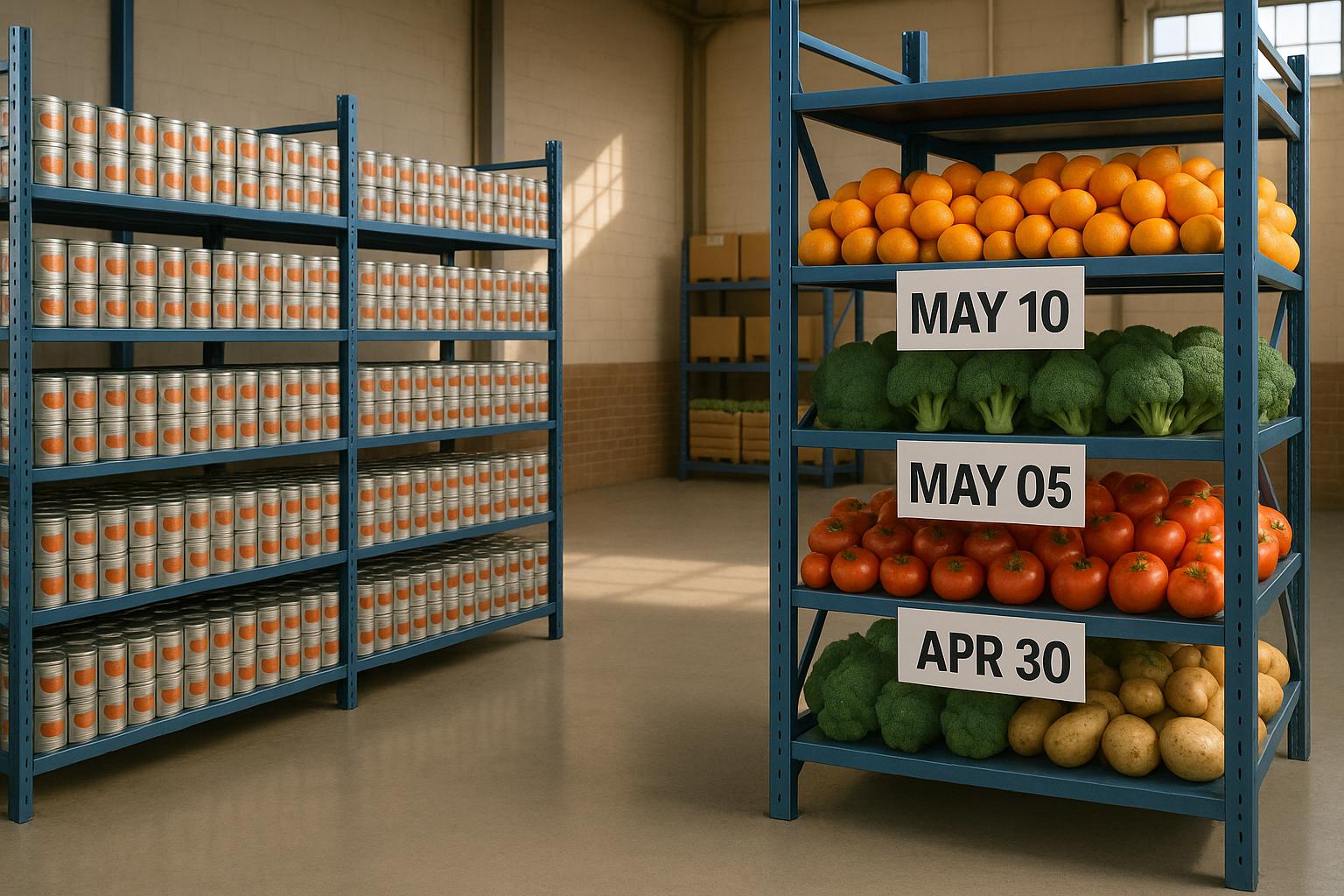
- FEFO means the item with the closest expiration date ships first
- Carton flow rack helps by keeping rear-loaded stock behind older stock already in the lane
- Receiving matters first because lot numbers, expiration dates, and quantities must be recorded before putaway
- Lane control matters next because each lane should stay tied to the right SKU, lot, and date
- Rack setup matters too because poor slope, weak labeling, or carton jams can throw off pick order
- System checks still matter because barcode scans, directed picking, and expiration reports catch mistakes the rack cannot
A few setup points do most of the work:
- Keep lane slope in the 2%–4% range
- Test flow around 2.5 to 3.5 degrees
- Support each carton on at least three rollers
- Use brake rollers in deep lanes if cases pick up too much speed
- Label both ends of each lane with SKU, lot, and expiration date in MM/DD/YYYY format, like 09/30/2026
Bottom line: I see carton flow rack as a physical rotation tool, not a full FEFO system. It helps move stock in the right order, while receiving, scanning, labeling, and reporting make sure that order matches the right lot and expiration date.
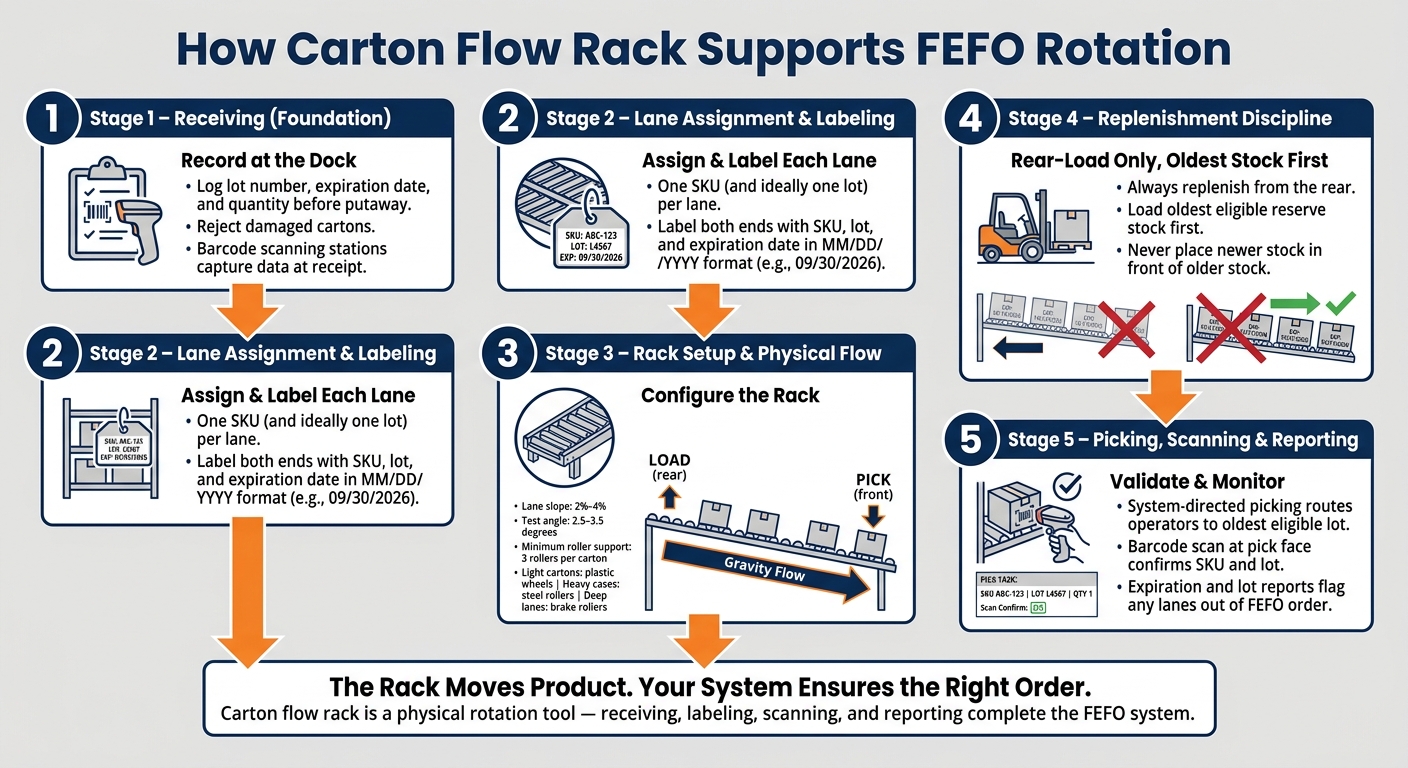
How Carton Flow Rack Enforces FEFO Rotation: Step-by-Step
How Carton Flow Racking Works - The Complete Guide
sbb-itb-19ed50f
Set up lot tracking and expiration control before inventory enters the rack
Carton flow rack handles physical order. But FEFO begins at receiving.
That means you need to record lot numbers, expiration dates, and quantities before putaway. If that step is skipped, the wrong carton can end up in the wrong lane, and the rack alone won’t fix it. Once the rack is set up to move product in the right direction, the next move is linking each lane to clean lot and expiration data.
Record lot numbers and expiration dates at receiving
Every case or pallet that comes through the dock door should be logged with its lot number, expiration date, and quantity at receipt - not later during putaway.
Barcode scanning stations at receiving make this much easier. They help your team capture lot and expiration data before product is loaded into the rack, which cuts down on mix-ups. Damaged cartons should also be rejected at this stage, since they can slow product flow and cause trouble once inventory is in the lane.
Keep lots separated by lane or location
Assign each lane to one SKU and, when you can, one lot.
If a lane has to hold more than one lot, load cartons from rear to front in expiration order. Then label the lane with the SKU, lot, and expiration date. It’s a simple step, but it keeps the lane sequence lined up with the inventory record instead of leaving workers to guess.
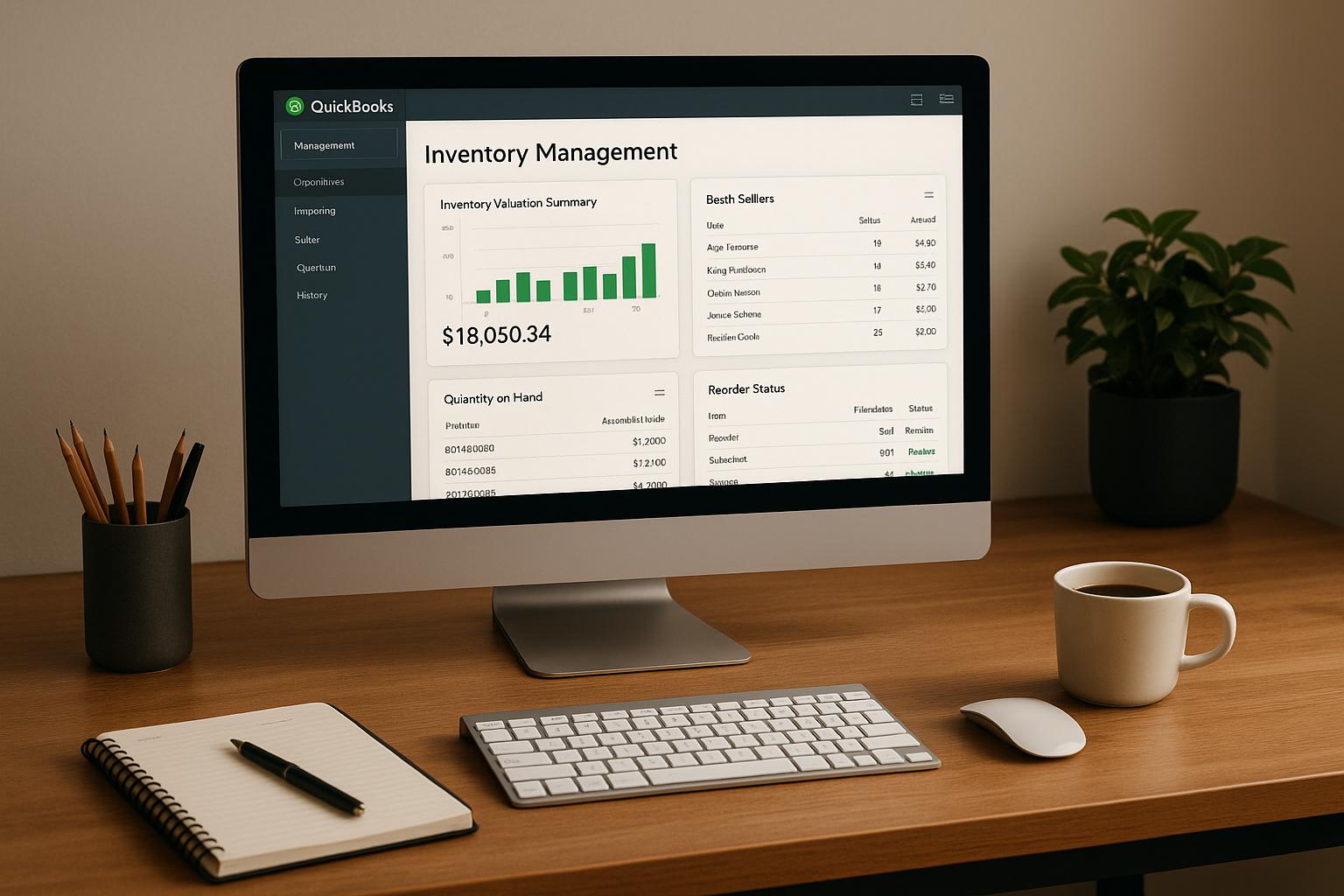
Use software to keep lot and expiration data synced with QuickBooks Desktop
Use QuickBooks Desktop software with lot tracking, FEFO picking, barcode scanning, and real-time reports so receiving, putaway, picking, and shipping stay aligned.
When lot and expiration data are tied to the inventory record, that data can guide receiving, putaway, picking, and reporting. In plain terms, the system stops being just a place to store numbers and starts telling your team what should happen next.
Configure carton flow rack for front-pick, rear-load FEFO rotation
Once lot and expiration data are in place, the rack has to protect that sequence. If loading slips or labels are weak, FEFO can fall apart fast.
Load newer stock from the rear only
Replenish from the rear and pick from the front. That simple split keeps the oldest-dated stock at the pick face and stops newer stock from jumping the line.
When that loading direction is locked in, each lane stays tied to the right lot.
Label lanes with SKU, lot, and expiration date
Label both ends of every lane with the SKU, lot number, and expiration date in MM/DD/YYYY format, such as 09/30/2026. Put labels at the pick face and the load face so stockers and pickers can check the lane before they touch a carton.
That quick check matters. It keeps the lane sequence linked to the right lot instead of leaving people to rely on memory.
Match lane design to carton size, weight, and flow behavior
Lane geometry has a direct effect on FEFO. If cartons stall, slam forward, or hang up, the date order at the pick face gets thrown off.
A few setup details do most of the work:
- Keep slope between 2% and 4%, and test within 2.5 to 3.5 degrees for the carton weight and packaging.
- Support each carton on at least three rollers so it doesn't buckle or catch.
- Use plastic wheels for light cartons, steel rollers for heavier cases, and brake rollers in deep lanes to control speed.
A jam or hard impact can break FEFO just as fast as a loading mistake.
That rack setup depends on receiving and replenishment keeping the same lot sequence every time.
Connect carton flow FEFO to receiving, picking, and reporting
Once your lanes are labeled and loaded the right way, FEFO still doesn’t run on autopilot. It only works when the day-to-day warehouse process supports it. That means receiving, replenishment, picking, and reporting all need to protect the lane sequence.
Build FEFO into receiving, putaway, and replenishment
Assign each lane by SKU or lot, and keep age order in place during every replenishment cycle. When a lane starts to run low, refill it from the rear with the oldest eligible reserve stock first.
That part matters more than it may seem. If newer stock gets loaded in front of older stock, FEFO breaks down. And once that happens, the problem doesn’t stay in replenishment. It carries into picking, inventory accuracy, and the reports your team uses to check performance.
Use system-directed picking and barcode validation
System-directed picking helps cut lane-selection mistakes by sending operators to the oldest eligible lot. It takes some of the guesswork out of the process, which is a big deal in busy warehouses.
Barcode scanning at the pick face adds another checkpoint. Before the pick is posted, the scan confirms both the SKU and the lot. That gives you a simple way to catch errors before they turn into shipping issues.
Rapid Inventory supports this workflow with:
- FEFO picking
- Lot tracking
- Mobile barcode scanning
- QuickBooks Desktop sync
Track compliance with expiration and lot reports
Once picking and replenishment are under control, reporting becomes your reality check. Reports show whether FEFO is still being followed in the way the process was designed.
More specifically, expiration and lot reports confirm FEFO compliance and flag lanes or SKUs that have slipped out of FEFO order.
Conclusion: What carton flow rack does and does not solve for FEFO
Carton flow rack helps physically enforce FEFO rotation. It keeps older cartons at the front, so the product that expires first gets to the pick face first.
But that physical order only works if your lot and expiration data are right. The rack manages movement through the lane. It does not read dates, verify lots, or catch sequence mistakes on its own. That part still has to come from receiving, labeling, scanning, and reporting.
FEFO works best when the rack and your inventory management software follow the same rules. When that happens, you get the traceability needed to stay audit-ready across every lot and lane.
FAQs
Can carton flow rack work if receiving data is wrong?
No. Carton flow rack cannot support FEFO well if receiving data is wrong.
FEFO depends on accurate lot numbers and expiration dates at receipt. If that data is missing or entered wrong, the system can’t tell which items need to go out first.
That means the rack’s rotation method falls apart. To make FEFO work, you need disciplined data entry and automated scanning so digital records match the stock on the shelf.
When should one lane hold multiple lots?
A single carton flow lane should usually hold one lot only. That keeps rotation consistent and makes traceability much easier.
When lots are mixed in the same lane, the gravity-fed flow can get thrown off. It also becomes harder to spot, track, and manage expiration dates.
For FEFO, assign each lane to a specific SKU and lot. If you need to store multiple lots of the same item, use separate lanes or clearly marked storage sections.
How do teams verify FEFO compliance daily?
Teams check FEFO compliance every day with mobile barcode scanning. They verify lot numbers and expiration dates during receiving, picking, and cycle counts. With Rapid Inventory, staff can confirm each order follows FEFO logic, so the stock with the earliest expiration date gets picked first.
They also inspect racking each day for damage. At the same time, they use cycle counts and real-time reports to match physical inventory with system records and QuickBooks Desktop data.