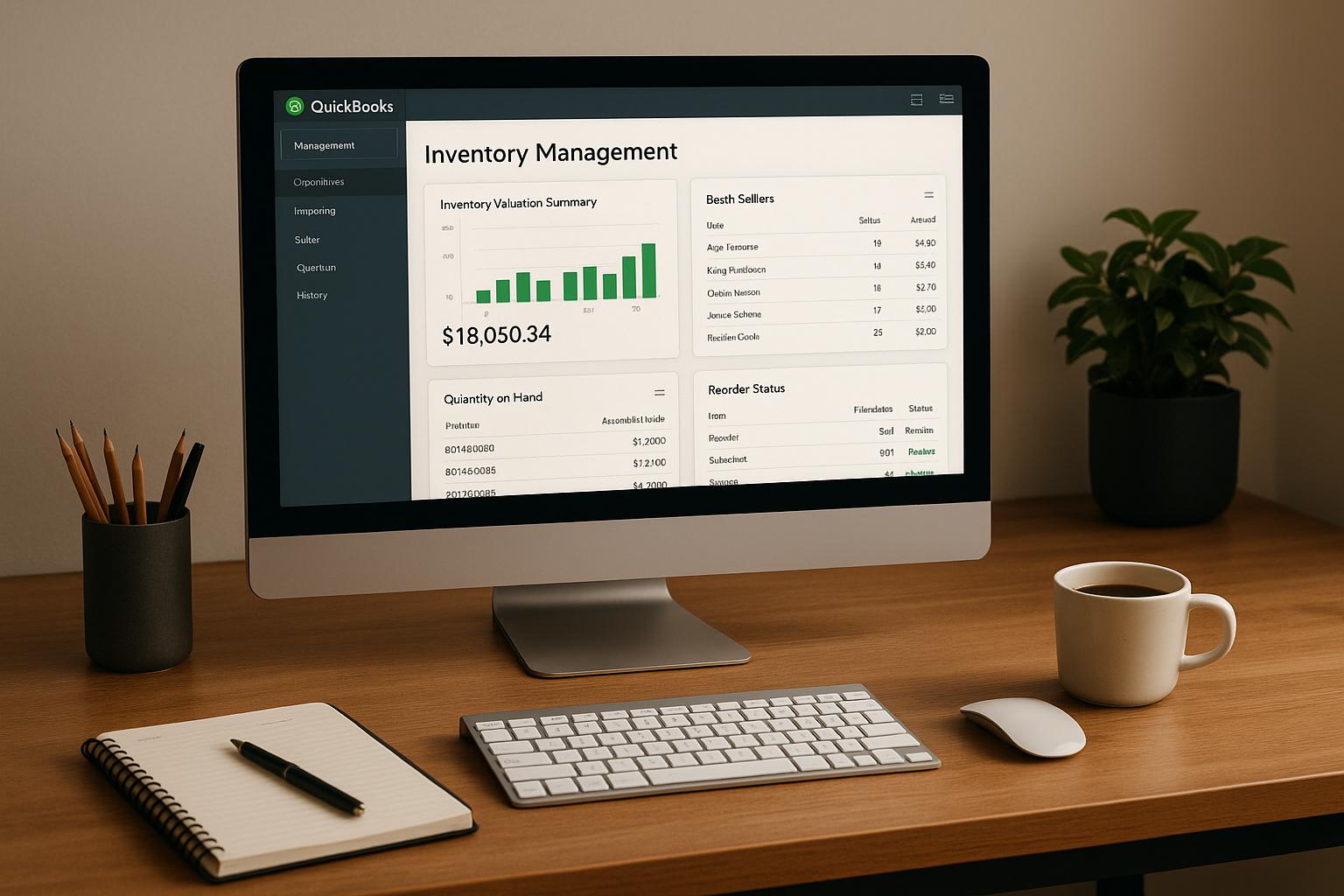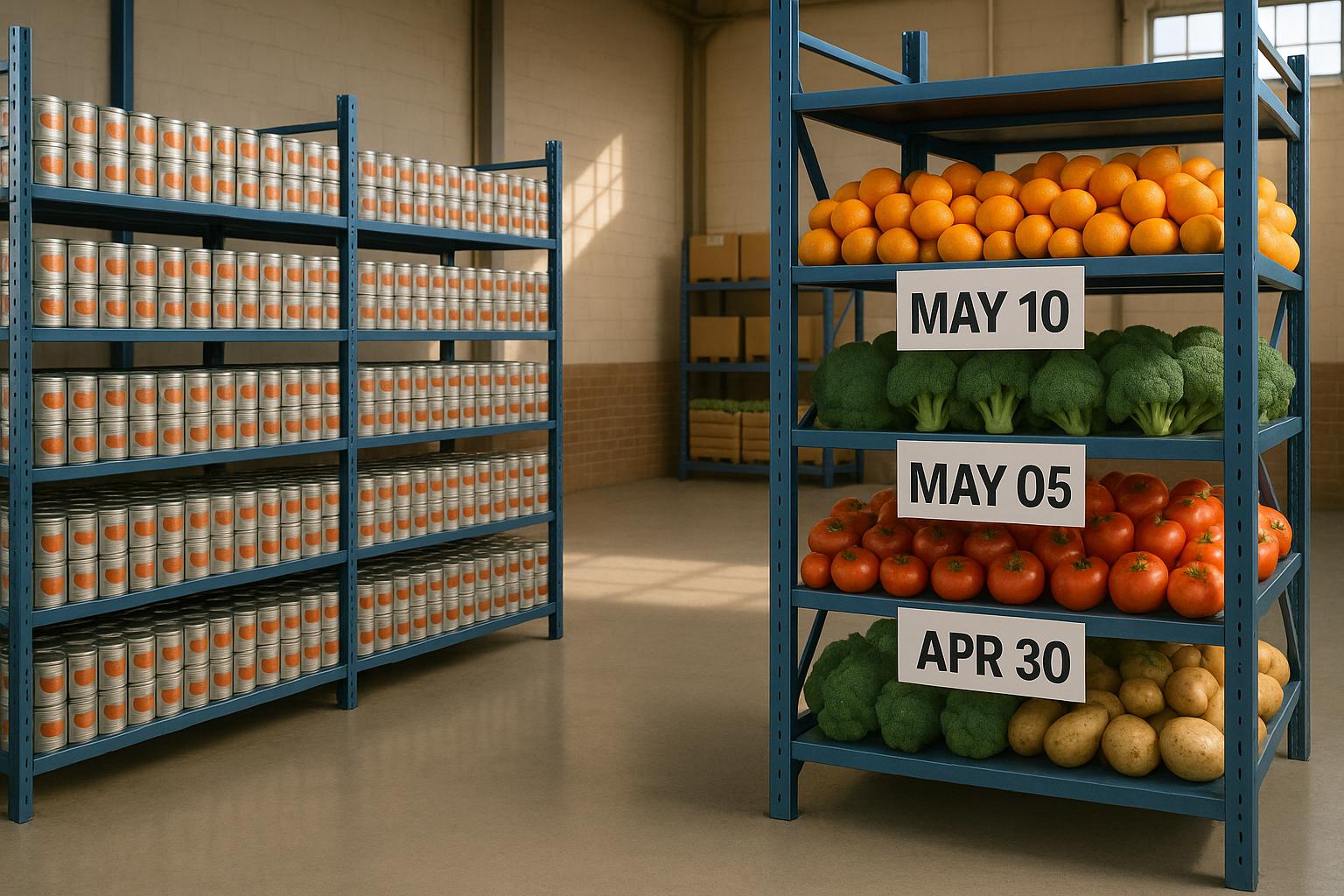
If FIFO or FEFO rules are not built into the carousel system, older or near-expiring stock can sit too long, get missed, and throw off both inventory records and QuickBooks Desktop.
I’d sum it up like this: a horizontal carousel helps control picking because it brings one bin at a time to the operator. That means the software - not the picker - sets the order. To make that work, I need clean receiving data, separate lots, barcode checks, and fast posting of every move back to the inventory system and QuickBooks Desktop.
Here’s the article in plain English:
- FIFO means I pick the oldest received stock first.
- FEFO means I pick the stock with the soonest expiration date first.
- A carousel supports both because it uses a goods-to-person setup.
- The process starts at receiving, not at picking.
- One lot per bin keeps date and lot control in place.
- Barcode scans help stop wrong-lot and expired-lot picks.
- Batch picking, slotting, and cycle counts help keep the physical carousel matched to the system record.
- Two-way sync with QuickBooks Desktop helps keep quantity, lot history, and inventory value aligned.
A few points stand out:
- In many U.S. warehouses, carousels run in pods of 2 to 4 units per operator.
- FEFO matters most for food, pharma, medical, and other date-sensitive items.
- If two FEFO lots share the same expiration date, I use receipt date or lot number as the tie-breaker.
- Expiration dates should be recorded in MM/DD/YYYY format.
- Fast movers placed near the pick window can cut cycle time on every order.
| Method | What picks first | Best for | Main control point |
|---|---|---|---|
| FIFO | Oldest receipt | General stocked items | Receipt date + lot sequence |
| FEFO | Nearest expiration date | Perishable or date-sensitive items | Expiration date + lot separation |
Bottom line: a horizontal carousel does not fix rotation on its own. I only get clean FIFO or FEFO picking when receiving, slotting, scanning, and QuickBooks Desktop sync all follow the same rules every day.
FIFO Method (First In First Out) Failure | Solution to First In First Out (FIFO) Problems | FIFO Job
sbb-itb-19ed50f
How horizontal carousel storage works in a U.S. warehouse
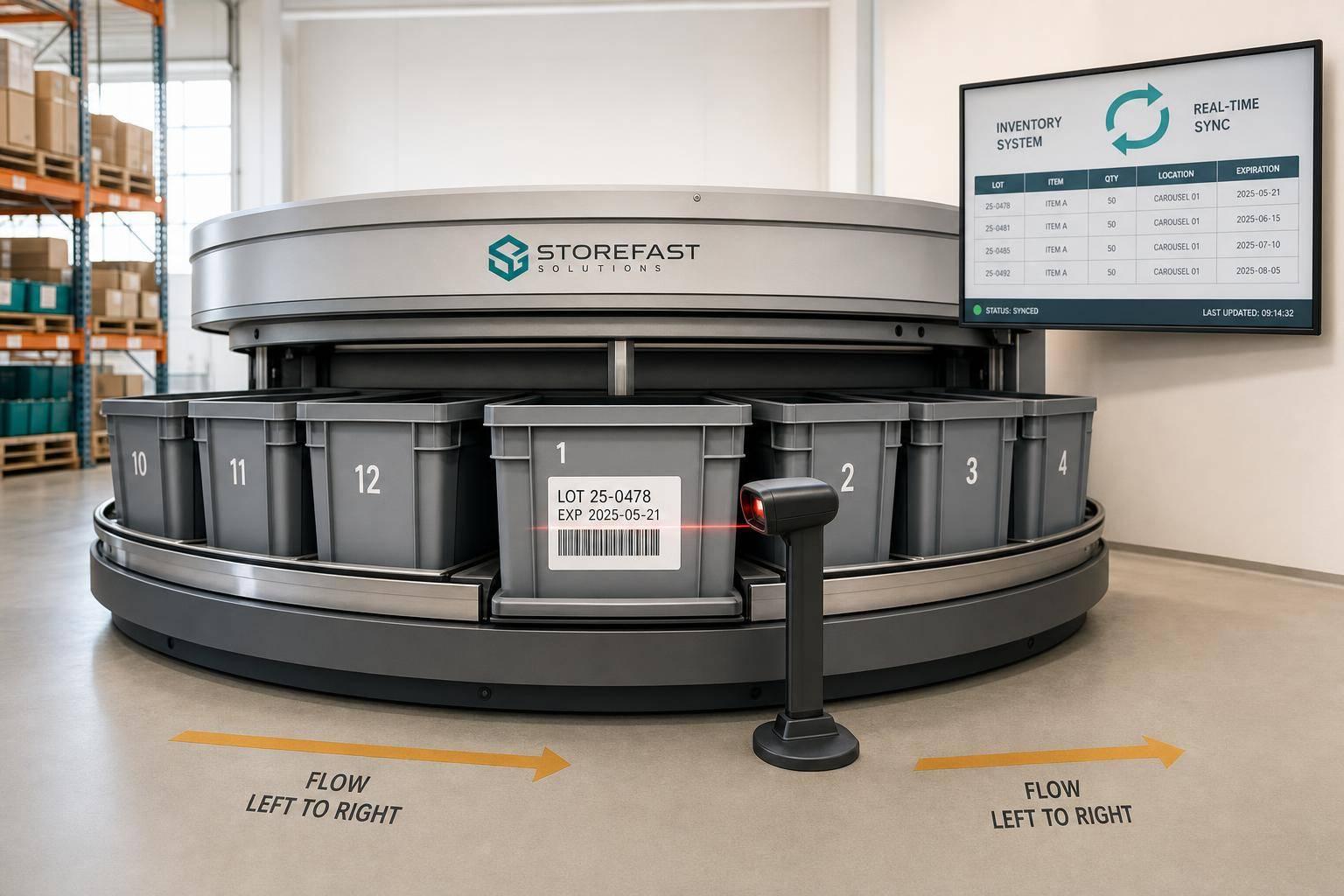
A horizontal carousel is an automated storage and retrieval system (AS/RS) with bins mounted on an oval track. When the system releases a pick, the carousel rotates and brings the required bin to a fixed pick window.
That setup matters for more than speed. Because the operator picks from the bin the system presents, FIFO and FEFO rules can guide pick order. The control software decides the bin sequence at the pick window. Once lot data and slot order are in place, the carousel enforces that sequence during picking.
Where horizontal carousels work best
Horizontal carousels are a strong fit for operations with many SKUs and small to medium-sized items. Think automotive spare parts, electronic components, pharmaceutical supplies, or retail piece-picking.
They also make sense in high-SKU operations with small to medium items in low-ceiling spaces, where vertical lift modules may not fit. And they can support temperature-controlled inventory, including refrigerated and freezer storage. Inventory management software tracks receipt dates and expiration dates to drive FIFO and FEFO rotation.
In many U.S. warehouses, carousels are set up in pod configurations of two to four units per operator. While the operator picks from one active carousel, the others rotate into position for the next pick. The result is a steady flow instead of a stop-and-start process.
How carousel control improves inventory rotation
Once inventory is loaded, the control logic limits wrong-bin picks by removing operator choice. That’s the big difference from open shelving, where a worker can reach into any bin that’s easy to access.
A horizontal carousel changes that. It presents only the bin the system calls for at the pick window, which helps keep FIFO and FEFO order in place. Pick-to-light can make slot confirmation faster and improve accuracy.
That level of control keeps picks tied to receipt dates or expiration dates. In plain terms, the carousel acts as a control point, not just a place to store inventory.
How to set up FIFO picking in a horizontal carousel
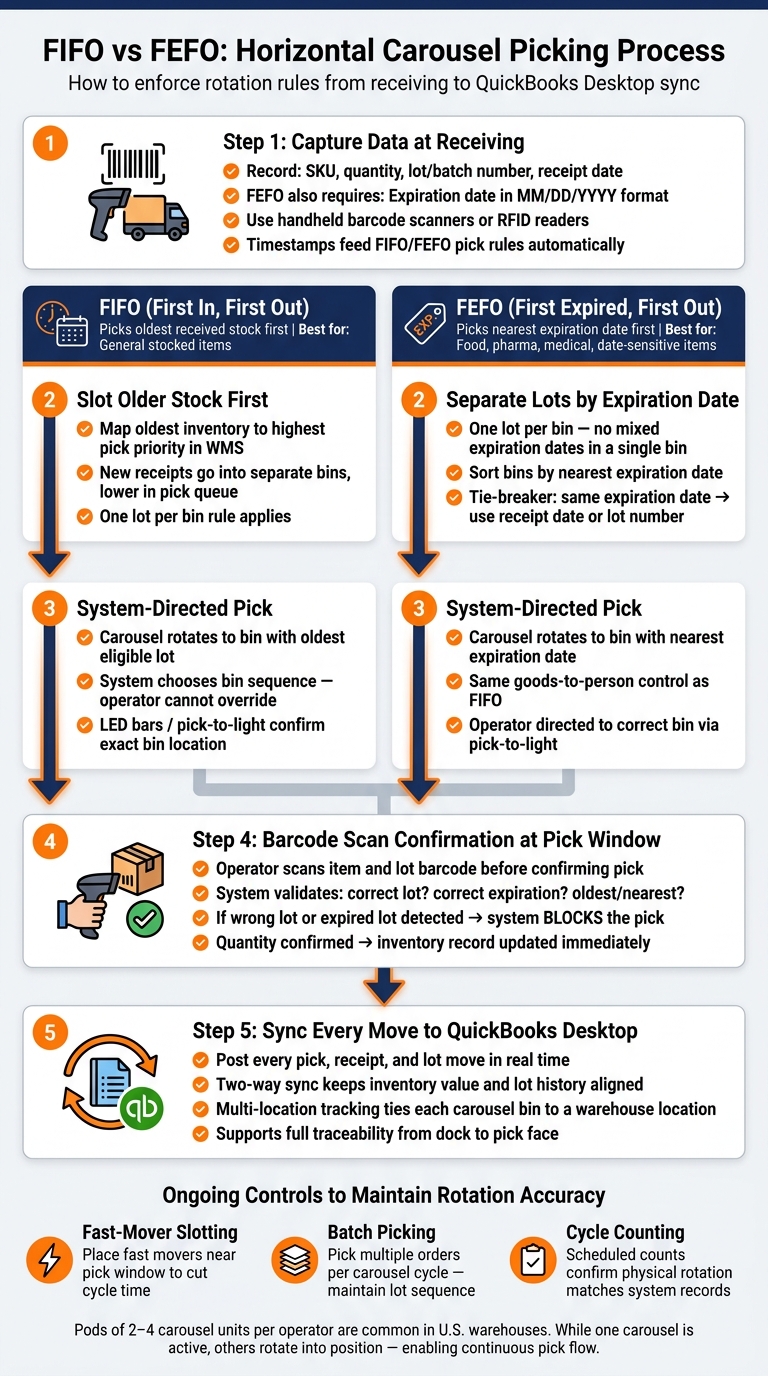
FIFO vs FEFO Carousel Picking: Step-by-Step Warehouse Process
Once receiving data is in the system, FIFO comes down to three linked parts: clean receiving records, clear bin setup, and system-led picks confirmed by scan. Miss one, and the sequence falls apart.
Capture receipt dates and lot details at receiving
FIFO begins at receiving. Record the receipt date, SKU, quantity, lot or batch number, and expiration date. Handheld barcode scanners or RFID readers can log each item as it comes off the truck, which keeps records time-stamped and feeds FIFO pick rules.
Slot older stock ahead of new receipts
After inventory is recorded, older stock should get first pick priority in the carousel. Set the WMS to map the oldest inventory to the easiest-to-reach locations using lot-based slot priority. New receipts for the same SKU should go into separate bins and stay lower in the pick queue until the older lot is used up.
Run system-directed FIFO picks and confirm by scan
Once slotting sets the order, scan checks help keep FIFO in place at the pick window. When a pick order is released, the carousel rotates to the bin with the oldest eligible lot. The system chooses the bin, and the operator confirms it by scan. LED bars, light trees, or laser pointers can point the operator to the exact bin and shelf.
The operator picks the quantity, then scans the item or lot barcode to confirm. That scan checks that the right lot was pulled and updates inventory right away. If someone tries to pick from a newer lot before the oldest stock is gone, the system can block the transaction.
Use software that enforces FIFO at the lot level, supports barcode scanning, and syncs warehouse moves with QuickBooks Desktop. For expiration-based inventory, use the same setup, but sort by the nearest expiration date first.
How to configure FEFO rotation for expiration-dated inventory
FEFO uses the same carousel controls as FIFO, but the pick logic changes: it sends out the lot with the nearest expiration date first.
Record expiration dates and keep lots separate
At receiving, record the item, quantity, lot or batch number, and expiration date in MM/DD/YYYY format. Barcode scanning at goods receipt helps the system tie the expiration date to the right lot.
Just as important, keep one lot per bin. If a bin holds items with mixed expiration dates, FEFO falls apart. When each lot stays separate, the system can sort picks by expiration date with no guesswork.
Apply FEFO rules with FIFO as a tie-breaker
Once lot separation is in place, FEFO is just a sorting rule.
The main rule is simple: the earliest expiration date ships first. If two lots have the same expiration date, use receipt date or lot number as the tie-breaker.
Use barcode validation to block expired picks
System-directed picks send the operator to the right bin, but the barcode scan is the last checkpoint. Before confirming the pick, the operator scans the item and lot barcode. The system checks that scan against the active pick command and either allows it or blocks it.
If the scan shows an expired lot or the wrong lot, the system blocks the pick. That keeps expired inventory from being picked or shipped.
These same FEFO controls should carry into your inventory system and QuickBooks Desktop records. Rapid Inventory supports FEFO, lot and serial tracking, barcode scanning, and two-way QuickBooks Desktop sync.
Connect carousel picking with QuickBooks Desktop and daily warehouse control

Once FIFO and FEFO are set up, the day-to-day work comes down to one thing: keeping the carousel and QuickBooks Desktop in sync.
Sync warehouse movements with QuickBooks Desktop
Post every carousel pick, receipt, and move to inventory records right away. When stock on the shelf and stock in the system stop matching, FIFO and FEFO fall apart. Inventory value also starts drifting away from what’s actually in the warehouse.
Rapid Inventory supports two-way QuickBooks Desktop sync, so carousel picks, receipts, and lot moves update inventory as they happen. Multi-location and lot tracking keep each carousel bin tied to a specific warehouse location, which helps maintain traceability from the dock to the pick face.
Once transactions are posting the right way, slotting and cycle counts help keep the physical carousel lined up with the system record.
Use slotting, batch picking, and cycle counts to maintain FIFO and FEFO
Rotation only works when slotting, batch logic, and cycle counts match what the system says.
| Strategy | Impact on Throughput | Impact on Accuracy | FIFO/FEFO Adherence |
|---|---|---|---|
| Fast-mover slotting | High - reduces carousel cycle time for fast movers | Neutral | Neutral |
| Batch Picking | High - multiple orders per carousel cycle | Moderate | Requires system logic to maintain lot sequence |
| Cycle Counting | Neutral | High | High - confirms physical rotation matches system |
Place fast movers near the pick window to cut carousel cycle time. It’s a simple layout change, but it can save time on every pick.
During batch picks, keep sequence rules tied to receipt date or expiration date. More throughput sounds great, but it doesn’t help much if lot control slips.
Run cycle counts on a set schedule. Carousel access makes counts fast, and it also helps spot rotation errors before they turn into bigger inventory problems.
Conclusion: Build a repeatable receive-to-pick process
Horizontal carousels save time and space, but those gains only last when receiving, slotting, picking, scanning, and syncing happen the same way every time. FIFO depends on correct receipt dates and on placing older stock ahead of new arrivals. FEFO adds expiration-date control and strict lot separation. Barcode scanning at the pick face helps enforce both by stopping wrong or expired lots before they leave the carousel. Connecting that process to QuickBooks Desktop through a tool like Rapid Inventory keeps inventory records, location data, and accounting aligned with what’s happening on the warehouse floor.
FAQs
When should I use FIFO instead of FEFO?
Use FIFO when products don’t have expiration dates, or when expiration timing isn’t a big factor. It moves the oldest stock out first based on when it was received. That helps cut the risk of obsolescence for nonperishable items like hardware or clothing.
Use FEFO when items have a shelf life or expiration date. It gives priority to the lot that will expire first, which helps cut waste and supports compliance.
What happens if multiple lots share the same expiration date?
If multiple lots share the same expiration date, FEFO can’t pick one based on expiration date alone. At that point, those lots are usually treated as equally eligible for picking.
The system then relies on lot or batch tracking, often with barcode scanning, to choose the exact lot or lots needed. That keeps traceability in place and helps stop expired stock from being shipped.
How do barcode scans help prevent wrong-lot picks?
Barcode scanning helps stop wrong-lot picks by checking each pick as it happens. The system guides the operator to the right bin and lot number based on the FIFO or FEFO rule.
When the item is scanned, the system checks that the product, quantity, and lot number match the pick ticket. If someone picks the wrong lot, the system warns the user before the shipment leaves the warehouse.