
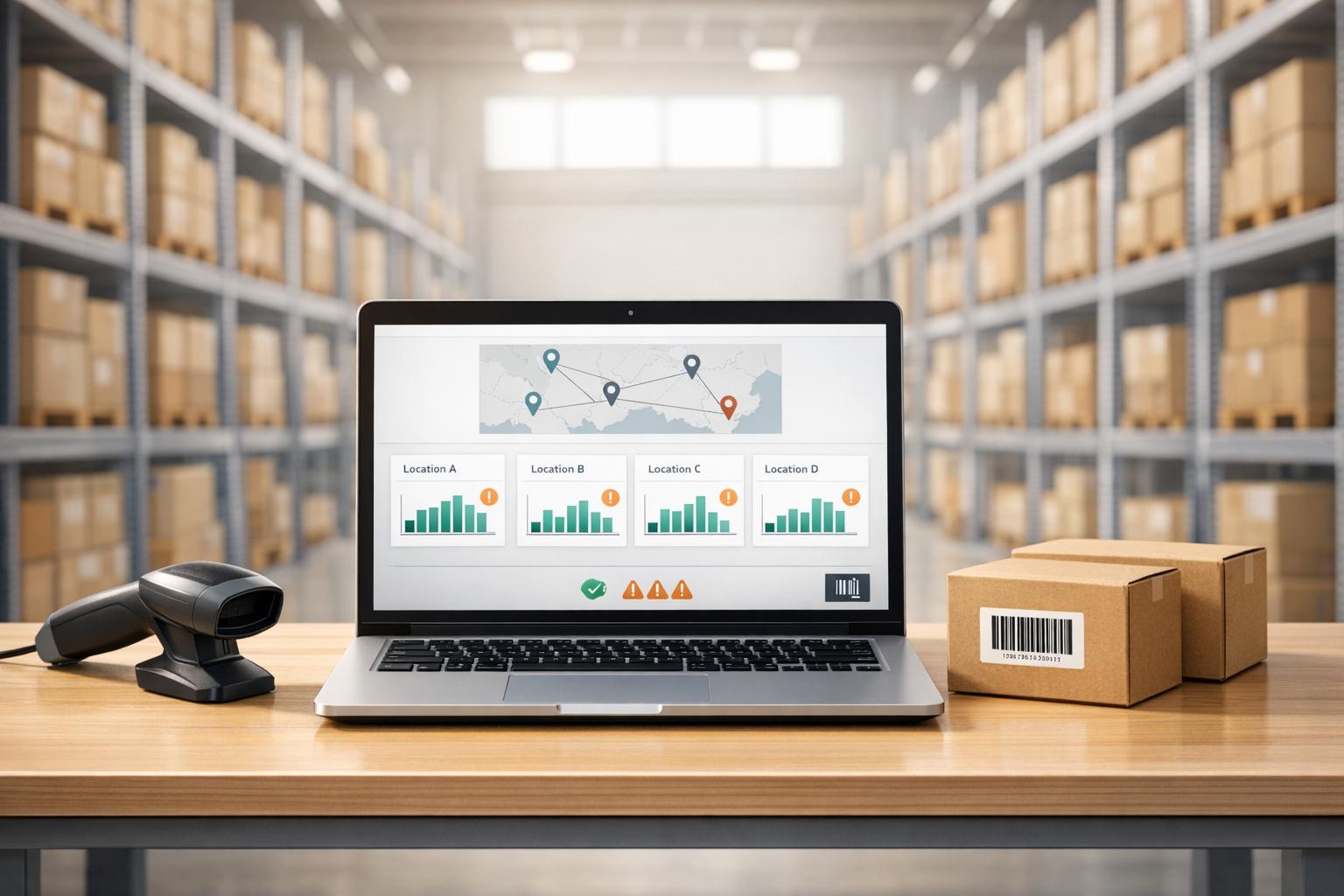
Managing inventory across multiple locations can be challenging, especially when outdated systems lead to errors, delays, and unnecessary costs. Real-time inventory reporting solves this by providing instant updates on stock levels, enabling businesses to make informed decisions, reduce errors, and improve efficiency.
Key benefits include:
- Live stock tracking: Updates inventory as sales, shipments, or transfers occur.
- Improved accuracy: Achieves up to 97% accuracy with tools like barcode scanning.
- Cost savings: Reduces carrying costs by up to 30%.
- Better decision-making: Helps allocate stock effectively and avoid overselling.
Real-time reporting integrates tools like QuickBooks Desktop to centralize data, streamline operations, and support growth across multiple warehouses or retail locations. This modern approach replaces manual tracking, offering a single, reliable view of inventory in real time.
QuickBooks Demo 2025: Multi-Location Inventory | QuickBooks Enterprise Advanced Inventory | Platinum
sbb-itb-19ed50f
What is Real-Time Inventory Reporting?

Traditional vs Real-Time Inventory Reporting Comparison
Real-time inventory reporting is a system that records transactions - like shipments, orders, and transfers - immediately as they happen. Unlike older methods that rely on batch processing, this approach uses tools like barcode scanning and cloud syncing to log every movement instantly.
For businesses with multiple locations, this system provides a centralized dashboard offering live updates across all sites. This means stock adjustments, whether through sales or transfers, are reflected instantly across locations. By integrating with tools like QuickBooks Desktop, it ensures seamless two-way syncing, eliminating the delays and data silos that often plague traditional methods.
It also allows for precise, location-specific management. For instance, you can assign transactions to specific warehouses, track sales by location, and even monitor movement at the bin level. Plus, you can set reorder points tailored to each site, triggering alerts when stock at high-demand locations runs low.
"Advanced inventory reporting in QuickBooks Enterprise provides detailed insights across multiple sites... Key features include real-time data, site-specific analysis, and actionable insights that simplify inventory planning."
- Raeann Salter, QuickBooks Advanced ProAdvisor
Real-time systems deliver a significant boost in accuracy. By combining mobile scanning with real-time syncing, businesses can achieve inventory accuracy rates of up to 97%. This level of precision is crucial for managing stock across multiple facilities and making fast, informed decisions.
How Real-Time Reporting Differs from Traditional Tracking
Traditional inventory tracking relies on periodic updates, such as scheduled physical counts and manual data entry. This method gives you a snapshot of inventory at a specific moment, but that data quickly becomes outdated as new transactions occur.
Real-time reporting flips this approach. Instead of waiting for updates, it captures and records every transaction as it happens. The result isn’t just faster updates but also more reliable and actionable data - especially for businesses operating across multiple locations.
| Attribute | Traditional (Static) Reporting | Real-Time Reporting |
|---|---|---|
| Data Latency | High – updates only after manual refresh or periodic count | Low – instant updates as events occur |
| Accuracy | Susceptible to errors and delays | Always current and precise |
| Decision-Making | Focused on long-term strategies | Enables quick, operational decisions |
| Visibility | Delayed or siloed across locations | Centralized, live updates for all sites |
"Static reporting can create blind spots that lead to mistakes or costly delays, whereas real-time inventory reporting eliminates these risks by providing continuous visibility."
- Molly Bloodworth, Content Executive, Unleashed
Traditional methods often leave managers relying on outdated information, which can lead to inefficient stock transfers or missed sales. Real-time systems, on the other hand, provide an up-to-the-minute view of inventory at every location, enabling smarter decisions and quicker responses to changes in demand.
Benefits of Real-Time Reporting for Multiple Locations
One major advantage of real-time reporting is its ability to prevent overselling. With live updates from all locations, you're far less likely to sell the same item to multiple customers across different channels. This single, accurate source of inventory data helps avoid customer service issues and the added costs of expedited shipping.
It also makes stock distribution more efficient. By revealing which warehouses are overstocked and which are running low, you can initiate transfers based on real-time needs instead of waiting for scheduled checks. This agility reduces carrying costs, supports leaner inventory levels, and minimizes the risk of stockouts.
Real-time reporting also improves financial accuracy. By continuously tracking the cost of goods sold (COGS), businesses can ensure their financial reports reflect actual operations without delays. Automated low-stock alerts based on site-specific reorder points help businesses restock proactively, avoiding the scramble of reactive orders. And in cases of supply chain disruptions or product recalls, real-time data makes it easier to quickly isolate and address affected batches.
"The only way I can make accurate decisions is by going back to my reports."
- Jessica Beck, Co-owner, Urban Garden
Better inventory control naturally leads to happier customers. By fulfilling orders from the best-suited warehouse - balancing stock availability, shipping speed, and cost - you can deliver faster while cutting expenses. For example, Scottco Marine expanded its tracked inventory from 85–100 items to several hundred after adopting real-time tracking, showing how these systems can handle growth that would overwhelm manual processes.
Real-time reporting lays the foundation for effective multi-location inventory management, offering businesses the tools they need to stay agile and efficient.
Critical Inventory Reports for Multi-Location Operations
Managing inventory across multiple locations can be daunting, but real-time data makes it more manageable. Three key reports - Quantity on Hand by Location, Inventory Valuation by Location, and Stock Status with Reorder Points - are essential for keeping operations running smoothly.
Quantity on Hand by Location
This report provides a clear snapshot of how many units are available at each site, whether it’s a warehouse, truck, or staging area. It’s essential for avoiding both stockouts and overstocking, which can tie up valuable capital. A critical distinction here is between Quantity on Hand (what’s physically present) and Available Quantity (what isn’t already committed to sales orders). This difference highlights gaps between physical stock and what’s actually usable.
To make the report actionable, configure it to flag items with zero quantities. This allows you to quickly identify locations that need immediate replenishment. It also facilitates inventory balancing by enabling transfers - moving surplus stock from one site to another that’s running low - reducing the need for new purchase orders.
Setting site-specific reorder points is another must. These thresholds ensure stock levels align with local demand patterns, helping you avoid disruptions while keeping inventory lean.
Inventory Valuation by Location
This report translates physical inventory into monetary terms for each location, which is crucial for accurate accounting. Costs like shipping and landed fees can vary by site, so knowing the average cost, total asset value, percentage of total assets, and retail value for each location is vital.
"Inventory Valuation by Site... shows the inventory asset cost and retail value per location."
- Raeann Salter, QuickBooks Advanced ProAdvisor
One valuable metric is the percentage of total assets, which reveals if too much capital is tied up in a single location. This insight can guide smarter decisions about redistributing stock or adjusting purchasing strategies.
Stock Status and Reorder Point Reports
This report goes beyond basic counts and valuations, offering a comprehensive view of stock levels, reorder signals, and sales allocations. It combines data on Quantity on Hand, Quantity on Sales Orders, reorder thresholds (both minimum and maximum), and upcoming delivery dates for items already on order.
"This report [Inventory Stock Status by Site] is instrumental for an inventory or purchasing manager to track inventory levels and reorders."
- Raeann Salter, QuickBooks Advanced ProAdvisor
The report emphasizes Available Quantity over raw On-Hand numbers to pinpoint actual reorder needs. It’s important to note that site-specific reorder points don’t automatically aggregate into a global reorder point. You’ll need to set both individual site thresholds and an overall item threshold separately.
Pairing this report with regular physical counts - using tools like a stock take worksheet - helps catch errors or shrinkage early, preventing costly mistakes.
Tools like Rapid Inventory make generating these reports effortless and ensure they remain accurate and actionable in real time. With such insights, businesses can stay on top of inventory management across all locations efficiently.
How to Set Up Multi-Location Inventory Tracking
To streamline multi-location inventory tracking, follow three key steps: organize your locations, transfer inventory, and configure reorder alerts.
Creating Location Hierarchies
Start by defining the types of locations you use - whether they’re warehouses, retail stores, vehicles, staging areas, consignment locations, or external storage. In QuickBooks Desktop Enterprise, you can enable multi-location tracking by navigating to Edit > Preferences > Items & Inventory > Company Preferences > Advanced Inventory Settings and turning on "Multiple Inventory Sites".
For better organization within a warehouse, enable Bin Location Tracking. This allows you to sort inventory by rows, shelves, or specific bins, saving time and reducing the frustration of searching for items in a large facility. To maintain consistency, use a single primary SKU and the "Site" field instead of creating sub-items.
With Rapid Inventory, this setup process typically takes 6–7 days, including discovery, planning, user and location staging, and team training. Their Pro plan even offers white-glove onboarding (valued at $600), ensuring your team is ready to track inventory in real time across all locations.
Once locations are set up, the next step is to assign your existing inventory to these defined sites.
Transferring Inventory Between Locations
After defining your locations, you’ll need to allocate your current inventory to the correct physical sites. Initially, most systems place all inventory in a temporary "unassigned" site when multi-location tracking is activated. Use the Transfer Inventory feature to move opening quantities to their actual locations. Be sure to include reference numbers and memos with each transfer to maintain a clear audit trail.
Mobile barcode scanning can simplify this process by verifying the item, quantity, and both the "Transfer From" and "To" locations in real time. If you’re moving items within the same warehouse but to different bins, specify the same site in the main transfer fields and list the specific bin locations in the detail fields.
"My team was up and running in a few days. Very straightforward and easy to use."
- Jacob, CEO
For businesses managing thousands of items, bulk import tools can help handle large-scale transfers more efficiently.
Once inventory is assigned to the correct locations, you can set up reorder points tailored to each site’s needs.
Configuring Reorder Points and Alerts
Site-specific reorder points are essential because demand varies by location. Use the "Set Reorder Points" activity in the Inventory Site List to customize reorder thresholds for each site. You can configure these points separately for individual sites or set global reorder levels.
Avoid relying on company-wide averages, as they often lead to stock imbalances - some locations may run out of inventory while others have too much. With real-time tracking, tailored reorder alerts ensure stock availability is uninterrupted. Rapid Inventory’s alerts notify you immediately when inventory at any site drops below its threshold, giving you time to reorder or transfer stock before running into shortages.
Improving Order Fulfillment Across Multiple Locations
Building on the idea of real-time inventory visibility, better order fulfillment uses these insights to improve how operations run. Instead of relying on outdated spreadsheets or contacting individual locations, you gain instant access to stock availability. This eliminates guesswork and minimizes shipment delays. With this real-time data, centralized dashboards become a powerful tool for streamlining the entire fulfillment process.
Using Centralized Fulfillment Dashboards
A centralized dashboard gives you a complete view of your inventory network. It shows the exact quantity of each SKU at every location, whether items are available, on hold, or in transit. With this clear picture, customer service teams can make quick Available-to-Promise (ATP) decisions without jumping between multiple systems.
Each transaction is tagged to its specific inventory site, ensuring stock levels are updated immediately. This also helps track assemblies, providing more accurate lead times.
"Implementing real-time visibility turns inventory from a static balance-sheet number into a live operational asset, elevating service and reducing both cost and risk across the supply chain." - Umbrex
Top-tier systems achieve read accuracy of 98% or higher and maintain alert latency of 10 seconds or less, keeping fulfillment data actionable even in fast-moving environments. Rapid Inventory’s real-time reporting offers this level of precision, enabling your team to confidently fulfill orders from the location nearest to the customer. These dashboards also allow for instant stock updates as orders are processed.
Instant Stock Updates During Fulfillment
Instant stock updates during the fulfillment process help prevent overselling and eliminate confusion caused by outdated information. By setting your system to automatically mark an item as "unavailable" as soon as a pick begins, you ensure that if multiple customers order the same product at the same time, only orders with available stock are processed.
Take this example: In 2021, a retailer managing over 44,000 SKUs saved approximately one hour per location each day by using real-time stock updates. Additionally, accurate tracking of in-transit and quarantined goods reduces the need for large safety stock buffers. This not only frees up cash but also ensures the stock levels customers expect. Tools like mobile barcode scanners further enhance accuracy by capturing every movement in real time, feeding directly into the central dashboard during receiving and fulfillment.
Advanced Features for Multi-Location Management
Building on real-time visibility and centralized fulfillment, these advanced tools simplify multi-location management by improving compliance, accuracy, and reducing manual work.
Lot and Serial Number Tracking
Lot and serial number tracking are essential for industries like food, pharmaceuticals, and chemicals, where ensuring compliance and managing recalls are critical. Lot tracking groups items by batch, allowing businesses to pinpoint which customers received products from a specific production run. This precision can limit recalls to affected batches, avoiding costly, widespread product withdrawals.
Serial number tracking, on the other hand, assigns a unique ID to each item, making it easier to monitor warranties and service histories for high-value goods like electronics or machinery. For businesses handling perishables, lot tracking supports a First Expiration First Out (FEFO) strategy. This ensures products nearing expiration are shipped first, minimizing waste.
"QuickBooks is powerful for accounting, but it falls short on advanced serial number and lot tracking. That leaves your business exposed to mistakes, operational disruptions, and risks that can erode customer trust." - SOS Inventory
To avoid data gaps, configure your system to require lot or serial numbers for all transactions, including receipts, transfers, and invoices. Automated alerts for expiring lots can help you act early - whether by discounting or moving stock - before it becomes unsellable. Pairing these features with mobile barcode scanning further reduces manual errors during receiving and fulfillment.
Mobile Barcode Scanning
Mobile barcode scanning replaces manual data entry, significantly reducing errors. While manual entry has an error rate of 1 in 300, barcode scanning improves accuracy to roughly 1 in 3,000,000. This technology syncs scanned data instantly with your system, providing real-time updates on stock levels, item locations, and order statuses across all sites.
Barcode scanning also speeds up operations. Workers can process 300–500 items per hour compared to just 50–60 manually. Plus, the cost of a single mis-pick - factoring in return shipping, processing, and restocking - can exceed $100. Beyond speed and accuracy, barcode systems are user-friendly, cutting onboarding time for new employees from over 40 hours to less than 8.
Start implementing barcode scanning in high-impact areas like receiving and picking. Ensure all inventory items and storage bins are labeled with barcodes, and choose a scanning solution that integrates seamlessly with your accounting software. For example, Rapid Inventory's mobile scanning integrates with QuickBooks Desktop, capturing every movement during receiving, transfers, and fulfillment. Combine this with cycle counting to maintain high inventory accuracy.
Cycle Counting and Backorder Management
Regular cycle counting ensures ongoing accuracy in inventory records by verifying small batches frequently. This process catches errors early without disrupting daily operations. When paired with mobile scanning and real-time updates, cycle counting can improve inventory accuracy to around 97%.
Using ABC analysis helps focus counting efforts on high-value or fast-moving items. To avoid discrepancies, pause transactions for items being counted. For large inventories, break cycle counts into smaller groups - like 200 line items - to minimize interruptions.
Effective backorder management also plays a key role in maintaining smooth operations. Set unique reorder points for each location to ensure stock levels align with local demand while avoiding overstocking across your network. Use sales orders to "reserve" inventory, allowing managers to see the true "Quantity Available" (Quantity on Hand minus Committed). Train staff to never override negative inventory warnings - these should be investigated immediately to prevent fulfillment errors down the line.
Conclusion
Real-time inventory reporting has transformed how multi-location businesses operate by reducing errors, avoiding double-selling, and providing immediate visibility across all sites. With automatic updates during receiving, transfers, and fulfillment, companies can sidestep the delays and inaccuracies tied to manual batch updates and spreadsheet-based tracking.
When combined with mobile barcode scanning and consistent cycle counts, businesses can achieve inventory accuracy of about 97%. This level of precision leads to faster order fulfillment, better site-specific reordering, and clearer financial insights for calculating costs and profits across locations. These advantages not only enhance daily operations but also set the stage for sustainable growth.
What makes real-time reporting especially valuable is its ability to scale effortlessly. Unlike manual systems that demand more labor as transaction volumes increase, automated systems handle complexity without adding extra work. This efficiency allows businesses to grow - whether by opening new locations, expanding product offerings, or handling more orders - while maintaining control over their operations.
For QuickBooks Desktop users managing multi-warehouse setups, Rapid Inventory offers a robust inventory management solution. Features include two-way QuickBooks sync, site-specific reorder points, mobile barcode scanning, and real-time reporting - all supported by free training and customer support. Pricing starts at $90.00 per user/month for the Pro version and $900.00 per month for the Unlimited plan (covering 10+ users), providing businesses with scalable tools to grow effectively. With over 400 customers and 17+ years of proven experience, Rapid Inventory stands as a reliable choice for inventory management.
FAQs
What do I need to track inventory in real time across multiple locations?
To keep tabs on inventory across multiple locations in real time, you’ll need to activate and set up multiple inventory sites or advanced inventory features in QuickBooks Desktop. This process includes defining each location, assigning inventory items to their respective sites, and utilizing site-specific reports. By doing so, you’ll maintain accurate tracking and reporting for all your locations.
How do I prevent overselling when several locations sell the same items?
To avoid overselling across multiple locations, rely on a centralized, real-time inventory management system. This keeps stock updates synchronized and accurate, giving all locations clear visibility into inventory levels. The result? Fewer stockouts, less overstocking, and smoother operations.
Key features like reorder alerts and real-time inventory reports make it easier to monitor stock levels. These tools notify managers when inventory runs low, ensuring that sales are only processed when items are truly available at any location.
Which multi-location inventory reports should I review every day?
For businesses operating across multiple locations, keeping a close eye on daily inventory reports is a must. This helps ensure accuracy and avoids stock-related problems. Some key reports to focus on include:
- Inventory Stock Status by Lot Number: This report is essential for tracking lot and serial numbers, making it easier to manage stock rotation and recalls.
- Inventory Valuation Summary and Stock Status: These reports provide insights into inventory value, current stock levels, and trends over time.
Consistently reviewing these reports helps streamline stock rotation, handle potential recalls efficiently, and plan reorders effectively.



