
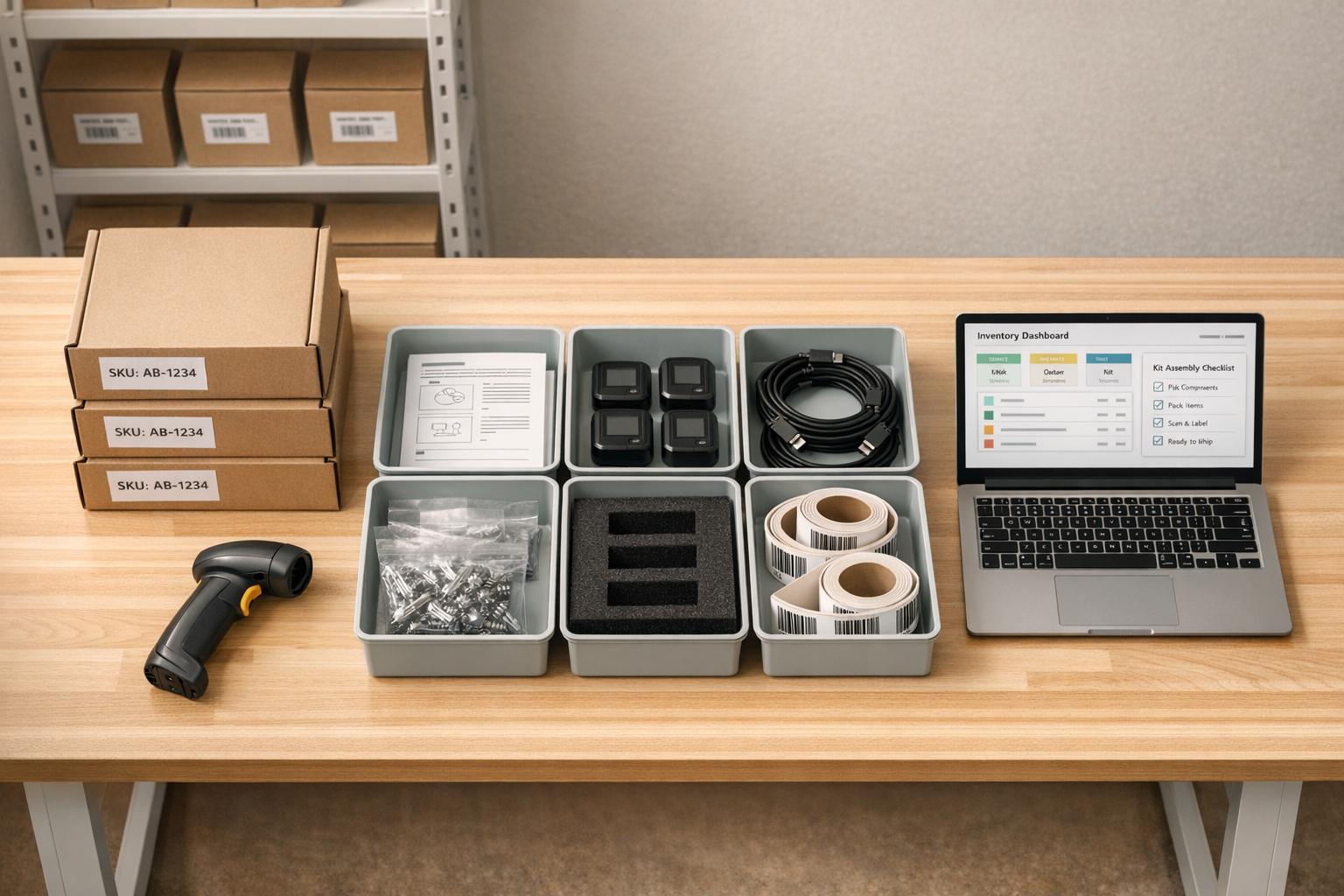
Kitting simplifies inventory management by combining multiple items into a single unit sold under one SKU. This approach boosts efficiency in order fulfillment, reduces errors, and saves time for small businesses in retail, warehousing, or manufacturing. Here's why it matters:
- Faster Order Processing: Pre-assembled kits streamline picking and packing.
- Reduced Errors: Kitting can cut assembly and picking mistakes by 30–50%.
- Cost Savings: Pair slow-moving items with bestsellers to clear inventory and offer attractive pricing.
- Inventory Control: Avoid stockouts, which cost businesses nearly $1 trillion annually.
For QuickBooks Desktop users, kitting becomes even more manageable through Inventory Assemblies. Features like Bills of Materials (BOM) automate cost calculations and inventory tracking. Tools like Rapid Inventory enhance this further with barcode scanning, real-time updates, and FEFO picking strategies to ensure accuracy and efficiency.
Whether you're improving workflows, managing backorders, or tracking inventory with precision, kitting can transform your operations and drive better results.
Kitting & Assembly Explained in 3 Minutes
Setting Up Kitting in QuickBooks Desktop
QuickBooks Desktop enables kitting through Inventory Assemblies, which define a finished product using components, raw materials, and services. The process to set this up is straightforward and highly efficient.
At the heart of kitting is the Bill of Materials (BOM) - essentially the recipe for your kit. As Intuit explains, "The bill of materials details all the component items, raw materials, and services (like labor) required to build one unit of the assembly". With the BOM, QuickBooks automatically calculates the total cost of your kit by summing up individual component costs, eliminating the need for manual calculations and ensuring accurate pricing and inventory tracking.
Note: This feature is available only in QuickBooks Desktop Premier, Enterprise, or Accountant editions.
Creating Inventory Assemblies
To set up your first inventory assembly, go to Lists > Item List, then select Item > New > Inventory Assembly. Enter the kit's name, sales price, and assign the relevant accounts for cost of goods sold and income. The key step here is adding the components - these can include inventory parts, service items, or non-inventory items that make up one unit of your kit.
Once your assembly is created, navigate to Inventory > Build Assemblies (or Suppliers > Inventory Activities if the Inventory menu isn’t visible). QuickBooks provides several useful tools in this area. For example, the "Maximum number you can add to this build on this date" option shows how many kits you can produce based on current stock levels. If you’re short on components, you can select "Mark Pending" to save the build until those parts arrive. Once the missing components are in stock, simply "Remove Pending Status" to finalize the kit.
For businesses with more complex needs, QuickBooks Enterprise offers advanced features like automatic subassembly builds and component substitution, making it easier to manage intricate kits.
After creating your inventory assembly, the next step is to configure the BOM for accurate component tracking.
Configuring Bill of Materials (BOM)
Once your inventory assembly is set up, defining the BOM is vital for precise tracking of each component. When adding components to your assembly item, specify the exact quantity required to produce one unit. QuickBooks will then automatically adjust the stock levels of these components whenever you build a kit.
To avoid running out of stock, set a "Build Point (Min)" in the inventory information section. This triggers automatic reminders when kit levels drop too low, helping you stay prepared during busy times. QuickBooks also calculates "Quantity Available", which considers items already reserved for other orders or pending builds, giving you a realistic view of usable stock.
If you encounter shortages while building a kit, the "Show Shortage" button generates a list of components that need to be reordered. Raeann Salter, a QuickBooks Advanced ProAdvisor at Minding My Books, highlights the value of this feature: "If your business manufactures products or assembles items from components, QuickBooks Enterprise's Inventory Assemblies feature can save you hours of manual tracking and errors".
To streamline operations further, consider simplifying your BOMs by using stock parts only. Multi-level subassemblies require each sub-component to be built individually before completing the final kit, which can add extra steps to your workflow.
Kitting Best Practices

Manual vs Software-Assisted Kitting Comparison for Small Businesses
Once you've set up your assemblies and BOM in QuickBooks Desktop, the next step is fine-tuning your kitting workflows. By building on your existing QuickBooks Desktop configurations, these strategies can help streamline kit fulfillment and boost efficiency.
Using FIFO/FEFO Picking Strategies
FIFO (First-In, First-Out) ensures the oldest inventory is used first, making it a reliable method for non-perishable goods. On the other hand, FEFO (First-Expired, First-Out) focuses on expiration dates, which is essential for perishable items. Ignoring expiration dates can lead to significant losses - small businesses risk losing 3–5% of their inventory value and alienating 82% of customers who encounter expired products. For instance, in March 2025, a supplement company in Austin discovered 340 bottles of collagen powder stuck behind newer stock. This oversight resulted in a retail loss of $15,300.
To implement FEFO effectively, assign batch or lot numbers as soon as shipments arrive. This ensures each delivery is traceable by its arrival or expiration date. A 90/60/30-day alert system can help you stay ahead of expiration issues: 90 days for awareness, 60 days to prioritize items for promotions or kitting, and 30 days for urgent actions like discounts or disposal. Organize your storage using "flow-through" racking, where newer stock is placed behind older items, so pickers always access the oldest inventory first. Additionally, update pick lists to include batch or lot numbers instead of just SKUs. This approach not only improves expiration tracking but also strengthens lot and serial number management.
Tracking Lot and Serial Numbers
While picking strategies ensure proper product flow, tracking lot and serial numbers guarantees quality control and compliance. Lot numbers group items produced or received together, which is crucial for industries like food, pharmaceuticals, and cosmetics. Serial numbers, on the other hand, track individual units, making them essential for managing warranties and service histories. Recording these identifiers upon receipt is critical for maintaining accurate inventory levels. Adopting a "No Serial, No Move" policy ensures that items are only transferred, shipped, or assembled when the correct serial or lot number is scanned.
Using barcode scanning technology can significantly reduce errors and save time. Research shows that workers in traditional warehouses spend 60–65% of their time walking between locations, but barcode scanning can cut inventory counting time by 40–50% compared to manual methods. This level of detailed tracking also lays the groundwork for deciding between manual and software-assisted kitting.
Manual vs. Software-Assisted Kitting
Manual kitting with spreadsheets might work for very small businesses, but it quickly becomes a bottleneck as operations grow. Human errors, missing components, and mismanaged lot numbers are common pitfalls. Software-assisted kitting, on the other hand, automates data collection, provides real-time inventory updates, and reduces build errors by 30–50%.
| Feature | Manual Kitting | Software-Assisted Kitting |
|---|---|---|
| Speed | Slow; requires manual part searches | Fast; guided automated picking |
| Accuracy | Prone to errors and mispicks | Reduces errors by 30–50% with verification |
| Scalability | Limited to ~50 SKUs or orders/day | Handles thousands of SKUs and orders |
| Inventory Sync | Delays and discrepancies are common | Real-time updates during assembly |
| FEFO Logic | Relies on manual date checks | Automatically selects shortest-dated stock |
| Traceability | Paper logs prone to errors | Automated, timestamped logs for accountability |
Software platforms integrate seamlessly with systems like QuickBooks Desktop, ensuring BOM data flows smoothly and inventory updates happen in real time. This digital integration provides detailed logs and traceability, making it especially valuable for businesses managing perishable goods or complex product lines. By minimizing waste and reducing fulfillment errors, software-assisted kitting becomes a game-changer. These strategies set the stage for exploring how tools like Rapid Inventory can further improve kitting processes.
sbb-itb-19ed50f
Using Rapid Inventory for Kitting
Rapid Inventory takes your kitting operations to the next level by automating processes and removing the manual hurdles that often slow things down. By building on your existing QuickBooks setup, it simplifies and scales your kitting workflows.
Key Features for Kitting
One standout feature is the two-way QuickBooks sync, which automatically updates inventory assemblies and BOMs. This eliminates the need for manual double entry and cuts errors by up to 80% - a huge time-saver for small businesses. When you create a kit in Rapid Inventory, the system instantly updates component quantities in QuickBooks Desktop. Say goodbye to spreadsheets and data lags.
The mobile barcode scanning feature ensures accuracy by allowing warehouse staff to scan components. This verifies lot numbers and locations against the BOM, while the system uses FEFO logic to pick items with the earliest expiration dates. This combination of efficiency and error reduction is a game-changer. As Fernanda C., Director of Operations, shares:
"Rapid Inventory helps us run our warehouse operations. Easy to use and reliable. Using it since 2015, we especially love the barcode scanning and mobile picking".
Another key advantage is multi-location tracking, which lets you source kit components from the best warehouse or bin. Meanwhile, real-time inventory reports provide dashboards for kit readiness, low-stock alerts, and backorder predictions. For instance, one health supplement business reduced kitting errors from 15% to just 1%, managing 300 kits monthly across two locations. This also boosted their on-time fulfillment rate from 80% to 98%.
Rapid Inventory also makes onboarding simple. With free setup, easy-to-follow training videos, and ongoing support via web chat and email, users report a 50% faster implementation time. In fact, some businesses have fully operational kitting systems up and running in just three days. Nicholas G., an owner, highlights:
"Rapid Inventory with Quickbooks Desktop is exactly what we need to run our company. We've been using it for 6 years and love it. Simple and straightforward, very easy to learn and easy to work with".
Pricing Plans
Rapid Inventory offers pricing options that fit businesses at different stages of growth, making automation accessible for everyone.
| Plan Name | Price | Description | Features |
|---|---|---|---|
| Pro | $90 per user/month | Ideal for 1-9 users | Unlimited warehouses and locations, lot/serial number tracking, barcode scanning, real-time reports, onboarding, and training |
| Unlimited | $900 per month | Best for 10+ users | All Pro features, unlimited users, custom inventory reports, dedicated account manager, priority support |
The Pro plan at $90 per user/month is perfect for businesses with smaller teams, offering scalable kitting without limits on assemblies. For larger operations, the Unlimited plan at $900/month covers 10+ users and becomes even more cost-effective as your team grows. For example, with 20 users, the per-user cost drops to less than $10. Both plans include hands-on onboarding services, getting your team fully operational in just 6-7 days.
Managing and Improving Kitting Over Time
Setting up kitting is just the first step. The real challenge - and opportunity - lies in continuously monitoring and fine-tuning your processes to ensure smooth and profitable operations.
Monitoring Inventory Levels
Keeping a close eye on inventory helps avoid the costly pitfalls of stockouts or overstocking. Assigning a unique SKU to each kit simplifies tracking, allowing you to monitor kits as singular units while also keeping tabs on individual components. This dual tracking ensures you know when a kit is ready to ship and when it's time to replenish specific parts.
To stay ahead, set reorder points for both kits and their components. This helps prevent assembly delays, which is no small matter - stockouts cost businesses nearly $1 trillion annually. Real-time inventory synchronization ensures automatic updates, minimizing errors. For added efficiency, store high-demand kits on easily accessible shelves near packing areas to cut down on walking time and increase throughput. Reviewing kits quarterly ensures they align with current customer preferences.
By integrating these strategies into your QuickBooks Desktop inventory management system, you can maintain seamless kitting management. Once inventory levels are under control, the next focus should be on resolving order exceptions like backorders.
Handling Backorders and Partial Shipments
Managing backorders effectively is key to keeping customers happy. Provide upfront transparency by displaying out-of-stock notices and realistic shipping timelines directly on product pages - not during checkout. Automated email updates can also keep customers informed about the status of their backorders and any potential delays.
To address backorder challenges, consider cross-docking, which routes incoming components straight to the kitting station. Diversify your supplier base so you can source parts from alternative vendors if one faces delays. A reliable warehouse management system should track which SKUs belong to specific kits, making it easier to manage split orders where some components ship immediately while others are delayed.
"One of the pain points our clients have experienced with previous 3PLs is inventory accuracy... they were losing money by shipping wrong items or wrong quantities of items".
Once backorders are under control, it's time to shift focus to refining your kitting workflows.
Improving Kitting Workflows
Streamlining your kitting process starts with optimizing kit design - this includes carton sizes, SKU sequencing, and improving packing station layouts. Grouping similar kits during fulfillment can also boost efficiency and reduce labor time. Studies show that implementing a strong warehouse management system can increase picking speed by up to 30%.
Standardization is another game changer. Develop clear Standard Operating Procedures (SOPs) to ensure consistent assembly and labeling of every kit. Software tools can guide staff step-by-step through the kitting process, which is particularly helpful during high-volume periods when memory or manual checklists might fail. As Holly Woods from G10 Fulfillment highlights:
"When their products come in, we need to turn them around same day or next day. Kitting under tight deadlines requires a repeatable, standardized system".
For scenarios involving low-volume or highly customizable kits, on-demand kitting can help reduce storage costs while still offering flexibility. Regularly refining your processes not only improves efficiency but also lays a strong foundation for consistent business growth.
Conclusion
Kitting has reshaped how small businesses manage inventory, offering benefits like lower labor costs, fewer errors, and faster order fulfillment. By using a single kit SKU instead of multiple individual selections, businesses save time and reduce mistakes during the picking process. Pre-assembled kits also ensure customers get the right product combinations every time.
Accurate tracking through kitting can help offset the staggering $1 trillion annual loss caused by stockouts. Streamlined kitting workflows can achieve shipping accuracy rates up to 99.9% while cutting error rates by 30–50%. Additionally, consolidating SKUs into single units saves valuable warehouse space and reduces congestion in picking areas.
"Kitting isn't just a logistics tactic. It's a lean enabler." – EASE
For QuickBooks Desktop users, integrating kitting with Rapid Inventory takes efficiency to another level. Features like real-time synchronization, FIFO/FEFO picking strategies, and lot and serial number tracking ensure accurate Bills of Materials while preventing inventory discrepancies. The two-way sync with QuickBooks automatically updates inventory counts, eliminating manual errors and streamlining operations. This seamless integration supports small businesses in maintaining precision and improving workflows.
To make the most of kitting, businesses should regularly evaluate their kits - ideally every quarter - to ensure they match current customer demand. Establishing clear Standard Operating Procedures for assembly is equally important. Starting with one product family, tracking successes, and gradually expanding operations can help build a solid foundation. With the right tools and strategies in place, kitting becomes more than just an operational improvement - it becomes a powerful driver of efficiency and profitability for small businesses.
FAQs
Should I use Inventory Assemblies or a separate kit SKU?
The decision hinges on what works best for your business operations. Inventory assemblies are great if you need precise tracking of components and assembled items, especially when frequent assembly or disassembly is involved. On the other hand, using a separate kit SKU can streamline sales and inventory management by handling the bundle as a single product - perfect for things like subscription boxes or promotional bundles. Your choice should align with your inventory processes and sales goals.
How do I handle kits when a component is out of stock?
If a kit component runs out of stock, you have a few options to manage the situation effectively:
- Substitute the item: Replace the missing component with a similar product that meets the same requirements.
- Remove it temporarily: Take the out-of-stock item out of the kit until it's available again.
- Pause assembly: Hold off on assembling the kit until the component is restocked.
Whatever approach you choose, make sure to update your inventory records to keep everything accurate. Also, it's crucial to communicate clearly with customers about any delays or substitutions. Keeping them informed helps minimize disruptions and ensures the process stays as smooth as possible.
Do I need lot/serial tracking for kitting with Rapid Inventory?
When using Rapid Inventory for kitting, enabling lot and serial tracking is highly recommended. These tools improve traceability, help ensure compliance with regulations, and streamline processes - particularly for high-value or regulated items. This functionality is key to maintaining precise records and adhering to industry requirements.



