

Wave picking is a method that helps warehouses process large volumes of orders efficiently by grouping them into batches, or "waves", based on specific criteria like shipping deadlines or product locations. This reduces travel time for pickers, minimizes errors, and ensures orders are ready for carrier pickups on time.
Here’s what you’ll learn:
- How wave picking works and compares to other methods.
- Its benefits, including faster order processing, fewer errors, and better labor management.
- Steps to implement it using tools like Rapid Inventory, QuickBooks Desktop, and mobile barcode scanning.
- Tips to improve performance, such as prioritizing urgent orders and grouping shipments by delivery zones.
- Solutions for common challenges like scheduling complexity and packing station congestion.
Wave picking is especially effective for e-commerce fulfillment centers handling diverse SKUs under tight deadlines. By integrating the right tools and strategies, warehouses can boost efficiency and accuracy while keeping up with demand.
What Is Wave Picking And How Does It Optimize Warehouse Operations? - Smart Logistics Network
sbb-itb-19ed50f
What Is Wave Picking?

Wave Picking vs Other Warehouse Picking Methods Comparison
Wave picking is a method where orders are grouped into planned batches, or "waves", instead of being processed individually as they come in. Using this approach, a Warehouse Management System (WMS) temporarily holds orders and releases them at scheduled intervals.
Here’s how it works in three steps:
- Orders are grouped based on specific criteria, like carrier schedules, delivery deadlines, product types, or storage zones.
- These batches are released at set times, often coordinated with carrier pickups or shift changes.
- Pickers then retrieve items for multiple orders in one trip, cutting down on travel time and boosting efficiency.
To see how wave picking stacks up, let’s compare it with other common picking methods:
| Picking Method | Description | Best For |
|---|---|---|
| Wave Picking | Picking multiple orders in scheduled waves | High-volume, time-sensitive fulfillment |
| Single Order Picking | Picking items for one order at a time | Small operations or fragile/high-value items |
| Batch Picking | Collecting items for multiple orders to sort later | Operations with similar items |
| Zone Picking | Picking items only within designated zones | Large warehouses with diverse inventory |
Wave picking is especially effective for high-volume, time-critical operations. For instance, releasing a wave before a 12:00 PM carrier pickup ensures all orders in that batch are picked, packed, and ready for shipping on time. This method is widely used in e-commerce fulfillment centers, consumer packaged goods distribution, and healthcare facilities that handle a wide range of SKUs under tight shipping deadlines.
This breakdown provides a solid foundation for understanding how wave picking can benefit high-volume warehouses and how it can be implemented effectively.
Benefits of Wave Picking for High-Volume Warehouses
Wave picking streamlines operations by increasing throughput, minimizing errors, and improving labor efficiency - key advantages for high-volume warehouses. These benefits highlight why this method is a game-changer for managing large-scale workflows.
Here's a quick breakdown of how wave picking transforms warehouse operations:
| Benefit | Description | Impact on High-Volume Operations |
|---|---|---|
| Faster Order Processing | Pickers gather items for multiple orders in one trip. | Cuts down on travel time and ensures orders are ready for carrier pickups. |
| Fewer Picking Errors | Technology and structured workflows reduce mistakes. | Improves SKU accuracy by leveraging zone expertise and real-time verification. |
| Better Labor Management | Tasks are assigned based on wave sizes and shift capacity. | Balances workloads to match staffing levels, avoiding bottlenecks. |
Let’s dive deeper into these advantages.
Faster Order Processing
Wave picking slashes travel time by letting workers pick items for multiple orders in a single pass through the warehouse. Instead of making separate trips for each order, they handle batches efficiently, which is crucial since order picking can make up 55% of warehouse operating costs. By scheduling waves to sync with carrier pickup times, orders are ready to ship without delays.
Fewer Picking Errors
This method doesn’t just speed things up - it also reduces mistakes. Organizing orders into manageable waves keeps pickers focused and lowers the risk of errors. Assigning workers to specific zones allows them to become familiar with particular SKUs, reducing misidentifications. Add in tools like barcode scanners, pick-to-light systems, or voice-directed picking, and you’ve got real-time checks to catch errors before they reach packing.
Better Labor Management
Wave picking also helps managers optimize staffing. Waves, which typically last 1 to 4 hours, can be tailored to match the number of available workers. For example, a smaller early shift of 25 people won’t be overwhelmed with the same workload as a 50-person day shift. This flexibility ensures productivity stays high without overloading your team. With 2 to 8 waves per shift, tasks like picking, replenishment, and packing can be efficiently distributed to keep workflows smooth.
How to Set Up Wave Picking with Rapid Inventory
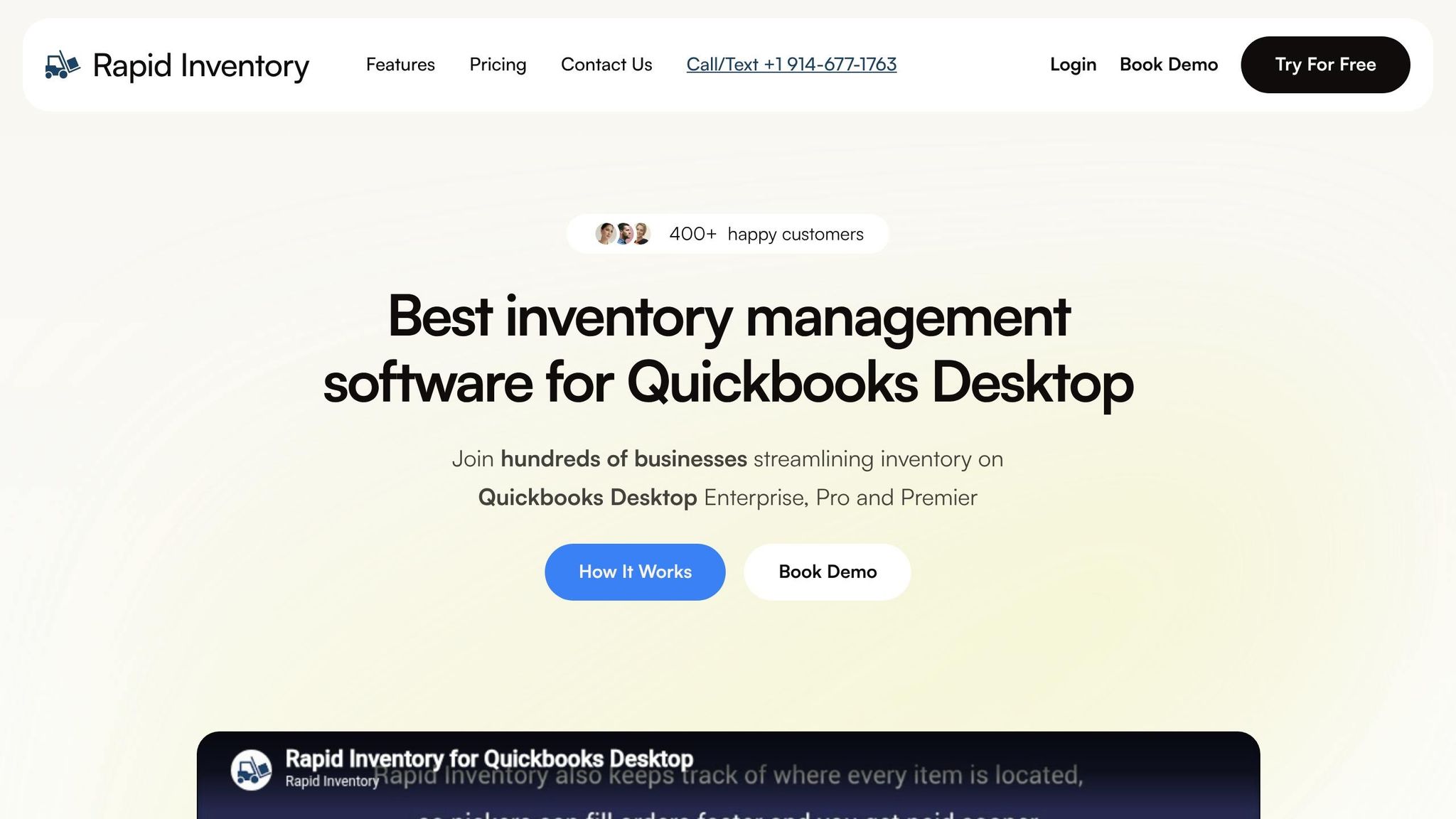
You can implement wave picking with Rapid Inventory in just three steps: connecting QuickBooks Desktop, setting up warehouse zones, and enabling mobile barcode scanning. The platform’s automatic two-way sync with QuickBooks Desktop (Enterprise, Pro, and Premier) ensures inventory data flows smoothly between systems. It also supports FIFO/FEFO picking strategies and multi-location tracking, giving you the tools to handle high-volume operations efficiently. Plus, the onboarding process is designed to minimize disruption to your daily workflow.
Connecting to QuickBooks Desktop

Rapid Inventory integrates with QuickBooks Desktop through a web connector, enabling automatic two-way synchronization. This connection pulls items and orders from QuickBooks into Rapid Inventory while sending warehouse actions - like picks, transfers, and adjustments - back to QuickBooks. This ensures your financial records stay up to date.
To get started, prepare QuickBooks, connect it via the web connector, and migrate the necessary data. Once the connection is established, inventory levels, sales orders, and warehouse transactions sync automatically. This eliminates the need for manual data entry and reduces errors, keeping warehouse operations and accounting systems aligned.
Once connected, the next step is to optimize your warehouse zones for smoother picking.
Setting Up Warehouse Zones and Locations
After linking QuickBooks, configure your warehouse zones and locations within Rapid Inventory. The platform’s multi-location tracking makes it easy to manage inventory across multiple warehouses and zones. You can assign waves different priority levels - Normal, High, or Urgent - based on order urgency.
When starting a wave, pickers scan a designated "wave location" to confirm they’re in the correct zone. They then scan items as they pick. Once the wave is complete, items are moved to a "drop-off" location, which must also be scanned to finalize the transfer. This process ensures real-time inventory updates and visibility.
With zones in place, mobile scanning takes your accuracy to the next level.
Using Mobile Barcode Scanning
Mobile barcode scanning is key to executing waves with precision. Rapid Inventory’s mobile scanners verify locations, items, and quantities in real time. They track picked quantities against requirements and can be configured to restrict or allow over-picking based on your settings.
"Rapid Inventory helps us run our warehouse operations. Easy to use and reliable... we especially love the barcode scanning and mobile picking."
– Fernanda C, Director of Operations
The mobile interface also prevents mistakes by blocking items reserved for other orders from being scanned into the current wave. If a barcode is damaged or unreadable, pickers can use the ID tag icon on the mobile interface to manually select items or locations. However, scanning remains the preferred method for maintaining accuracy. To enable this functionality, make sure electronic picking is activated in your system settings.
How to Improve Wave Picking Performance
Once wave picking is up and running, you can fine-tune its performance by aligning waves with carrier schedules, delivery zones, and available labor. With Rapid Inventory in place, these adjustments can significantly boost both efficiency and accuracy. By making thoughtful changes to your setup, you can ensure that wave picking stays flexible and effective.
Prioritizing Urgent Orders
To handle time-sensitive shipments, group express and VIP orders into the earliest waves. This ensures that these high-priority orders meet their deadlines without disrupting the flow of regular operations.
"The critical benefit of wave picking is applying labor to the right thing at the right time. In the world of same-day shipping as a fulfillment provider, the last thing you want to do is get the work done at the wrong time."
– Rob Rickerson, Director of Operations and Analytics, Red Stag Fulfillment
Dynamic wave picking allows warehouses to adjust on the fly for rush orders without stopping the entire operation. This adaptability helps avoid missed pickups and ensures that urgent orders get the attention they need. Warehouses that prioritize waves systematically have reported over a 13% reduction in cycle times compared to those using unstructured methods.
| Optimization Factor | Efficiency Tip | Impact on Performance |
|---|---|---|
| Shipping Deadlines | Organize orders by carrier cutoff times (e.g., USPS vs. FedEx). | Ensures timely dispatch and avoids missed pickups. |
| Order Priority | Process "Express" or "Next-Day" orders first. | Improves customer satisfaction and meets service levels. |
| Product Location | Group items from the same aisle into one wave. | Cuts down on travel time and reduces picker fatigue. |
| Delivery Zone | Arrange waves by destination or shipping zone. | Simplifies sorting and staging for carriers. |
| Real-Time Data | Use warehouse management tools to adjust waves based on labor availability. | Prevents bottlenecks and optimizes workforce use. |
Grouping Orders by Delivery Zone
Organizing waves by delivery zones or carriers can save time and reduce sorting complexity. For example, grouping UPS orders in one wave and FedEx orders in another allows the packing team to stage shipments more efficiently and hand them off to the correct carriers without additional sorting.
Similarly, dividing the warehouse into zones and assigning pickers to specific sections can minimize congestion and unnecessary movement. Multiple waves can run simultaneously in different zones, keeping operations smooth even during peak periods.
A great example is E-Commerce Xpress, which introduced multi-batch wave picking in 2025. This change reduced labor time from requiring four people over 4–5 hours to just one person completing the task in 2 hours.
Using Real-Time Inventory Data
Accurate, up-to-date inventory data is key to refining wave picking. Real-time visibility allows managers to release waves based on current stock levels. Rapid Inventory’s two-way sync with QuickBooks ensures warehouse data stays current, enabling efficient wave releases. Mobile barcode scanning further supports this by instantly updating pickers on any order changes or cancellations, helping to avoid wasted effort.
Real-time data also makes it easier to align labor with workload. High-volume waves can be scheduled during busier shifts, while lighter waves are handled during slower periods. This balance prevents staff from being overworked or underutilized. For instance, in July 2025, American Tall implemented a warehouse management system with real-time tracking. The result? A 275% boost in picking efficiency and a 50% drop in fulfillment errors.
Common Challenges with Wave Picking
Wave picking can increase efficiency, but it also comes with its own set of challenges. One of the biggest hurdles is scheduling complexity. Coordinating the release of waves with carrier pickups and available labor can be tricky - missing a cutoff can lead to delayed orders and unhappy customers.
Another frequent issue is packing station congestion. When too many items arrive at packing stations all at once, bottlenecks can occur. This not only slows down shipments but also increases the chances of errors. To tackle this, warehouses often rely on tools like barcode scanners and automated sorting systems to manage the flow of items. Cross-training staff to switch between packing and replenishment tasks during downtime between waves can also help keep things running smoothly.
Idle pickers are another challenge. Fixed wave schedules sometimes leave workers waiting around for the next batch, which wastes valuable time. A solution to this is dynamic wave picking, where wave release times are adjusted based on real-time order volume and staff availability. Additionally, training pickers to handle multiple roles ensures they stay productive even during slower periods.
As Rob Rickerson, Director of Operations and Analytics at Red Stag Fulfillment, puts it:
"You really have to deploy the right pick method at the right time, both based on product mix and physical size and volume and level of technology advancement. Misapplied, they can do more harm than good."
Finally, there's the challenge of technological integration. Wave picking depends heavily on the warehouse management system (WMS) working in sync with real-time inventory data. Poor integration can lead to data silos and errors that disrupt operations. To avoid this, it's crucial to have a seamless two-way connection between systems, supported by mobile barcode scanners to ensure inventory data stays accurate and up to date.
Conclusion
Wave picking reshapes how high-volume warehouses manage order fulfillment by cutting down on travel time for pickers, optimizing labor use, and avoiding bottlenecks during busy periods. When implemented correctly, it helps warehouses handle seasonal surges and steady growth more efficiently.
The key to success lies in having the right technology in place. Rapid Inventory supports this process with features like two-way QuickBooks Desktop sync, streamlined zone setup, and mobile scanning. These tools provide the real-time accuracy needed to coordinate waves effectively. Plus, its priority level settings - Normal, High, or Urgent - help you align order waves with carrier deadlines and customer needs.
As Rob Rickerson from Red Stag Fulfillment explains:
"The critical benefit of wave picking is applying labor to the right thing at the right time".
Strategically scheduling waves, grouping orders by delivery zone, and keeping teams productive between waves through cross-training are all part of this approach. Together, they create a foundation for ongoing operational improvements.
To build on these strategies, focus on refining how orders are grouped and zones are managed. If fulfillment delays or congestion are an issue, wave picking offers a reliable solution. By using strategic wave scheduling and real-time data, your warehouse can boost productivity and reduce errors. Dive into order trends and carrier schedules, and adjust warehouse zones to minimize travel time. With Rapid Inventory’s real-time reporting and mobile scanning, you'll gain the visibility needed to fine-tune your waves and keep accuracy high as your operation expands.
FAQs
When should I use wave picking instead of batch or zone picking?
Wave picking works well for high-volume warehouses looking to boost efficiency by handling multiple orders at the same time. This method groups orders into scheduled waves, considering factors like due dates and product availability. By doing so, it cuts down on travel time and enhances coordination. Unlike batch or zone picking, wave picking aligns with shipping schedules and manages multiple zones simultaneously, making it a great fit for fast-moving, complex operations.
How do I decide what goes into each wave?
To determine what should be included in each wave, group orders by common factors such as product type, shipping method, or delivery schedule. This approach makes picking more efficient by bundling similar orders together. Pay attention to details like product location, order urgency, and shipping deadlines. These considerations help minimize travel time, simplify processes, and improve overall warehouse operations.
What metrics should I track to improve wave picking?
To boost the efficiency of wave picking, focus on tracking two key metrics: warehouse picking accuracy and picking speed. Accuracy measures the percentage of items picked correctly, with industry standards typically falling between 96% and 98%. Picking speed, on the other hand, reflects the number of items picked per hour, which usually ranges from 50 to 250 items.
Keeping a close eye on these metrics can help pinpoint bottlenecks, minimize errors, and streamline workflows. With this data in hand, you can implement targeted training programs or adopt technology solutions to improve overall performance.



