If I had to sum it up in one line: barcode scanning cuts data mistakes, saves labor time, shows live stock levels, lowers cost, and keeps multi-site inventory in sync.
Here’s the short version:
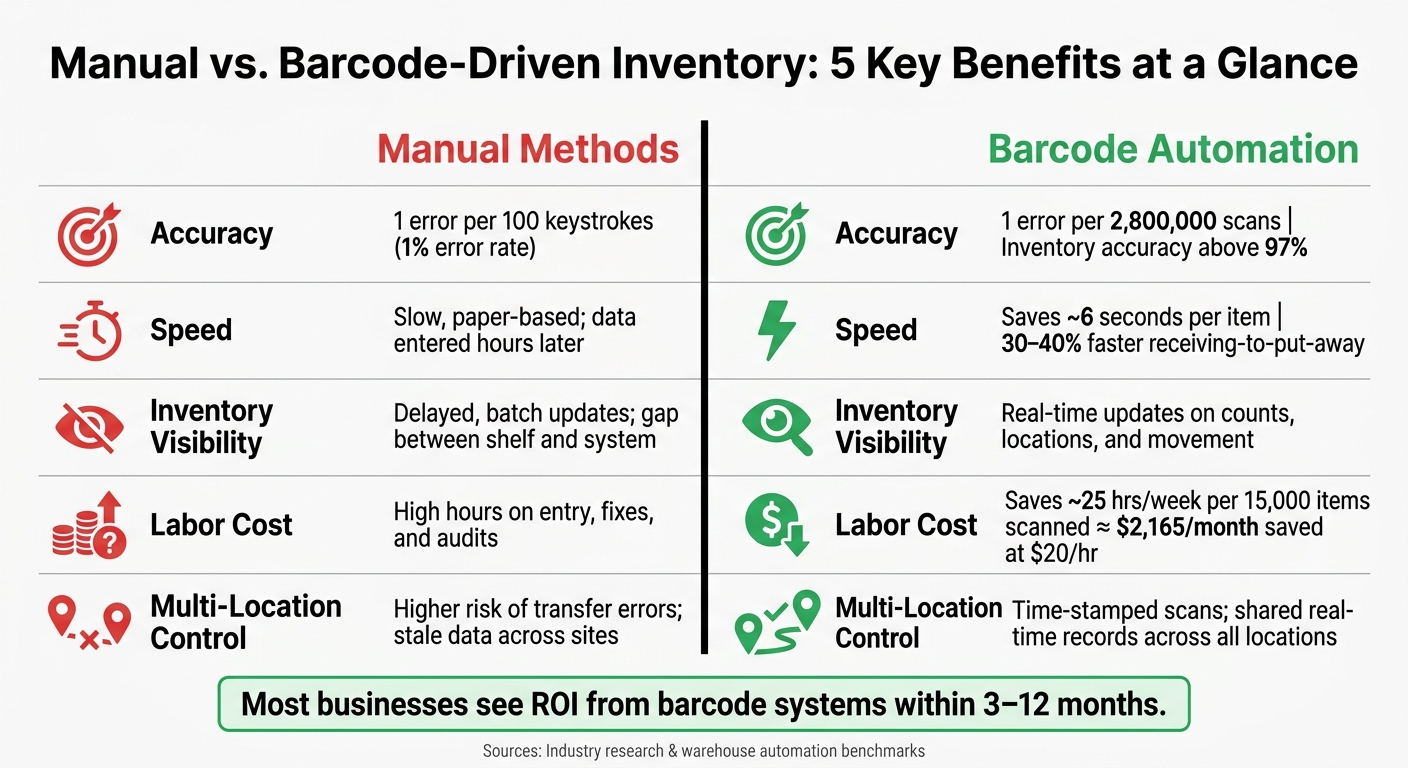
- Manual entry is error-prone. It averages about 1 error per 100 keystrokes.
- Barcode scans cut those mistakes hard. Error rates can drop to about 1 in 2.8 million scans.
- Work moves faster. Scanning can save about 6 seconds per item and trim receiving-to-put-away time by 30% to 40%.
- Stock data stays current. Each scan updates counts, locations, and movement history right away.
- Labor costs drop. A warehouse scanning 15,000 items can save about 25 hours per week, or around $2,165 per month at $20/hour.
- Teams stay aligned across locations. Each scan creates a time-stamped record, which helps with transfers, counts, and audit trails.
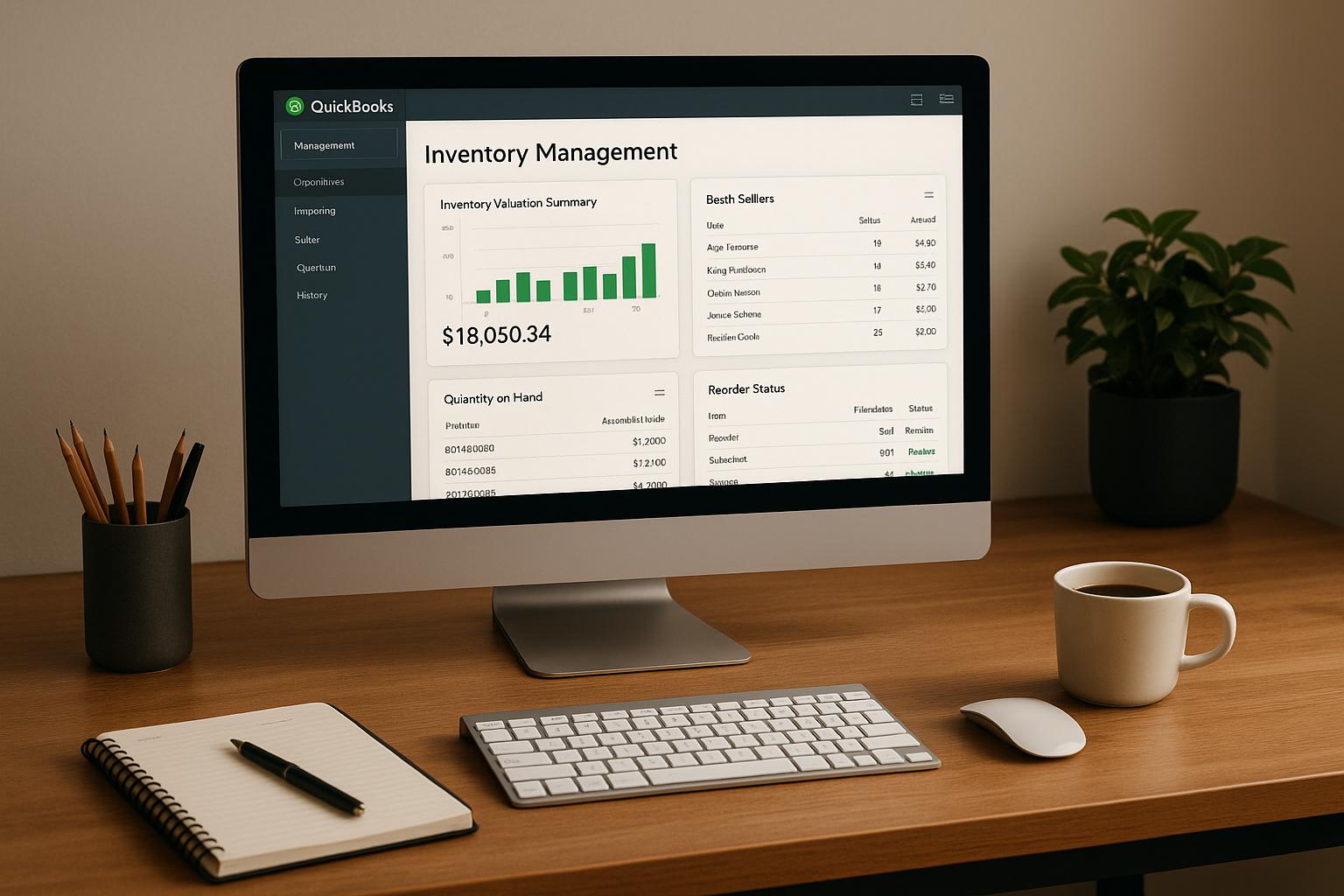
If you use QuickBooks Desktop, I’d read this as a simple case for replacing paper, delayed entry, and spreadsheet updates with scan-based workflows that keep warehouse and accounting records aligned.
Manual vs. Barcode Inventory: Key Stats & Benefits
QuickBooks Enterprise Barcode Scanning Tutorial

sbb-itb-19ed50f
Quick Comparison
| Area | Manual methods | Barcode-driven automation |
|---|---|---|
| Accuracy | More typing mistakes | Far fewer entry errors |
| Receiving and fulfillment | Slower, more rework | Faster scan-based steps |
| Stock visibility | Delayed updates | Live item and location data |
| Labor cost | More hours spent on entry and fixes | Less manual work |
| Multi-location control | Higher risk of transfer mistakes | Shared records across sites |
In short, this article shows how barcode workflows improve accuracy, speed, visibility, cost control, and location-level control without adding extra manual work.
Why Barcode Workflows Matter in Inventory Operations
Many warehouses still run on paper pick lists, handwritten receiving logs, and spreadsheet updates that happen later. That delay creates a gap between what’s on the shelf and what the system says is there. And that gap is where errors and phantom stock creep in.
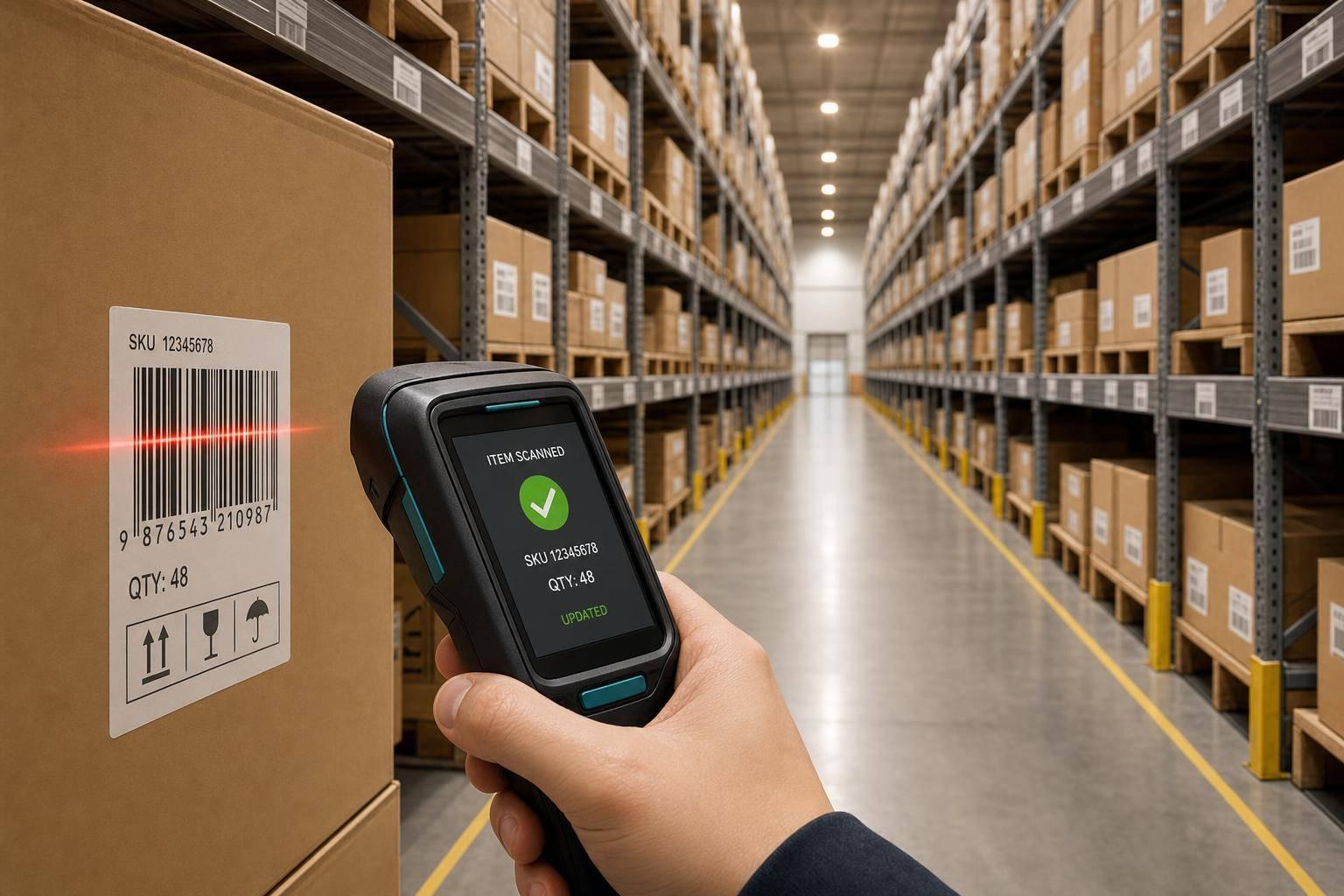
Barcode workflows close that gap. Each scan creates an instant digital record. Scan an item, bin, lot, or serial number, and the system updates right away - no delayed entry, no relying on memory, and no mistyped SKU.
This shows up across day-to-day warehouse work. In receiving, scans match items to purchase orders as soon as goods arrive. In picking and packing, scan-to-confirm helps stop the wrong item or wrong quantity from going out the door. For transfers, location scans log movement at the moment it happens. And during cycle counts, teams can count on a rolling schedule without shutting down the warehouse.
The impact can be dramatic. Barcode scanning can reduce errors to as low as 1 in 2.8 million scans. Just as important, barcode systems make the process consistent for every worker and every shift. The scan checks the right item, quantity, location, and lot or serial number before the transaction moves forward.
That consistency matters even more when lot and serial number tracking is in play. 2D barcodes like QR codes or Data Matrix codes can hold more detail in a single scan, which gives teams full traceability without extra manual work.
That’s the starting point: improved accuracy.
1. Improved Accuracy
Error Reduction
Manual data entry comes with a 1% error rate - about one mistake for every 100 keystrokes. When you spread that across thousands of transactions in a day, small mistakes turn into big problems fast: wrong quantities received, mis-shipments, and phantom stock showing up in the system.
Barcode scanning changes that in a big way. It can cut errors to as low as 1 in 2.8 million scans, and barcode systems can lift inventory accuracy to above 97%, compared with 80% to 85% in paper-based workflows.
The reason is simple: scanning removes re-entry. Workers record data once, right at the point of action.
Immediate Stock Updates
Speed matters too. When an item is scanned, records update right away. That keeps system counts in sync with what’s actually on the shelf or in the bin.
It also helps get rid of ghost inventory because every movement is logged at the moment it happens.
Operational Control
There’s another piece here: traceability. Barcode scans create an audit trail that shows who moved an item, when it happened, and where it went. If something looks off, teams have a clear path to check what happened instead of guessing.
For QuickBooks Desktop users, Rapid Inventory adds mobile barcode scanning and two-way sync to help keep inventory records aligned.
2. Faster Receiving and Fulfillment
Workflow Speed
When errors fall, the next thing you notice is speed.
With manual work, staff count items, check packing slips, and then key the same data in later, sometimes hours after the shipment showed up. That lag slows everything down. Barcode scanning shrinks that delay. Each scan saves about 6 seconds per item. In high-volume warehouses, that adds up to a 30% to 40% drop in time from receiving to put-away.
Scan-to-reconcile workflows make this even tighter. Staff can check incoming goods against a purchase order the second a shipment arrives. If counts don’t match, the system flags the issue on the spot before anything gets shelved in the wrong place or logged the wrong way. The same scan-to-confirm step also moves picking and packing along by checking the right item and quantity before it goes out the door.
Live Stock Updates
Live updates give fulfillment teams something simple but huge: current counts they can trust.
Guided put-away sends workers to the right bin based on rules like product family or sales velocity. Then a scan of the destination bin confirms the move, which keeps the inventory record correct at the exact moment it happens. That tight link between the floor and the system helps cut the gap between receiving and fulfillment, especially during peak periods.
For QuickBooks Desktop users, Rapid Inventory keeps receipt and fulfillment updates synced in real time.
Those real-time updates also feed the visibility covered next.
3. Real-Time Inventory Visibility
Live Stock Updates
Barcode scanning keeps inventory records current in real time. Each scan updates item counts, locations, and availability right away. That gives managers a live view of what’s in stock, where it sits, and what needs attention.
Error Reduction
Real-time sync helps cut ghost inventory and failed picks. Each barcode scan is tied to a physical action, which reduces mismatches between the system and the shelf. In one VF Corporation case, barcode scanning pushed inventory accuracy to 100%.
Operational Control
Real-time visibility also gives teams a clearer audit trail. Every scan creates a traceable record of what moved, when it moved, and where it went. For QuickBooks Desktop users, Rapid Inventory adds mobile barcode scanning and two-way QuickBooks sync to help keep warehouse activity and accounting records aligned.
That kind of visibility also cuts rework and last-minute fixes downstream.
4. Lower Labor and Operating Costs
When inventory updates the moment an item is scanned, the savings show up fast. Not just in accuracy, but in payroll hours and day-to-day overhead.
Workflow Speed
Manual inventory work slows people down. Staff often write entries by hand, enter them later, and then check them again to make sure nothing was missed.
Barcode scanning cuts out a lot of that back-and-forth. With mobile scanning, teams can handle receiving, picking, and packing right on the warehouse floor, which reduces labor time.
Error Reduction
Manual mistakes don’t just create bad data. They cost money.
Businesses often lose 2–4% of revenue to rush shipping, returns, and rework caused by preventable errors. Barcode scanning lowers those mistakes in a big way, which means fewer hours spent fixing orders, correcting counts, and sorting out avoidable problems.
Live Stock Updates
Real-time stock updates also remove a lot of cleanup work at the end of the day. Instead of stopping to reconcile numbers or run extra manual checks, teams can work from current inventory data as items move.
For a facility scanning 15,000 items, barcode automation can save about 25 labor hours per week. At $20/hour, that adds up to roughly $2,165 per month in labor savings.
Operational Control
Barcode systems can also cut admin work. Cycle counts, made possible through barcode workflows, replace disruptive full-warehouse audits with smaller scheduled checks that don’t stop daily operations.
That kind of visibility helps teams make faster purchasing calls and spend less time on manual admin work. Most businesses see ROI from barcode systems within 3 to 12 months.
That same scan-level control also supports tighter management across multiple locations.
For QuickBooks Desktop users, Rapid Inventory syncs scans with QuickBooks Desktop to remove manual reconciliation.
5. Better Control Across Locations and Teams
When inventory is spread across multiple sites, speed and accuracy only go so far on their own. You also need centralized control. Multi-location inventory works best when everyone uses one shared source of truth, and barcode workflows help make that happen. Each verified scan keeps sites, teams, and transactions in sync.
Error Reduction
Barcode scans confirm the right item, the right quantity, and the right location before a transfer is posted. That cuts down on cross-site mix-ups that can snowball into stock issues later.
SOCOTEC UK rolled out barcode tracking across 12 depots for more than 1,850 pieces of test equipment, and audit pack preparation time fell by 55%.
Live Stock Updates
Every scan updates the same shared system. That means each location sees the same stock counts instead of working from stale numbers or delayed entries.
Workflow Speed
Mobile scanning helps teams keep receiving, transfers, and cycle counts current as work happens. There’s no need to wait for someone in the back office to enter data later.
Operational Control
Time-stamped scans create a clear audit trail. On top of that, role-based access lets you control who can adjust stock, print labels, or create SKUs.
For QuickBooks Desktop users, Rapid Inventory supports multi-location tracking with mobile barcode scanning and two-way sync.
Manual vs. Barcode-Driven Inventory: A Side-by-Side Look
The five benefits above trace back to one simple thing: how data gets into the system.
Manual methods rely on people reading labels, writing things down, and typing them in later. Barcode systems do the job with a scan. That one shift sounds small, but it changes almost every part of day-to-day inventory work, especially when you have more than one workflow or location.
Here’s the comparison at a glance:
| Feature | Manual Inventory Methods | Barcode-Driven Automation |
|---|---|---|
| Accuracy | Typos, double-counting | System-validated, far fewer errors |
| Processing Speed | Slow, paper-based | Instant capture |
| Inventory Visibility | Delayed, batch updates | Real-time, shared view |
| Labor Effort | High, repetitive entry and audits | Lower, automated scans |
| Error Risk | Ghost and lost stock more likely | Item and quantity validated at the source |
The gap shows up most clearly during audits. With manual methods, teams often have to stop and run full counts. Barcode systems, on the other hand, make ongoing cycle counts possible without shutting down operations.
Conclusion
These five benefits make the case pretty clear: barcode workflows beat manual inventory processes. With barcode-based inventory automation, you get measurable gains in accuracy, speed, visibility, cost, and control.
Barcode scans record inventory data faster and with fewer mistakes than manual entry. For QuickBooks Desktop users, that change is much easier to put into practice with a system built around barcode-based inventory management.
For QuickBooks Desktop users, Rapid Inventory connects mobile barcode scanning with two-way sync, multi-location tracking, and lot and serial number support - without manual re-entry.
FAQs
How hard is it to switch from manual inventory to barcode scanning?
Switching from manual inventory to barcode scanning doesn’t have to be hard. With a clear plan and the right tools, the move is pretty straightforward. In most cases, it comes down to two things: picking scanners that match your work environment and setting up your inventory software the right way.
For QuickBooks Desktop users, Rapid Inventory can make that shift much smoother. It adds mobile barcode scanning, multi-location tracking, and FIFO/FEFO picking, while cutting down on manual entry mistakes.
Do I need special barcode labels or scanners to get started?
Yes. A barcode-based inventory system needs two things: barcode labels and something to scan them with.
You’ll need to label items, bins, or shelves with machine-readable barcodes that are tied to a specific record in your system. Each barcode should be unique, so when it’s scanned, the right product or location shows up right away.
For scanning, the best option depends on how your team works:
- USB handheld scanners work well for desk-based jobs
- Mobile computers give staff more freedom on the floor
- Smartphones with scanning apps can be a flexible, lower-cost choice
One thing matters here: your scanner has to support the barcode type you use, such as EAN-13 or Code-128. If the label and the scanner don’t match, the whole setup falls apart fast.
How does barcode scanning help with lot, serial, and multi-location tracking?
Barcode scanning connects physical items to digital records. That makes it much easier to track lot numbers, serial numbers, and storage locations without relying on manual entry.
When teams use 2D barcodes and scan location barcodes during receiving or picking, traceability gets much better. It also helps with audits and makes sure items are placed in the right warehouse zones. Rapid Inventory supports lot and serial tracking, multi-location management, and real-time sync with QuickBooks Desktop.