
If you ship orders in the order they arrive, you will miss rush deadlines once volume grows. I’d use a simple rule set: ship by time first, then customer tier, then inventory limits, and only then by order date.
Here’s the short version:
- Priority answers: which order goes first?
- Picking answers: how do I pick it?
- Allocation answers: which units do I reserve?
That split matters. If I mix those decisions together, rush orders get buried, backorders drag on, and low-priority orders can take the last available stock.
I’d keep the process tight and visible:
- Level 1: Same-day and cutoff-driven orders
- Level 2: VIP, key account, and high-value orders
- Level 3: Lot-, serial-, and FEFO-controlled orders
- Level 4: Standard orders by date
A few facts make this hard to ignore:
- More than 50% of customers have abandoned a purchase because delivery was too slow
- Sync and scanning tools can cut manual entry by up to 90%
- In multi-site shipping, the closest warehouse is not always the fastest or lowest-cost option
The other big point: priority rules only work if the floor follows them. Batch, wave, zone, and discrete picking each handle rush work differently. And when stock is short, I’d allocate by score, required ship date, and order date instead of plain FIFO.
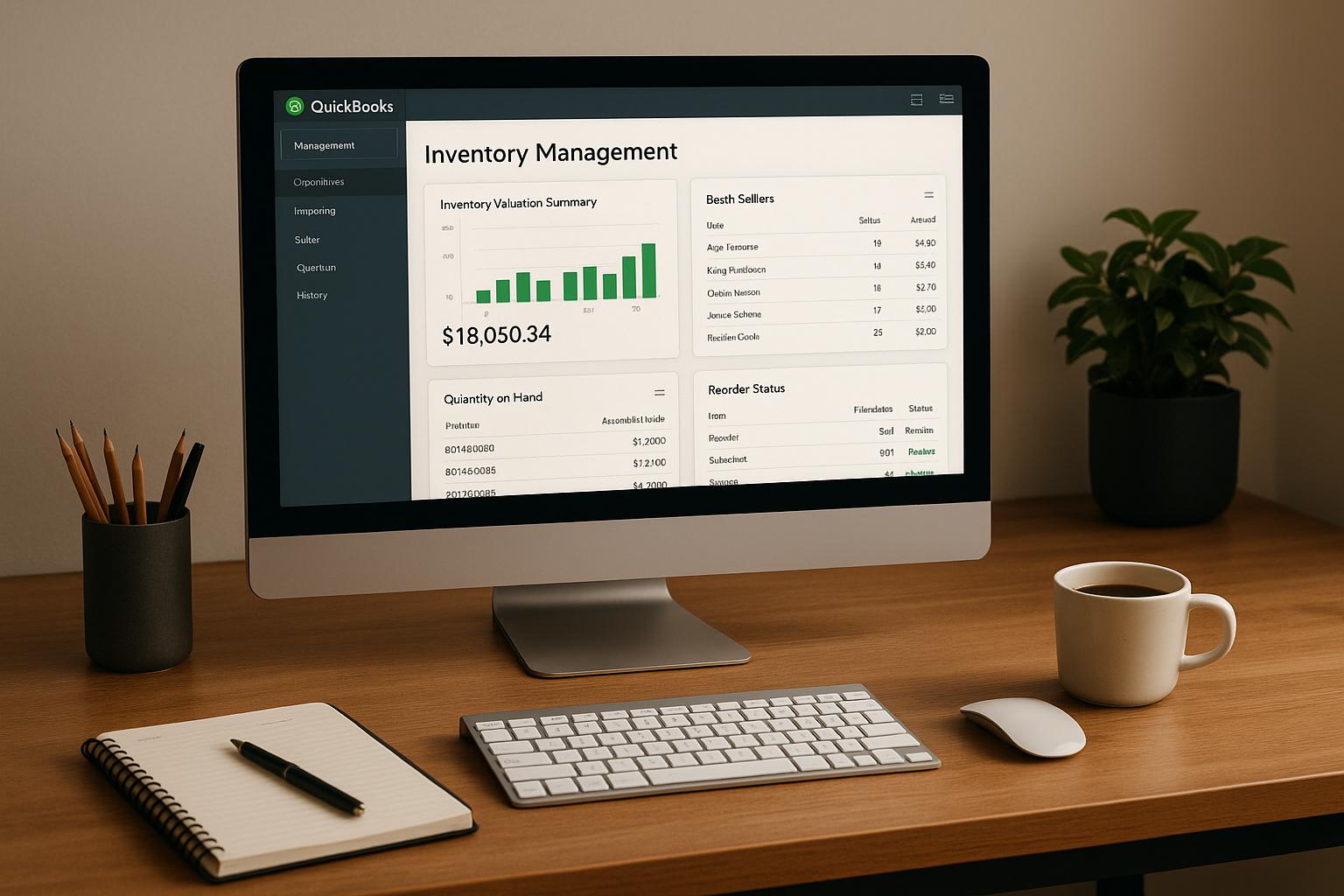
If you use QuickBooks Desktop, the inputs are already there: Order Date, Promised Ship Date, Customer Type, ship-ready status, and lot data. The job is to turn those fields into a repeatable release order your team can follow every shift.
| Area | What I’d focus on |
|---|---|
| Order priority | Promise date, carrier cutoff, customer tier |
| Picking flow | Use a method that won’t trap rush orders in queues |
| Stock assignment | Use FIFO or FEFO only after the order is ready |
| Multi-location shipping | Route by service level, stock, and deadline |
| Tracking results | Watch on-time ship rate, fill rate, and backorder clearance |
In short, I’d keep the rules few, written down, and enforced the same way every day. That’s how an SMB ships urgent orders on time without turning the warehouse into a daily fire drill.
Core Rules SMBs Can Use to Decide Which Orders Ship First
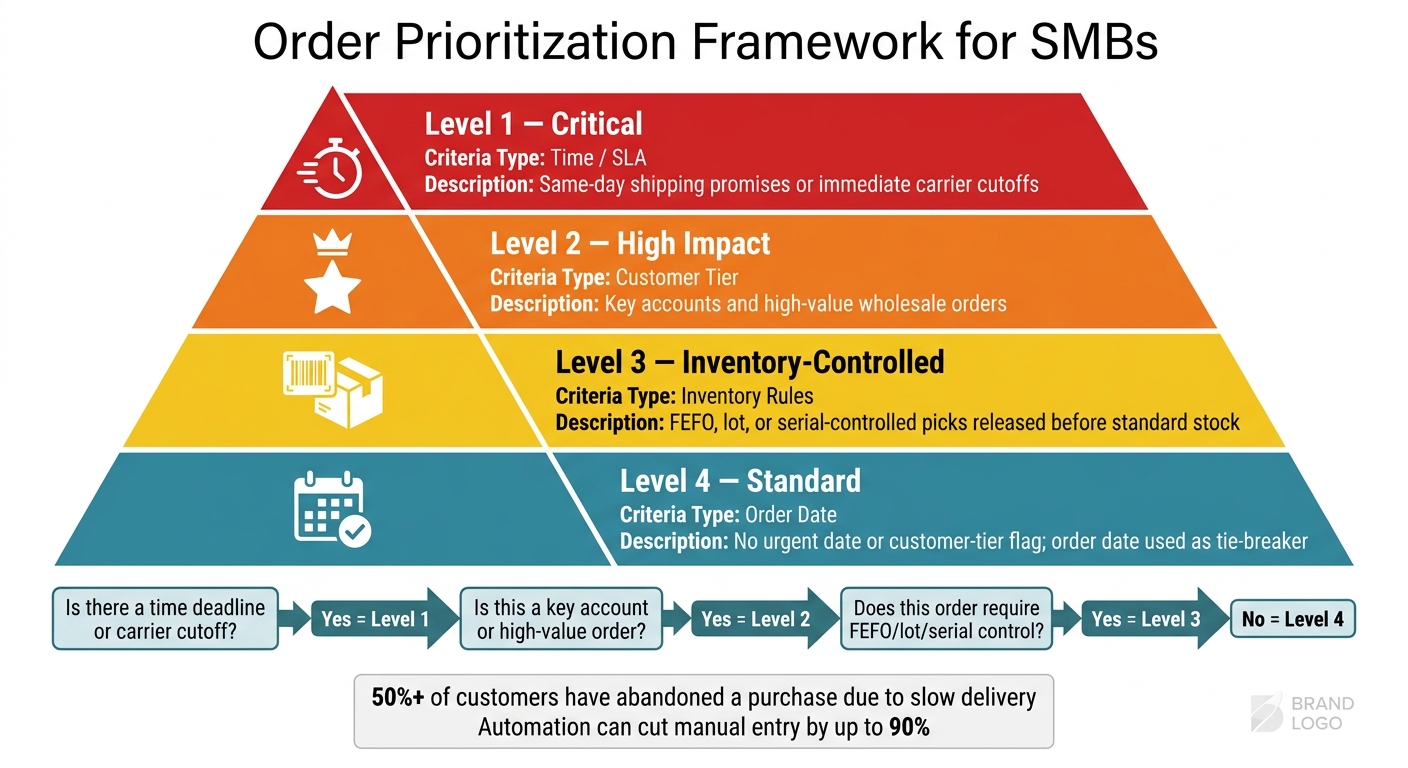
Order Prioritization Framework for SMBs: 4-Level Priority System
Once priority is separate from picking and allocation, you can use a small set of rules to release orders in the right order. The key is consistency. Prioritization should follow a written rule set, not shift-to-shift judgment calls. For most SMBs, a simple priority matrix based on urgency, customer impact, and inventory limits does the job.
| Priority Level | Criteria Type | Description |
|---|---|---|
| Level 1: Critical | Time/SLA | Orders with same-day shipping promises or immediate carrier cutoffs |
| Level 2: High Impact | Customer Tier | Key accounts and high-value wholesale orders |
| Level 3: Inventory-Controlled | Inventory | FEFO, lot, or serial-controlled picks that must be released before standard stock |
| Level 4: Standard | Order Date | Orders with no urgent date or customer-tier flag; use order date as the tie-breaker |
Start with time-based rules. If timing is equal, use customer and inventory rules to break the tie.
Time, Promise Date, and Carrier Cut-Off Rules
The clock usually decides what goes out first. If an order misses a UPS, FedEx, or LTL departure window, it may not ship that day. That’s why many teams use an internal cutoff time. You simply work backward from the carrier cutoff and set a firm internal deadline for when the order must be out of picking.
After same-day deadlines, sort by the earliest due date or promised ship date. Orders with less time left should move ahead of orders with more room.
Customer Tier, Order Value, and Rush Order Rules
A small group of customers usually drives most revenue. So when stock is short or labor is stretched, a tiered customer policy - high, medium, and standard - can help you protect the accounts that matter most.
Key accounts and high-value wholesale orders should have a clear priority flag in your system. Don’t bury that information in order notes. If staff have to dig through notes to figure out urgency, results will vary from one shift to the next. Write the rule down, set the flag, and apply it the same way every time.
FIFO, FEFO, Lot Control, and Backorder Rules
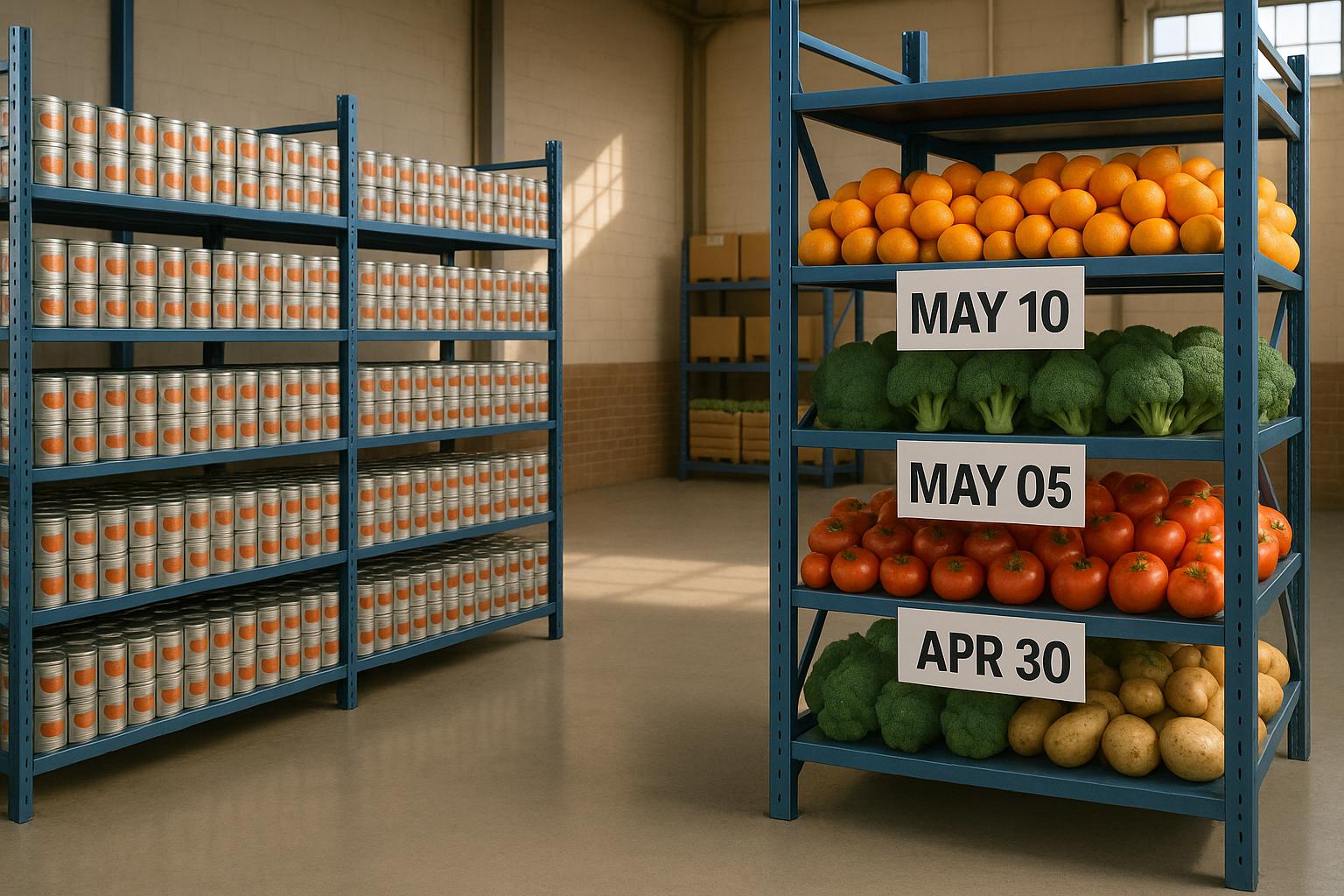
Inventory rules should shape priority only after an order is ready to ship. FEFO (First-Expired, First-Out) matters when expiration dates matter, like with food or cosmetics. In those cases, the units that expire soonest should ship first. If expiration dates don’t apply, use order receipt date as the release tie-breaker so older stock keeps moving.
Lot and serial number rules add one more checkpoint before picking, and barcode scanning helps confirm that the right units are chosen. For backorders, release new stock based on a mix of order age, customer tier, and promised date so the oldest and highest-priority waiting orders are filled first. If two orders still tie, use required ship date and then order date as tie-breakers.
These rules work best when picking and allocation follow that same release order.
sbb-itb-19ed50f
How Picking Methods and Inventory Allocation Affect Priority
Priority rules only work if the picking process follows them. If your release method is off, a rush order won’t jump the line. It’ll just sit there with everything else.
That’s the core issue: how should the floor release and pick orders without breaking those rules?
Discrete, Batch, Wave, and Zone Picking in Priority-Driven Workflows
Each picking method handles priority in a different way. Pick the wrong one, and the rules you set on paper can fall apart once work hits the floor.
Discrete picking is the most straightforward option. It works well for low-volume or more complex orders, but the extra travel time makes it a poor fit when volume climbs.
Batch picking cuts down on travel, which helps labor use. The catch is that orders usually wait until the next batch is released, so it tends to work better for standard demand than for rush orders.
Wave picking lines up well with promise-date and carrier-cutoff rules because orders are released in scheduled groups. That makes it a strong fit when timing matters more than pure speed.
Zone picking can work well in larger warehouse layouts. But if a rush order needs items from several zones, the merge step can slow everything down.
| Picking Method | Labor Efficiency | Speed for Rush Orders | Carrier Deadline Support | Setup Complexity |
|---|---|---|---|---|
| Discrete | Low (high travel) | High (immediate start) | Low (manual tracking) | Very Low |
| Batch | High (reduced travel) | Medium (wait for batch) | Medium (grouped by date) | Moderate |
| Wave | High (coordinated) | Medium (wait for wave) | High (aligned to pickup) | High |
| Zone | Very High | Low (requires merging) | Medium (complex flow) | High |
Picking speed matters. But when stock is tight, another question shows up fast: which order gets the last available units?
Allocation Policies for Limited Stock and Backorders
Use a score-based allocation model so VIP and rush orders get limited stock before standard orders.
If you rely on FIFO alone during a shortage, low-priority orders can eat up inventory that should have gone to rush demand. That’s a bad miss, especially when service promises are on the line.
For backorders, fill in this order:
- Allocation score
- Required ship date
- Order date
That keeps scarce stock tied to business rules instead of just whoever got into the system first.
Multi-Location Routing and Fulfillment Priority
When inventory is split across multiple warehouses, routing rules decide which site fills each order. For most SMBs, the default setup is simple: ship from the nearest warehouse that has stock.
But “nearest” can be misleading. Carrier transit zones often matter more than raw distance. A warehouse 400 miles away in a Zone 1 carrier lane can be faster and cheaper than one 150 miles away in Zone 2.
For high-priority customers, it can make sense to hold central stock at a designated fulfillment site instead of letting standard orders pull it down. And if the closest warehouse can’t hit the deadline, route the order to another site that can.
Once those routing rules are in place, the system data behind them needs to stay clean so orders are released the same way every time.
Using QuickBooks Desktop Data and Rapid Inventory to Run a Consistent Process

Once the rules are set, the next job is simple: make them happen the same way every day.
Using QuickBooks Desktop Order and Item Data as Priority Inputs
QuickBooks Desktop already stores most of the data you need to decide which orders go first.
Use Order Date for FIFO, Promised Ship Date for urgency, Customer Type for account priority, and lot expiration dates for FEFO.
You can also use ship-ready status to stop partial orders from being released before they can actually ship. That one field can save a lot of trouble. It keeps a picker from taking stock for an order that won't leave today, while a higher-priority order is still waiting on that same inventory.
Where things usually break down is the handoff. The priority data lives in QuickBooks, but the actual release decision happens somewhere else. When that gap exists, staff end up interpreting the rules by hand instead of following them in the moment.
After those inputs are clear, you need a system that applies them the same way on every shift.
How Rapid Inventory Supports FIFO, FEFO, Multi-Location, and Barcode-Driven Picking
Rapid Inventory syncs QuickBooks Desktop data with warehouse activity, so your priority rules stay current. Changes made in QuickBooks flow into Rapid Inventory automatically. Picks completed on the warehouse floor then update QuickBooks in return. That means no manual re-entry.
On the warehouse side, Rapid Inventory uses directed picking. Pickers scan the directed bin, item, and lot, and the system applies FIFO or FEFO automatically. If you run more than one warehouse, multi-location support lets you set priority rules across all locations or tailor them for each one. Backorder tracking shows what is waiting and what stock can fill it, so allocation follows business rules instead of guesswork.
Implementing automation for order and inventory sync can reduce manual data entry by up to 90%. For a small team dealing with heavy order volume, that can be the gap between staying on pace and falling behind.
| Rapid Inventory Feature | How It Enforces Priority Rules |
|---|---|
| Two-way QuickBooks sync | Keeps order data, item data, and inventory levels current across both systems |
| FIFO / FEFO picking | Sequences picks by date received or expiration date |
| Multi-location tracking | Routes orders to the correct warehouse based on configured priority rules |
| Mobile barcode scanning | Auto-fills bin, item, and lot fields |
| Backorder tracking | Shows real-time stock availability so allocation follows business rules |
Measuring Results and Improving the Rules Over Time
KPIs That Show Whether Prioritization Is Working
Use these metrics to check whether your priority rules are improving speed, accuracy, and service.
On-time shipment rate is the clearest signal. It shows the share of orders that left by the promised date. Track order fill rate and release-to-pick lead time alongside on-time shipment rate.
Two more metrics matter a lot for SMBs: backorder clearance time and priority-tier performance. Backorder clearance time shows whether allocation is sending stock to the right orders first. Tracking results across Critical, High, and Standard orders shows whether urgent work is actually moving ahead of routine tasks. Put simply, these numbers tell you if the rules are doing what they’re supposed to do.
There’s one catch: bad inventory data throws off every metric here. Clean inventory data has to come first, or the numbers won’t tell you much.
A Simple Review Cycle for Adjusting Priority Rules
Priority rules only work if you review them on a set cadence. Once the KPIs show where orders are slowing down, reset the rules on a fixed schedule.
| Frequency | Focus | What to Do |
|---|---|---|
| Weekly | Cycle time, pick accuracy, exceptions | Check for friction points in the fulfillment flow |
| Monthly | Reclassify fast-moving SKUs | Re-classify SKUs by velocity so priority rules reflect current top-movers |
| Quarterly | Adjust priority rules and slotting | Review the rules that drive promise-date, tier, and stock allocation decisions, not just the warehouse workflow |
| Peak season | Rebalance labor and rules before volume spikes | Update rules and labor allocation before peak volume periods |
Review KPI trends quarterly, fix stalls in urgent orders, and retrain staff when rules change.
Conclusion: The Small Set of Rules That Matter Most
The pattern is pretty clear: keep the rules simple, visible, and current.
Order prioritization doesn’t need a complex system. It needs a consistent one. Use clear priority rules, and match picking and allocation to promise dates, customer tier, and available stock. The goal isn’t more rules. It’s fewer rules applied the same way every time.
FAQs
When should I use FIFO vs. FEFO?
Choose FIFO for non-perishable goods like clothing, electronics, or hardware, where shelf life isn’t a concern. With FIFO, the oldest stock moves out first based on when it arrived.
Use FEFO for time-sensitive items like food, pharmaceuticals, or cosmetics. This method puts the products closest to expiration first, which helps cut waste, support safety, and maintain compliance. Rapid Inventory supports both workflows.
How do I prioritize orders when stock is short?
When stock is tight, don’t just rely on first-in, first-out. Prioritize orders based on clear business rules like delivery deadlines, customer importance, profit margin, and shipping method.
Use Rapid Inventory to monitor stock levels in real time and adjust fulfillment so the most urgent orders go out first. If a shortage delays delivery, tell customers what’s happening, share accurate timelines, and offer other options when you can.
Which picking method works best for rush orders?
There’s no single picking method that works for every situation. But when the clock is ticking, many businesses turn to wave picking to handle rush orders and hit tight carrier cutoff times.
In more complex operations, a blended approach often makes more sense. For example, a team might use dynamic batching to group orders based on urgency and priority, while saving wave picking for the shipments that can’t wait.