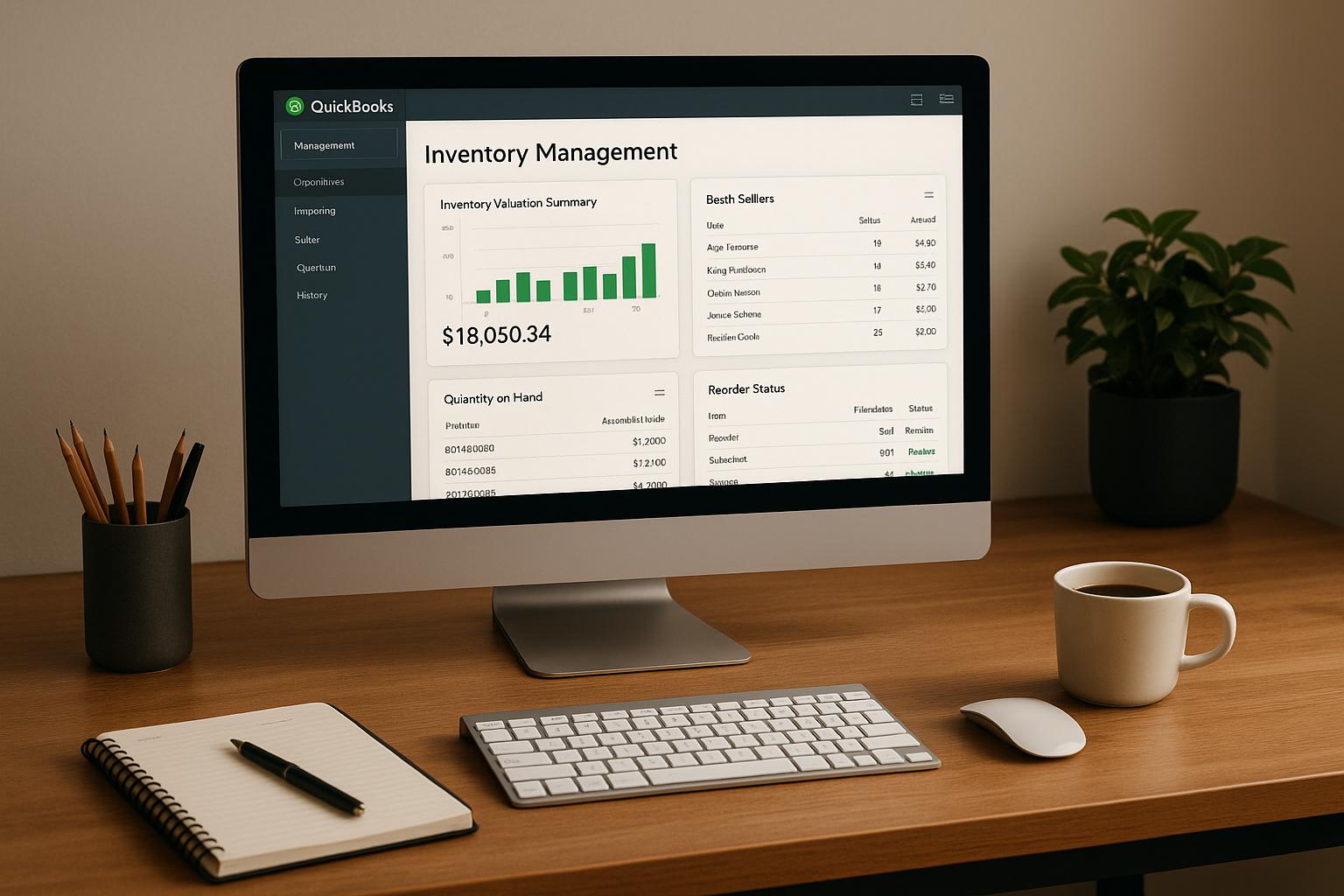

Bad slotting drives up labor fast. Picking can take up to 75% of warehouse costs and 55% of labor time, while better slotting can trim picking labor by 15% to 30%.
If I run more than one warehouse, I should not use one slotting plan for every site. The same SKU can move fast in one building and slow in another. So the smart approach is simple: slot by location-level demand, item traits, lot dates, and pick path.
Here’s the full picture in plain English:
- Rank SKUs by velocity at each warehouse with ABC tiers
- Choose static, dynamic, or hybrid slotting based on demand swings
- Place items by size, weight, and storage type
- Use FIFO or FEFO for date-based stock
- Keep items that ship together close together
- Build zones and pick paths around local order mix
- Review slots on a set schedule and reslot when demand shifts
If I want the short answer, it’s this: the best multi-location slotting plan uses the same rules across the network, but different slot assignments by site.
Quick Comparison
| Focus area | What I would do | Why it matters |
|---|---|---|
| ABC velocity | Rank SKUs by site-level order history | A SKU may be fast in Dallas and slow in Chicago |
| Slotting model | Use static for stable items, dynamic for volatile items, hybrid for both | Matches slot rules to demand patterns |
| Physical placement | Slot by weight, size, and storage medium | Cuts strain, reach time, and space waste |
| FIFO vs. FEFO | Use FEFO when expiration risk exists | Keeps older-expiring lots from being skipped |
| Affinity | Place common item pairs near each other | Cuts walking on multi-line orders |
| Zones | Put fast movers near packing | Lowers travel time |
| Review cycle | Check velocity and replenishment on a fixed schedule | Keeps slots from going stale |
What follows breaks down the slotting methods that matter most when I’m managing inventory across more than one warehouse.
Unlocking Efficiency: The Power of Slotting in Your Warehouse
1. Velocity and ABC Slotting by Warehouse
Start by ranking every SKU based on how often it moves. Then put the fastest movers in the spots that are easiest for pickers to reach. A common setup breaks inventory into three tiers: A items (top 20% by order frequency), B items (next 30%), and C items (bottom 50%).
Use each warehouse’s own order history for this work. The same SKU might be an A item in one facility and a C item in another. That’s why it helps to pull 30 to 90 days of sales data for each location before making slotting calls.
After you have velocity rankings for each site, the placement logic is pretty simple:
- Put A items in the golden zone, between knee and shoulder height, and as close to packing as possible.
- Put B items in spots with average reach and access.
- Put C items in the hardest-to-reach rack locations, or group them into one main storage location.
These tiers shouldn’t stay locked forever. Demand changes with seasons, promotions, and new product launches. Review A items every month and before major promotions, B items every quarter, and C items twice a year - without reworking the whole layout every time.
Next, decide whether each warehouse needs static, dynamic, or hybrid slotting.
2. Static, Dynamic, and Hybrid Slotting Models
After ABC slotting, the next step is deciding how fixed each location rule should be. Use those velocity tiers to sort out which SKUs should stay put and which should move. Go with static for predictable SKUs, dynamic for volatile ones, and hybrid when you need a mix of both.
Static slotting gives each SKU a permanent home. It fits stable catalogs with low SKU turnover and steady demand. Pickers learn the layout fast, audits stay simple, and the setup is easier to run without leaning too hard on system logic.
Dynamic slotting does the opposite. SKUs move into any open location, and a warehouse management system keeps track of where each item ends up. It re-slots SKUs weekly or whenever demand shifts so fast movers stay in the best spots. In high-variability operations, it can cut picker travel time by up to 45%, and software-led slotting can push capacity use to 92% versus 72% with manual or static methods. The catch? It only works if location data stays accurate and the team follows the process closely.
Hybrid slotting makes the most sense for growing multi-location operations. It keeps fixed locations for stable core inventory and uses dynamic rules for high-velocity or volatile SKUs. That setup works well when each warehouse can keep core SKUs steady while still flexing for local demand swings.
Dynamic slotting only works when pick, pack, and location data stay accurate.
Here’s a quick side-by-side view of which model fits each demand pattern:
| Dimension | Static | Dynamic | Hybrid |
|---|---|---|---|
| Best For | Stable catalogs, low SKU turnover | E-commerce, 3PLs, high volatility | Growing operations, seasonal shifts |
| Travel Time | 15–25% reduction after reset | Up to 45% sustained reduction | Moderate travel-time savings |
| Storage Density | Lower (reserved space) | Highest (flexible use) | Moderate |
| Accuracy | High (predictable/manual) | Depends on accurate system data | High for core, system-led for fast-movers |
| Disruption | Large, infrequent reslot events | Small, frequent weekly moves | Phased adjustments |
Next, match the slot model to the SKU’s size, weight, and storage medium.
3. Size, Weight, and Storage Medium Optimization
Once you’ve picked a slotting model, the next step is simple: place each SKU based on its size, weight, and storage medium.
Start with shelf position. Put fast-moving SKUs in the Golden Zone - about chest height - so workers can grab them with less bending and reaching. Keep heavy items at waist height or lower to cut down on unsafe lifts. Lighter, slower-moving SKUs can go on upper shelves, where they’re still easy to reach but not taking up prime space.
Storage medium plays a big part too. Bin storage is best for small, high-volume items. Micro-slot these by aisle, bay, level, and bin to improve accuracy. Pallet racks and floor stacks fit heavy, bulky, or oddly shaped freight better. Carton flow racks make sense in forward pick areas, where high-velocity SKUs need fast replenishment from reserve stock stored behind them. For fast movers, keep forward pick faces stocked with about 2–3 days of supply, then refill from reserve storage as needed.
If you run more than one warehouse, it often makes sense to keep bulky or slow SKUs in one primary warehouse when possible. That cuts handling costs and improves storage density across the network.
A few placement rules help avoid headaches later:
- Store fragile items in protected, low-traffic zones.
- Keep hazardous or regulated materials in restricted zones handled by trained staff.
- Tag every SKU in your system with physical attributes like "heavy", "fragile," and "oversize" so slotting rules can be filtered and applied the same way across locations.
Next, use FIFO and FEFO rules to place date-sensitive inventory correctly.
4. FIFO and FEFO Slotting for Date-Sensitive Inventory
Date-sensitive inventory needs its own slotting rules. With this kind of stock, where you place it matters just as much as how you track it. Apply these rules at each warehouse on its own, since lot mixes and expiration dates can vary from site to site.
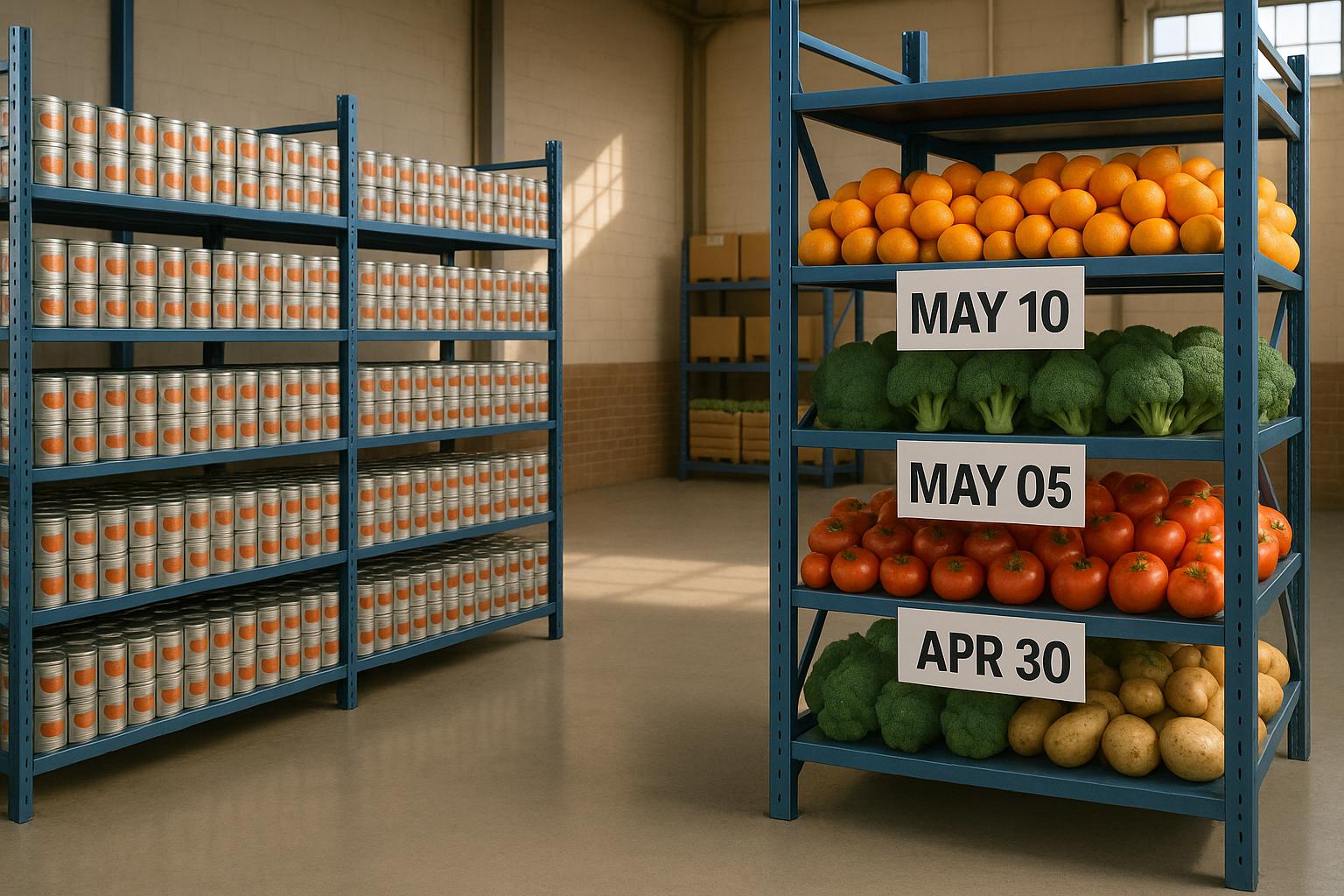
FIFO (First-In, First-Out) is a good fit for general inventory like seasonal goods, non-perishables with long shelf lives, and items that don’t have strict expiration dates. FEFO (First-Expired, First-Out) takes things a step further. Instead of picking based on when inventory arrived, you pick based on which lot expires first. That’s a big deal in food, pharmaceuticals, and cosmetics, where a newer shipment can still expire before older stock already sitting on the shelf.
The main FEFO problem is simple: newer inventory can block older lots that expire sooner. When there’s any expiry risk, FEFO should be treated as a hard rule that overrides velocity and affinity. If not, it’s easy for the wrong stock to get picked first.
In multi-location warehouses, lot and expiry data also need to stay accurate at each site. That means real-time lot and expiration tracking across all locations is a must, so pickers in every warehouse pull the right stock first. The starting point is logging lot numbers and expiration dates at receiving. Without that data from day one, FEFO logic has nothing to run on.
Tools like Rapid Inventory support both FIFO and FEFO picking, along with lot and serial number tracking across multiple warehouse locations. That helps teams keep date-sensitive inventory accurate and compliant without relying on manual review.
A few ground rules help keep rotation on track:
- Keep forward pick faces tight enough to protect lot rotation for date-sensitive SKUs.
- Audit date-sensitive SKUs every month to catch blocked expiry lots.
Next, slot SKUs that ship together into nearby locations to cut pick travel.
5. Affinity-Based Slotting for Common Order Combinations
Once you've handled velocity, storage, and date rules, the next step is to group SKUs that often ship together. This is what affinity-based slotting is all about: placing items that are often ordered in the same order close to one another.
The payoff is simple. When pickers can grab related items in one small area instead of crisscrossing the warehouse, each pick path gets shorter. That saves time on every order.
The key here is to use each warehouse's own order data, not network-wide averages. Why? Because buying patterns can look very different from one site to another. If two items show up in the same order 40% of the time but sit on opposite ends of a warehouse, moving them closer together can cut walking distance by 15% to 30%.
A good starting point is each warehouse's 90-day co-pick report. Use that report to spot frequent item pairs and slot them near each other. Look at each site on its own, since affinity patterns change by location. Then review those co-pick groupings every quarter so the layout stays in step with current order behavior.
sbb-itb-19ed50f
6. Zone-Based Slotting and Pick Path Design
Once you've grouped items by affinity, the next step is deciding where those groups should live inside the warehouse. That's the job of zone-based slotting. And here's the big thing: build the zone map from each warehouse's own order mix, not a network-wide average.
The idea is simple. Split the warehouse into clear zones based on what is stored there and how often it moves. Fast movers go in the Golden Zone, closest to packing. Slower items sit farther out. Separate zones handle temperature-controlled, hazmat, and high-security stock.
That kind of setup does more than tidy up the floor. It gives each zone a clear role, so pickers aren't pausing mid-pick to figure out handling rules. That matters because pickers spend 60–70% of their shift walking, and when fast movers are spread all over the building, travel time climbs fast.
After the zones are set, map the pick path so high-frequency items sit along the shortest route. When the layout makes sense - especially when high-velocity SKUs are grouped near packing - pickers can finish multi-line orders with less backtracking. Done well, zoning and routing can cut total walk time by 35–60%.
A simple way to check your setup is with a pick-density heatmap. The hottest area should be near packing, then cool off as you move outward. If the heatmap looks random, that's a red flag. Your fastest SKUs are likely sitting in the wrong spots.
For multi-location operations, don't copy the same zone layout into every site. Each warehouse serves a different demand cluster, so zone boundaries should match local order volume and SKU mix, not a network template. Put regionally concentrated SKUs in the closest warehouse, and keep only safety buffers at secondary sites.
Rapid Inventory supports multi-location tracking and mobile barcode scanning across all sites.
7. Data-Driven Reslotting and Continuous Review
Warehouses that have never run a formal slotting audit carry average pick-path waste of 22%. That’s not a small leak. It’s the kind of drag that quietly eats labor time every single shift. The fix starts with watching for changes that tell you the layout no longer fits demand.
Set clear triggers for reslotting. Move when a SKU’s velocity shifts by 25% or more, or when a new product launch changes normal pick patterns. Demand doesn’t sit still, and neither should slot assignments. A SKU that was a B item last quarter might now need an A slot - or it may have cooled off and fit better in a C slot. For new SKUs, start them in reserve or overflow zones, then move them into prime pick faces after 30 days of proven velocity.
Track a short set of metrics on a fixed schedule:
| Metric | Review Frequency | Action Trigger |
|---|---|---|
| SKU Velocity | Monthly | >25% shift in pick frequency |
| Replenishment Frequency | Weekly | >3 replenishments per shift for a single SKU |
| Inventory Accuracy | Daily/Weekly | Clustering of mispicks in a specific zone |
| Days of Supply | Weekly | <14 days at one node vs. >45 days network-wide |
These numbers show when a slot is too tight, too slow, or simply too far from where demand is hitting.
In multi-location operations, a shortage at one site and excess at another are not two separate problems. They’re one inventory problem spread across the network. If one node drops below 14 days of supply while the network average stays above 45 days, that’s a strong sign to make an inter-warehouse transfer or run a regional reslot.
The upside can be big. At Kettle & Fire, productivity climbed from 68 to 94 picks per labor hour within six weeks of a slotting overhaul. Rapid Inventory's real-time inventory reports and multi-location tracking help teams spot these shifts early and act before inefficiency spreads across sites. Use those signals to compare slotting rules by item type and location.
Static vs. Dynamic vs. Hybrid Slotting: A Quick Comparison
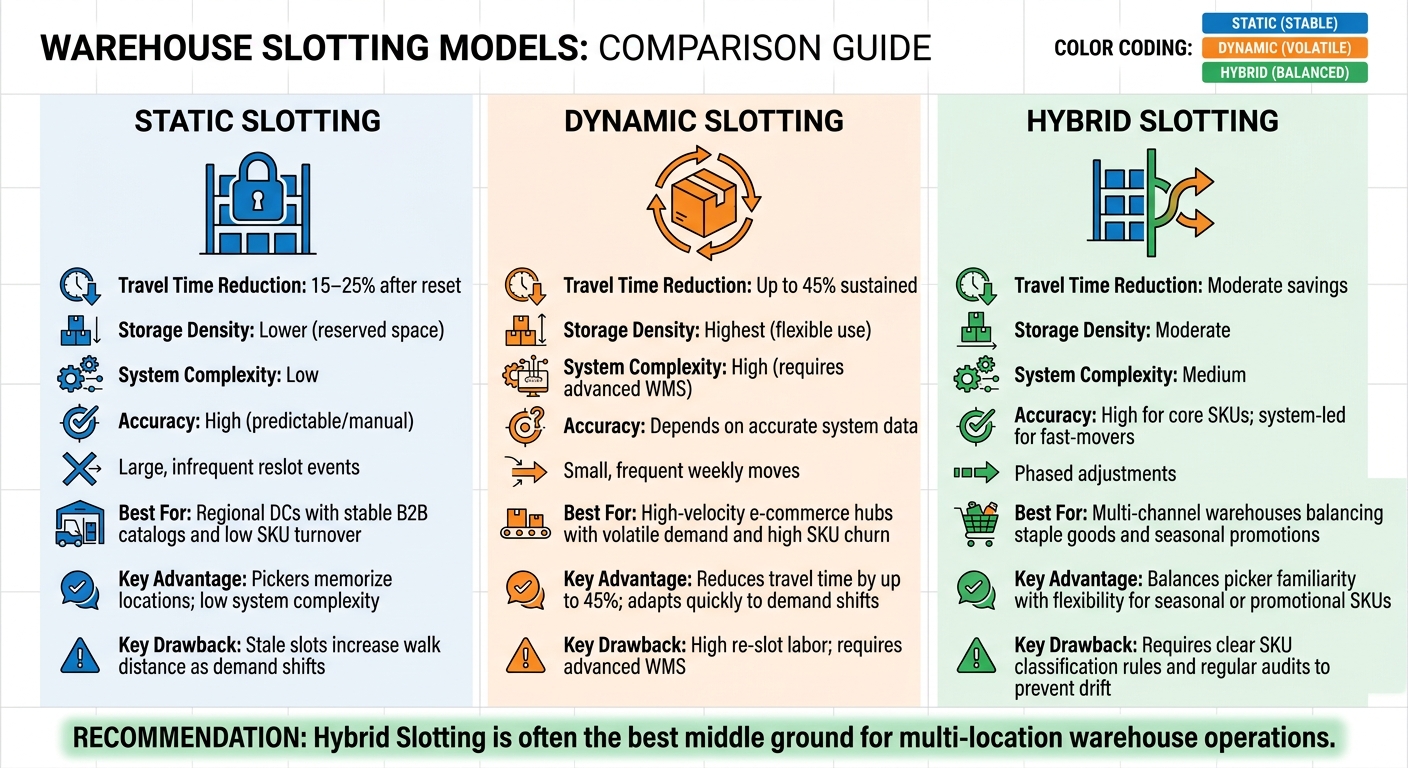
Static vs. Dynamic vs. Hybrid Warehouse Slotting: Which Model Fits Your Operation?
Use static slotting for stable catalogs, dynamic slotting for fast-changing demand, and hybrid slotting when a warehouse needs both. The table below helps match each model to the demand pattern in each facility.
| Feature | Static Slotting | Dynamic Slotting | Hybrid Slotting |
|---|---|---|---|
| Advantages | Pickers memorize locations; low system complexity. | Reduces travel time by up to 45%; adapts quickly to demand shifts. | Balances picker familiarity with flexibility for seasonal or promotional SKUs. |
| Drawbacks | Stale slots increase walk distance as demand shifts. | High re-slot labor; requires advanced WMS. | Requires clear SKU classification rules and regular audits to prevent drift. |
| Best Fit (Multi-Location) | Regional DCs with stable B2B catalogs and low SKU turnover. | High-velocity e-commerce hubs with volatile demand and high SKU churn. | Multi-channel warehouses balancing staple goods and seasonal promotions. |
Hybrid slotting is often the best middle ground for multi-location operations. It gives core SKUs fixed homes, which helps pickers move with less hesitation, while still leaving room to shift seasonal or promotional items when demand changes.
If inventory includes expiration dates, slotting rules also need to follow FIFO or FEFO. That way, the warehouse isn't just placing products where they're easy to pick - it’s also moving stock in the right order.
FIFO vs. FEFO: Which Rule Fits Your Inventory?
When inventory has expiration risk, the choice between FIFO and FEFO is a control rule, not just a way to store products. FIFO works best for durable, non-perishable stock. FEFO fits any SKU with an expiration date, lot risk, or spoilage exposure.
| Feature | FIFO (First-In, First-Out) | FEFO (First-Expired, First-Out) |
|---|---|---|
| Primary Goal | Minimize obsolescence and align with receipt order. | Prevent product expiration and spoilage. |
| Required Data | Receipt date and lot/batch number. | Expiration date and lot/batch number. |
| Ideal Product Types | Durable goods, fashion, electronics, non-perishables. | Food, pharmaceuticals, supplements, cosmetics. |
| Cross-Warehouse Considerations | Consistent receiving timestamps across locations preserve FIFO order across the network. | Transfer visibility keeps short-dated stock prioritized. |
After you pick the rule, the hard part is sticking to it day after day. That means tight receiving accuracy, clear lot labeling, and pick discipline at the location level. If any one of those slips, the rule starts to fall apart.
For FEFO, short-dated stock should go in the easiest-to-reach pick faces. That way, the team is far more likely to ship it first instead of reaching for newer product out of habit. In a multi-warehouse setup, FEFO only works if every site records the same lot and date data during receiving.
Rapid Inventory supports FIFO/FEFO, lot, and serial tracking across multiple QuickBooks Desktop warehouse locations.
How to Apply These Strategies Across Multiple Warehouse Locations
These seven strategies do more when they work as a system. The goal is to standardize the rules, not force the same floor plan in every building.
Use one location naming convention, one ABC method, and one KPI set across the network. Then apply those rules to each site's local data, so the same SKU can rank differently from one warehouse to another. That gives you room to scale without making every warehouse look the same. Once those rules are set, put every site on the same review cycle.
Check A items every month, and reslot each site every 60–90 days. If velocity swings hard or a product launch changes demand, run an extra review outside the normal cycle.
Track the same scorecard at each site so gaps between locations are easy to spot:
| KPI | What It Measures |
|---|---|
| Picks per labor hour | Picker efficiency and labor productivity |
| Travel distance per order | How well slotting reduces walk time by location |
| Mispick rate | Pick accuracy and label/location discipline |
| Capacity utilization | How effectively storage space is being used |
If you manage QuickBooks Desktop inventory across multiple warehouses, Rapid Inventory gives you multi-location visibility, FIFO/FEFO picking, and lot tracking.
Conclusion
Multi-location slotting doesn’t stay fixed. Demand changes, SKU mix shifts, and seasonality can look different from one site to the next. That’s why layouts need regular review, with each warehouse judged by its own demand pattern.
The strongest results usually come from velocity-based placement, physical-fit rules, and date-order controls. A items should be reviewed monthly, B items quarterly, and C items twice a year.
Data accuracy is the last part of the slotting process. Use real-time inventory data so each site stays aligned with current demand. For QuickBooks Desktop users, Rapid Inventory supports multi-location tracking, FIFO/FEFO picking, and lot visibility. Proper slotting can cut picking labor costs by 15% to 30%. Keep reviewing slots by location, and the gains in pick speed and labor efficiency can continue.
FAQs
How do I know if a SKU should be static or dynamic?
It depends on demand stability and your day-to-day warehouse priorities.
Use static slotting for SKUs with steady demand when you want:
- Predictable picking routes
- Staff familiarity
- Simpler auditing
Use dynamic slotting for SKUs with volatile or seasonal demand. It updates item locations based on real-time velocity, which can improve space use and give you more flexibility. The trade-off is added operational complexity.
When should I reslot a warehouse location?
Reslot when your current layout stops cutting travel time or no longer helps pickers move through orders well. The usual warning signs are pretty clear: too much picker travel, low lines per hour, high mispick rates, or congestion in busy zones.
Other things can trigger a reslot too. Seasonal peaks, promotions, new product lines, or changes across your facility network can all throw off a layout that used to work fine.
With static slotting, a quarterly reset may be enough. With dynamic, rules-driven reslotting, you use real-time velocity data to keep stock in the right places and picking running smoothly.
How do I standardize slotting without copying layouts?
Standardize the slotting logic, not the floor plan. In plain English, every warehouse doesn't need to look the same.
What does need to match is the way locations are defined in your system. Use a shared structure like building, zone, aisle, and bin in one central platform such as Rapid Inventory, even when each site has its own layout on the ground.
Then track every location with the same metrics, like picks per hour and slotting ROI. That way, rules such as putting high-demand items in easy-to-reach zones aren't based on guesswork or local habits. They're applied the same way across sites, using data.